GaN Chargers Explained: How to Pick the Right Wattage

The Quick Verdict: Buy for Your Hungriest Device
Most people overthink chargers. The whole decision comes down to one question: what is the hungriest device you own? A phone plus earbuds needs a compact 30 to 45W brick. A laptop in the mix pushes you to 65W or 100W. A 16-inch performance laptop or a desk with three gadgets justifies 140W. Almost nobody needs 240W yet.
GaN changes the shape of the answer, not the math. Gallium nitride lets manufacturers squeeze more watts into a smaller, cooler brick, so one charger can now replace the two or three bricks cluttering your bag. I recommend starting from your laptop’s rated wattage, adding one port for your phone, and ignoring any number that does not appear in the spec table.
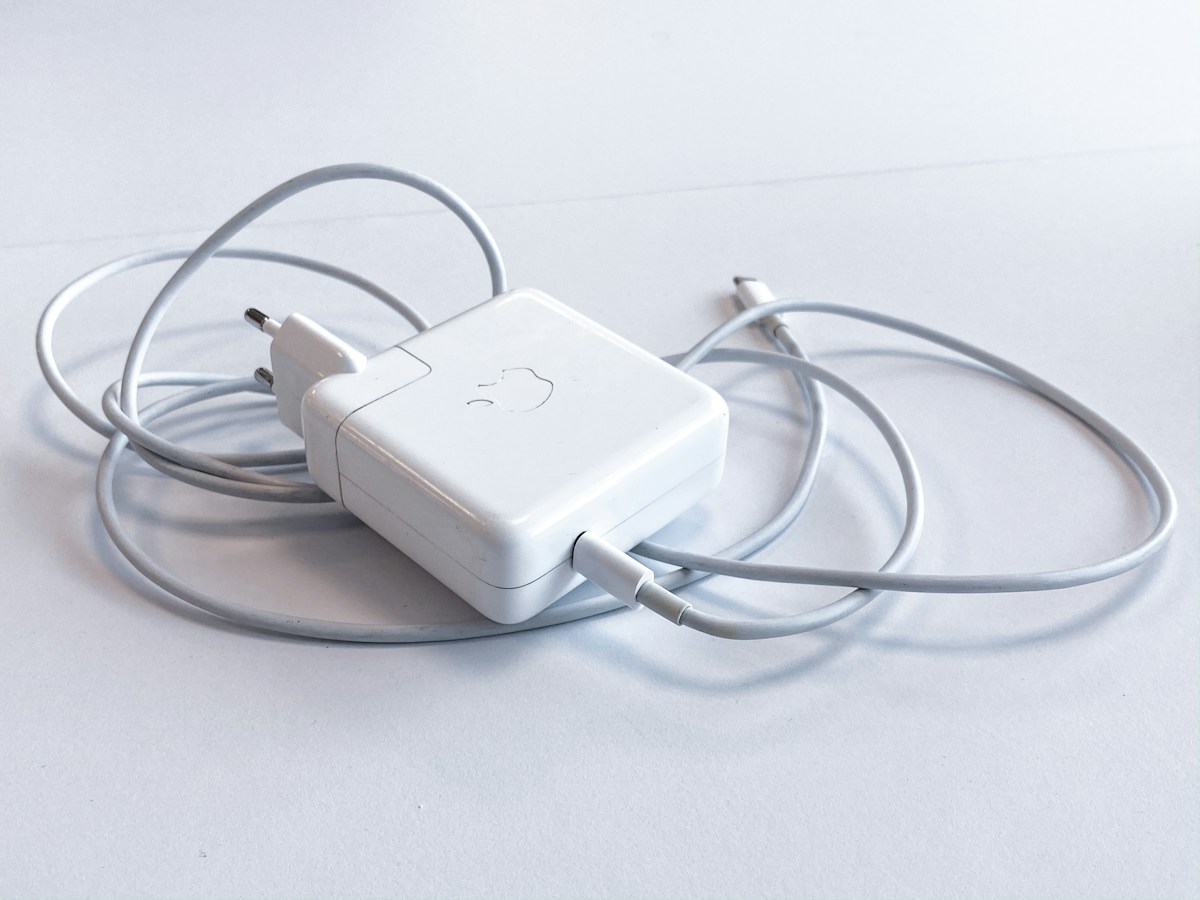
Three links in the chain decide your real charging speed: the charger, the cable, and the device. The weakest link sets the pace. A 140W charger on a 60W cable charges at 60W. A phone that tops out at 25W gains nothing from a 140W brick. This guide walks through each link so you buy once and stop thinking about chargers.

What GaN Changes Inside a Charger
GaN stands for gallium nitride, a semiconductor that replaces silicon in the charger’s power transistors. It switches faster and wastes less energy as heat. The practical result is a 65W charger that can be half the size of its old silicon equivalent while running cooler on your desk.
That smaller footprint is the whole point. Less heat means the components can sit closer together, which is why a modern 100W GaN charger fits in a pocket while the 100W bricks of five years ago crowded a laptop sleeve. Cooler operation also means the charger holds its rated output longer instead of throttling down as it warms up.
One thing GaN does not do: it does not make charging faster by itself. Speed comes from wattage and the charging protocol, not from the transistor material. A 30W GaN charger and a 30W silicon charger fill the same phone at the same rate. Treat “GaN” as a sign of a modern, compact design, then read the spec label for the numbers that matter.
Also Read:

Wattage Cheat Sheet: Match the Charger to the Device
Charger wattage is a ceiling, not a promise. Your device draws what its battery controller allows, so buying far above your device’s limit wastes money and bag space. Use this table as a starting point, then check your device’s own specs for its maximum draw.
| Device | Typical max draw | Charger pick |
|---|---|---|
| Earbuds, smartwatch | 5 to 10W | Any 20 to 30W brick |
| Phone (iPhone, most Android) | 20 to 30W | 30 to 45W |
| Tablet, iPad | 20 to 35W | 30 to 45W |
| Ultrabook, MacBook Air | 45 to 67W | 65W |
| 14 to 16-inch laptop, MacBook Pro | 90 to 140W | 100 to 140W |
| Handheld console | 45W | 65W |
| Performance gaming laptop | 180 to 240W | 240W EPR, device support required |
Notice the gap between 100W and 140W. USB PD 3.0 tops out at 100W, which covers every ultrabook and most creator laptops. The jump to 140W needs PD 3.1 with EPR, a matching cable, and a device that accepts it. Buy the tier your hungriest device can use, not the tier that looks impressive on the box.
USB PD 3.1, EPR, and PPS in Plain English
USB Power Delivery is the negotiation language between charger and device. They shake hands in milliseconds and agree on a voltage and current your battery can handle. Three terms on spec sheets cause most of the confusion, so here is what each one means for your wallet.

| Standard | Max power | Voltage range | Cable requirement |
|---|---|---|---|
| USB PD 3.0 | 100W (20V at 5A) | 5, 9, 12, 15, 20V fixed steps | 5A e-marker cable for the full 100W |
| USB PD 3.1 with EPR | 240W (48V at 5A) | Adds 28, 36, 48V fixed steps | Cable rated for 240W EPR |
| PPS (part of PD 3.0 and up) | 100W | 3.3 to 21V in tiny 20mV steps | E-marker recommended |
PD 3.0 is the baseline and it covers almost every phone, tablet, and ultrabook sold today. PD 3.1 adds Extended Power Range, which pushes past 100W up to 240W through new 28V, 36V, and 48V levels. You need EPR on all three links, charger, cable, and device, before a single extra watt flows. The Android Authority explainer on USB Power Delivery lays out how each revision builds on the last.
PPS, short for Programmable Power Supply, takes a different approach. Instead of jumping between fixed voltage steps, it adjusts voltage and current in fine increments as the battery fills. That precision cuts heat and lets a phone hold its peak speed longer. Many Samsung and Pixel phones need PPS for their fastest charging, while Apple devices skip PPS and charge at full speed over standard PD. The Beebom breakdown of USB PD versus PPS shows why the two standards complement rather than replace each other.
I recommend treating PD 3.0 plus PPS as the sweet spot for phones, and PD 3.1 EPR as a laptop-and-workstation feature. The MT Software guide to PD 3.1 and PPS is worth a read if you want the full protocol detail before spending on a 140W or 240W brick.

Multi-Port Chargers Split Power: Read the Fine Print
A “140W 4-port” charger delivers 140W to one port, not 140W to every port. The headline number is the total budget, and the ports share it. Plug in a second device and the charger re-splits the power, often dropping your laptop from full speed to a trickle without any warning on the screen.
Good manufacturers print a port-allocation table on the box or the product page. One 185W three-port design, for example, feeds up to 140W to a laptop on the first USB-C port no matter what else is plugged in, while the second port steps down to 45W, or 33W when the USB-A port is also in use, and the USB-A port holds 12W. That kind of transparency shows what your desk setup will get. No allocation table means aggressive throttling the moment a second cable goes in.
For a permanent desk, pair one strong multi-port charger with a proper docking station for a clean desk setup instead of stacking bricks. The dock handles your monitor and peripherals, the charger feeds the dock and your phone, and you end up with one power cable instead of four.
The Cable Decides Your Top Speed Too
A plain USB-C cable tops out at 60W. Reaching 100W needs a cable rated for 5A with an e-marker chip inside that tells the charger it is safe to push harder. Past 100W, you need a cable rated for 240W EPR. The charger and device negotiate through the cable, so a missing e-marker caps you at 60W even with a 140W brick on the wall.
Cheap no-brand cables cause the most head-scratching slowdowns. They often skip the e-marker chip, which breaks 100W charging even when everything else in the chain supports it. Buy cables from brands that print the wattage rating on the packaging, and replace any cable that runs warm to the touch. Our USB-C cables explained guide covers data speeds and Thunderbolt ratings if you also move files over the same cable.
Four Buying Traps to Avoid
First, buying watts your devices cannot drink. A phone that tops out at 25W charges at 25W on a 140W brick, and the extra money buys you nothing but a heavier bag. Match the charger to the hungriest device, not to the biggest number in the store.
Second, trusting the front of the box. The headline wattage almost always describes one port at maximum, with everything else splitting the remainder. Flip the box over and read the port-allocation table. If there is no table, assume the worst split and keep shopping.
Third, skipping safety marks. A charger pushes mains power close to your devices, so look for UL, CE, or equivalent certification plus named protections: over-voltage, over-current, and short-circuit protection. Excess heat also shortens battery life over time, which is why our laptop battery health guide starts with keeping charging temperatures down.
Fourth, forgetting the travel kit. Foldable prongs and universal 100 to 240V input matter more on a trip than 20 extra watts. The DigitechBytes roundup of 140W GaN chargers is a useful reference for comparing real port layouts and weights before you pick a travel brick.
Final Word: One Charger Can Run Your Whole Desk
The right GaN charger is the one you stop noticing. Check your hungriest device and buy that wattage tier. Confirm PD 3.0 or 3.1 support, add PPS if you carry a Samsung or Pixel, and pair the brick with a cable rated for the same wattage. Look for safety certifications and a printed port-allocation table, and you will have a charger that stays relevant through your next two device upgrades.
I recommend keeping the setup simple: one multi-port GaN charger on the desk, one compact single-port brick in the bag, and cables you trust. If your desk also hosts a phone, watch, and earbuds every night, a dedicated wireless charging station can take the small devices off the brick for good. Pick your wattage, match your cable, and charge everything from one outlet.

Irfan is a Creative Tech Strategist and the founder of Grafisify. He spends his days testing the latest AI design tools and breaking down complex tech into actionable guides for creators. When he’s not writing, he’s experimenting with generative art or optimizing digital workflows.






 Artificial Intelligent
 Design & Creative
 Freelance
 Gadgets & Gear
 Insights
 Laptop
 Reviews
 Smartphone
 Tech Guides
 Vibe Coding




