Phone Battery Health: How to Check It and Slow Decay
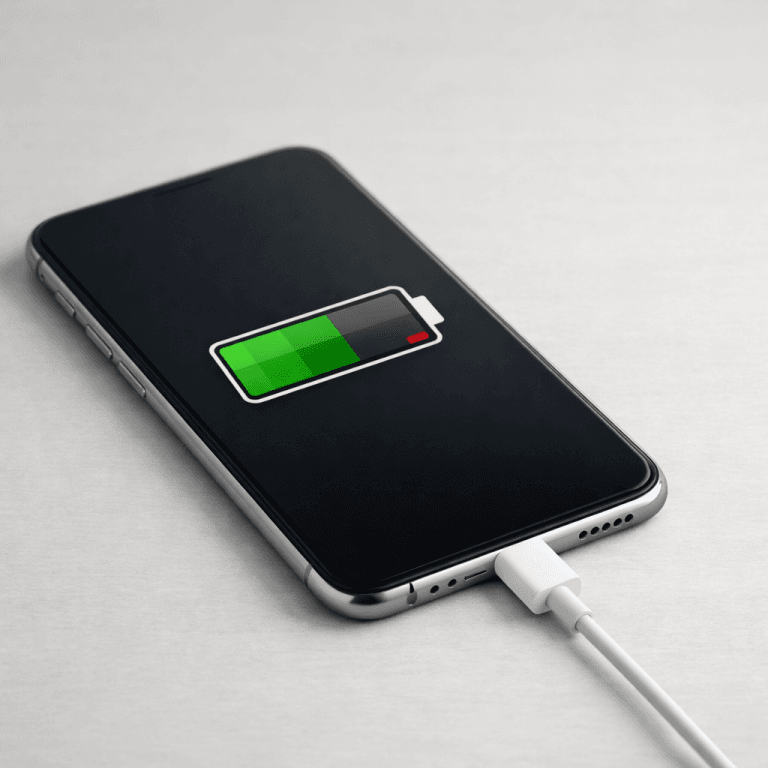
Your phone battery dies a little every day. That part is chemistry, not negligence. But how fast it fades is mostly your decision. Every major vendor publishes the same threshold: at 80% of original capacity, the battery is spent. I checked Apple’s, Google’s, and Samsung’s support pages while writing this, and all three give you the tools to see that number and slow the slide. This guide shows where the number lives on iPhone, Pixel, and Galaxy, why the decay happens, and which settings actually move the needle.
Verdict: What Actually Protects Your Battery
You don’t need a new charging ritual. You need three habits backed by vendor-published specs:
- Keep heat away. Samsung lists 32 to 95 degrees Fahrenheit as the safe operating window. Google warns against 6 or more hours above 95 degrees. Heat accelerates decay more than any habit you control.
- Stop parking at 100%. Time spent fully charged stresses the cell. An 80% charge limit is the single setting with the best payoff.
- Think in cycles, not plug-ins. A cycle is one full 0 to 100% equivalent. Two half-charges add up to one cycle. The number on your health screen measures exactly this wear.
- Know the 80% line. Apple rates iPhone 15 models to hold 80% capacity through 1,000 complete cycles. Google rates Pixel 8a and later through 1,000 cycles too. Below 80%, vendors recommend a replacement.
- Turn on the built-in charge limit today. Apple, Google, and Samsung each ship one. It takes under a minute, and it costs nothing.
What “Battery Health” Actually Measures
Battery health is a ratio. Your phone compares current maximum capacity against the capacity the cell had on day one. A reading of 92% means the battery now holds 92% of the charge it held when new. It does not measure how long your screen stays on today; it measures how much the cell has shrunk since the factory.
Also Read:

The yardstick for that shrinkage is the charge cycle. Vendors define one cycle as a full discharge-and-charge loop, but it rarely happens in one sitting. Drain 60% today, charge back to full, drain 40% tomorrow, charge back to full: that is one cycle, not two. The health percentage falls as cycles accumulate. I have seen readers panic over the cycle count after a year of heavy use, when 400 cycles with 91% remaining is exactly what the spec predicts.
Why does every brand anchor on 80%? Below that line, the phone can no longer deliver peak voltage under load. You get the shutdown-at-30% phenomenon, throttled performance, and a battery that drops from 20% to dead in minutes. Apple’s iPhone battery and performance page states the design targets plainly: iPhone 14 models and earlier should retain 80% at 500 complete cycles, while iPhone 15 models should retain 80% at 1,000 cycles, all under ideal conditions. Google publishes its own Pixel battery health page with per-generation ratings: Pixel 3 through Pixel 8 Pro should retain up to 80% for about 800 cycles, while Pixel 8a and later should retain up to 80% for about 1,000 cycles.
That same 80% line doubles as a warranty trigger. Apple replaces batteries under AppleCare+ at no extra charge when capacity drops below 80%. The health screen is not a marketing widget. It is the gauge the vendors themselves use to decide whether your battery is still good.
How to Check Battery Health on iPhone, Pixel, and Galaxy
Each vendor hides the number in a different corner. Here is the full map:
| Phone | Where the number lives | What you get | Replacement signal |
|---|---|---|---|
| iPhone | Settings > Battery > Battery Health | Maximum capacity percentage, plus cycle count on iPhone 15 and later | Below 80% |
| Pixel | Settings > Battery > Battery health | Capacity status; “Reduced” when capacity falls below 80% | Below 80% or “Reduced” status |
| Galaxy | Settings > Battery; Samsung Members app > Diagnostics for battery status | Battery status plus protection-mode controls | Poor diagnostic status or visibly shortened runtime |
On iPhone, open Settings, tap Battery, then Battery Health. The Maximum Capacity line shows the percentage. On iPhone 15 and later you also get the cycle count, the manufacture date, and the first-use date on the same screen. If those rows are missing, your model predates the display.
On Pixel, the path only exists on Pixel 8a and later: Settings > Battery > Battery health. Google reports the capacity status rather than a raw percentage in some builds, flagging it as “Reduced” once capacity drops below 80%. Older Pixels don’t show this screen at all, which is worth knowing before you go hunting for it.

Samsung takes a different approach on its US support pages. The company documents Battery protection modes in detail but does not publish a single on-device battery-health percentage the way Apple and Google do. You can run a battery diagnostic through the Samsung Members app for a status check, and the Battery settings page exposes the protection controls covered in the next sections. For the full rundown, see Samsung’s Battery protection guide.
Why Phone Batteries Degrade: Heat, Charge Level, and Cycles
Three forces wear a lithium cell down. Everything else you have heard is noise around these three.
Heat is the accelerant. Chemical reactions inside the cell speed up with temperature, and the unwanted ones speed up fastest. Samsung’s battery care page states the optimal usage window as 32 to 95 degrees Fahrenheit. Google tells Pixel owners to charge in a cool place around 77 degrees Fahrenheit and to avoid 6 or more hours above 95 degrees ambient. Apple says the same thing in plainer language: avoid exposing iPhone to very hot environments. The practical translation: don’t leave the phone baking on a car dashboard, don’t charge it under a pillow, and take the case off if the phone runs warm while charging.

High state of charge is the pressure. A cell sitting at 100% experiences higher voltage stress than the same cell at 80%. That stress compounds over hours. This is why overnight charging gets the blame: not because plugging in overnight is magic poison, but because a phone that hits 100% at 1 AM and stays there until 7 AM spends six hours at peak stress. Modern phones counter this with adaptive charging that holds the cell at 80% and tops it off before your alarm. The villain was never the overnight plug-in. It was the six-hour soak at full.
Cycles are the mileage. Each full cycle consumes a fraction of the cell’s lifespan. You cannot avoid cycles if you use the phone, and you shouldn’t try. The goal is to make each cycle count for more: lower brightness drains less per hour, a cooler phone converts more charge into runtime, and a charge limit keeps the top end of each cycle less damaging. Google’s own health assistance even adjusts the battery’s maximum voltage in stages, starting at 200 charge cycles and continuing gradually until 1,000, specifically to protect the cell as cycles pile up.
Two myths deserve retirement. First, the “calibration” full discharge. Draining a modern phone to zero and charging it back to full does not repair chemistry; the fuel-gauge chip calibrates itself during normal use. Second, the idea that wireless charging inherently destroys batteries. Heat is the destroyer. A cool wired charger beats a hot wireless pad, and a cool wireless pad beats a hot wired one. Judge the heat, not the cable. And if the charger itself runs hot, it may be the wrong tool for the job: see our guide on picking a GaN charger that stays cool under load.
Settings to Change Today: Charge Limits and Adaptive Charging
Every major phone now ships a charge limiter. Pick your ecosystem and flip it on:
iPhone (15 and later). Go to Settings > Battery > Charging and set the Charge Limit anywhere from 80 to 100% in 5% steps. Apple documents this on its iPhone charging optimization page. Leave it at 80% for daily use and bump it to 100% on travel days. Below that, Optimized Battery Charging learns your routine: it needs at least 14 days to learn your habits, and the phone must experience at least 9 charges of 5 hours or more in a given location before it engages. It works, but only after it has watched you for two weeks.
Pixel (8a and later). Settings > Battery > Charging optimization gives you two options: Limit to 80%, or Adaptive charging, which slows the overnight charge and finishes by your alarm. Google adds one maintenance quirk: to keep its capacity readings accurate, your Pixel needs a full charge at every 10th cycle, even with Limit to 80% turned on. If the health readout ever looks jumpy, that skipped full charge is the usual cause. The full rules live on Google’s battery optimization page.
Galaxy. Settings > Battery > Battery protection offers three modes. Basic stops charging at 100% and resumes at 95%, avoiding the constant trickle-top. Adaptive learns your routine, stops at 80% overnight, and switches to Basic before you wake. Maximum caps charging at the level you set. Samsung documents all three in its Battery protection guide.
| Maker | Setting name | What it does |
|---|---|---|
| Apple | Charge Limit | Caps charging at 80 to 100% in 5% steps |
| Apple | Optimized Battery Charging | Holds at 80%, finishes the last stretch before you unplug |
| Limit to 80% | Stops the charge at 80% every time | |
| Adaptive charging | Slows overnight charging, completes by your alarm | |
| Samsung | Battery protection: Basic | Stops at 100%, resumes at 95% |
| Samsung | Battery protection: Adaptive | Stops at 80% overnight, tops off before you wake |
| Samsung | Battery protection: Maximum | Caps charging at your chosen level |
I use the 80% cap on my own phone. The missing 20% costs nothing on a normal day: nobody drains a full battery to zero between breakfast and bedtime unless the battery is already failing. The setting pays you back in months of extra healthy life.
When 80% Means Replace, or Costs Nothing
The 80% threshold is also the service line. Under AppleCare+, Apple replaces a battery at no extra charge when capacity drops below 80%. Out of warranty, the same replacement is a paid service; Apple states plainly that its warranty doesn’t cover batteries worn down by normal use, so price it at an official store or an authorized shop rather than a mall kiosk. Apple publishes the full terms on its iPhone battery replacement page.
Google’s guidance is blunter: after the rated cycle count, battery replacement is recommended. Pixel owners get the verdict straight from the health screen once the status flips to Reduced.
On the repair front, regulation is moving your way. Article 11 of the EU Battery Regulation (2023/1542) applies from 18 February 2027 and requires portable batteries to be available as spare parts for at least five years after the last unit of a model goes on sale. The rule is European, but parts supply chains are global: a phone designed for a replaceable battery in the EU is easier to repair everywhere. If you want to know how hard a given model is to open before you buy, check what teardowns reveal about battery swaps. And since a healthy battery is the best reason to keep a phone past its second birthday, it pays to know how long phone updates actually last before you decide between a battery swap and an upgrade. Laptop owners get the same treatment in our companion piece, our companion laptop battery-health myth-buster.
One caution on third-party battery shops: a cheap cell with an unknown cycle rating can report 100% health and still die at 40%. If you replace, use a cell from the manufacturer or a shop that warranties the capacity rating in writing.
Conclusion: Your 60-Second Battery Action Plan
Battery health comes down to three levers: heat, time at full charge, and cycles. You can’t change chemistry, but you control all three levers. Check your number today so you have a baseline. Turn on the 80% charge limit so the phone stops soaking at full. Move the charger off the hot windowsill and out from under the pillow. On Pixel, let the phone fully charge every 10th cycle so the reading stays honest.
Do those four things and the health screen moves on your schedule, not the battery’s. My own rule of thumb: if the phone still clears a full day at 85% health, it doesn’t need a new battery. It needs the settings above.
Your turn: open the health screen right now and note the number. Drop it in the comments with the model and the age of the phone. I read every one, and the real-world numbers help everyone calibrate what normal decay looks like.

Irfan is a Creative Tech Strategist and the founder of Grafisify. He spends his days testing the latest AI design tools and breaking down complex tech into actionable guides for creators. When he’s not writing, he’s experimenting with generative art or optimizing digital workflows.





 Artificial Intelligent
 Design & Creative
 Freelance
 Gadgets & Gear
 Insights
 Laptop
 Reviews
 Smartphone
 Tech Guides
 Vibe Coding




