Ergonomic Desk Setup Guide for Remote Workers
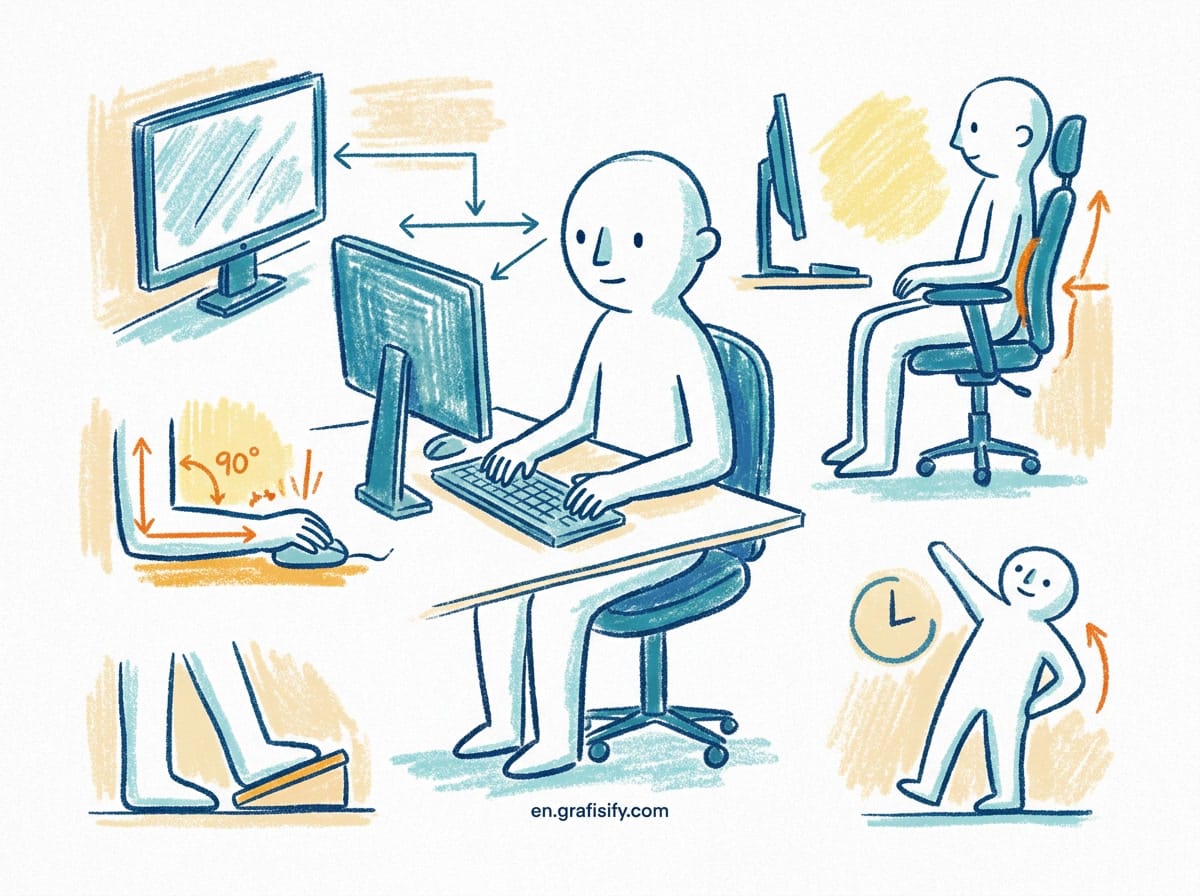
Verdict: Fix Your Desk in Five Steps
TL;DR: Your desk height is likely wrong, and fixing it takes 30 minutes. Standard office desks sit at 29 to 30 inches, a height standardized decades ago for typewriter operators. For modern laptop and keyboard users, that height forces shoulder elevation and neck strain. Follow the five-step sequence below: adjust your chair first, then desk height, then monitor, then input devices, then your sit-stand rhythm.
The Root Cause of Home Office Strain
Most home office setups are built for visual aesthetics rather than human anatomy. You buy a stylish desk, position your laptop at comfortable table height, and pull up a standard office chair. Within three weeks, neck tightness begins. Within three months, lower back stiffness becomes a permanent daily companion. The issue is not your posture or lack of discipline. It is a fundamental mismatch between fixed furniture dimensions and dynamic body mechanics.
Standard office desks are manufactured to a uniform height of 29 to 30 inches (73 to 76 cm). This standard was codified in the mid-twentieth century for typewriter operators, who needed lower surface levels to accommodate tall mechanical keyboards. For a modern worker typing on a thin laptop or flat mechanical keyboard, a 29-inch desk forces the shoulders into a continuous elevation. This subtle, multi-hour elevation keeps the upper trapezius muscles under isometric tension, restricting blood flow and causing chronic neck strain.
According to OSHA computer workstation guidelines and human factors research from the Cornell University ergonomics program, neutral posture requires joint angles close to 90 to 100 degrees at the elbows, hips, and knees while keeping feet flat on the floor. Achieving this baseline requires precise adjustments in sequence. Adjusting components in the wrong order, such as raising your chair to match a fixed high desk without supporting your feet, merely transfers physical strain from your upper back down to your thighs and lower lumbar spine.

Step 1: Seat Height and Lumbar Alignment
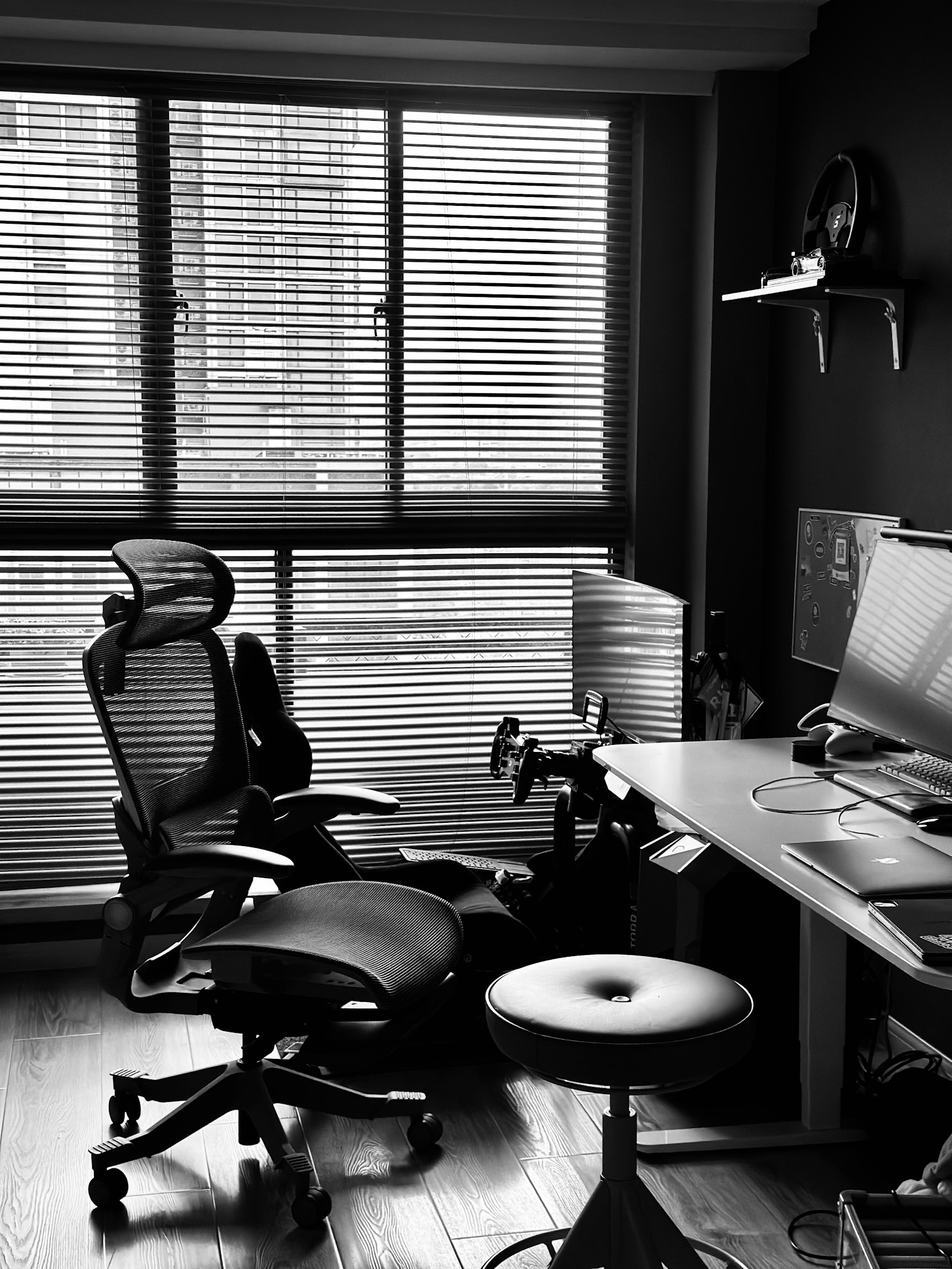
Your chair is the anchor of your ergonomic setup. Every physical adjustment depends on establishing proper foot-to-floor contact and pelvis position first. If your seat height is misconfigured, every subsequent adjustment to your desk, keyboard, and monitor will be offset.
Begin by adjusting the chair height until your feet rest flat on the floor with your knees bent at approximately a 90-degree angle. Your thighs should sit parallel to the ground, with a small gap of 2 to 3 fingers between the edge of the seat cushion and the back of your knees. If the seat cushion presses against the back of your knees, it restricts popliteal venous return, leading to leg fatigue and swelling by late afternoon.
Lumbar support must fill the natural inward curve of your lower back (the lumbar lordosis). Place the lumbar cushion or built-in backrest curve directly in the small of your back, just above your belt line. If your chair lacks adjustability or your desk is fixed too high, use a firm footrest to maintain flat foot support. Never allow your feet to dangle or rest on chair legs, as this tilts the pelvis backward and flattens the lumbar curve. When I tested three chairs under 300 dollars, only one provided genuinely adjustable lumbar depth rather than a fixed foam bulge.
Step 2: Desk Height and Forearm Geometry
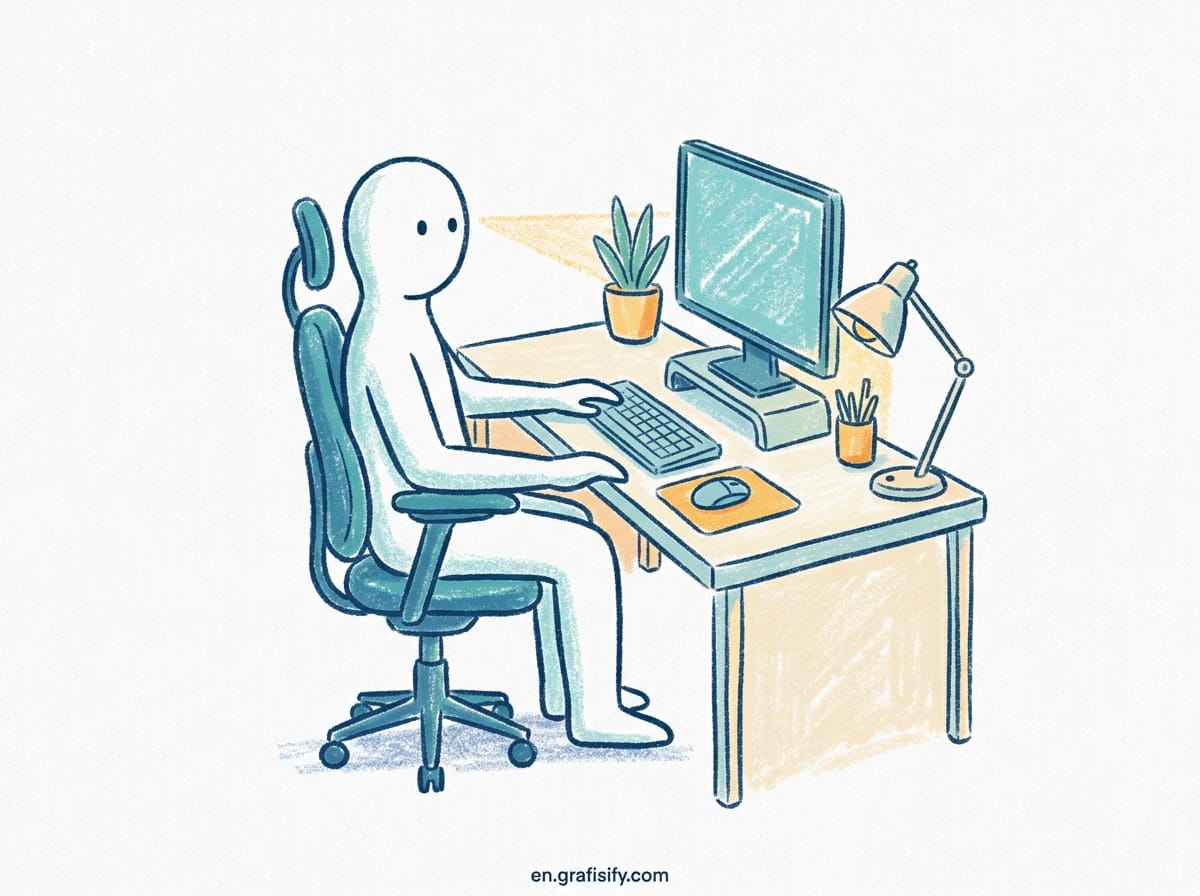
Once your chair is dialed in, address your arm positioning. Relax your shoulders completely, let your upper arms hang naturally at your sides, and bend your elbows at a 90-to-100-degree angle. Your forearms should rest parallel to the floor, with your wrists extended straight toward your input devices without bending up, down, or sideways.
If you use a standard fixed 29-inch desk, your hands will likely hang several inches below the desk surface. If you raise your chair to reach the desk, your feet will lift off the floor, requiring a footrest. A height-adjustable standing desk solves this structural conflict by allowing you to lower the desktop down to 24 or 26 inches for sitting, matching your natural resting arm height.
| User Height | Seated Eye Level | Seated Desk Height | Standing Desk Height |
|---|---|---|---|
| 5 ft 4 in (163 cm) | 42.5 in (108 cm) | 23.5 in (60 cm) | 38.5 in (98 cm) |
| 5 ft 8 in (173 cm) | 45.5 in (115 cm) | 25.0 in (63.5 cm) | 41.5 in (105 cm) |
| 6 ft 0 in (183 cm) | 49.0 in (124 cm) | 27.5 in (70 cm) | 45.0 in (114 cm) |
| 6 ft 4 in (193 cm) | 52.5 in (133 cm) | 29.5 in (75 cm) | 48.5 in (123 cm) |
When selecting a height-adjustable desk, verify its lower range. Many cheap electric standing desks only descend to 28 inches (71 cm), which remains too high for average-height workers. Look for dual-motor, three-stage frame designs that lower to 22 or 23 inches to accommodate true neutral seated arm angles. For deeper gear analysis, see our Gadgets and Gear desk setup guides.

Step 3: Monitor Height, Distance, and Angle
Incorrect monitor position is the primary cause of forward head posture (“tech neck”). The human head weighs 10 to 12 pounds in a neutral position. For every inch your head tilts forward to look down at a low laptop screen, the effective load on your cervical spine increases by roughly 10 pounds. At a 45-degree angle, your neck muscles support over 49 pounds of force.
Position your primary monitor directly in front of you, centered with your keyboard spacebar. The distance from your eyes to the screen surface should equal arm’s length (roughly 20 to 30 inches or 50 to 75 cm). Extend your arm forward while sitting back in your chair; your fingertips should just touch the glass surface.
Adjust screen height so the top third of the display aligns with your eye level. Looking straight ahead, your line of sight should rest on the top text line or browser search bar. This positioning allows your eyes to scan down the screen at a natural 15-to-20-degree downward angle without tilting your neck. If you use a laptop without an external display, place the laptop on a riser or monitor arm and plug in a separate external keyboard and mouse. Switching keyboards changes more than typing feel: I tested Hall effect magnetic switch keyboards for wrist load, and the difference in bottoming impact is measurable.

Step 4: Input Placement and Peripheral Reach
Organize your workspace into functional reach zones to minimize repetitive reaching. The primary zone spans the arc reached by sweeping your forearms while elbows stay loose at your sides. Your mechanical keyboard or laptop deck, mouse, and notepad belong in this primary reach area. Our Design and Creative workspace guides cover cable and accessory layout in more depth.
Keep your mouse directly alongside your keyboard. A common ergonomic error is using a wide full-sized keyboard with a dedicated number pad, which pushes the mouse outward by 4 to 6 inches. Reaching outward to click forces your right shoulder into continuous external rotation and abduction. Switching to a compact tenkeyless (80%) or 65% keyboard brings the mouse inward, maintaining a neutral shoulder position throughout the day.
When using trackpads or vertical ergonomic mice, keep wrist extension flat. Avoid resting your palm heavy on hard desk edges, which compresses the median nerve inside the carpal tunnel. If your desk has a sharp front bevel, use a flat padded desk mat to distribute pressure across the underside of your forearms.

Step 5: The Sitting-Standing Movement Cycle
Investing in an electric standing desk is beneficial, but standing all day creates its own set of cardiovascular and orthopedic issues. A 2024 prospective study published in the British Journal of Sports Medicine evaluated long-term accelerometer data across thousands of office workers. The study found that static standing for extended periods does not improve long-term cardiometabolic markers and increases the risk of venous blood pooling, lower limb edema, and varicose veins. Additional research compiled by authoritative hardware reviews highlights that active movement breaks outperform static posture changes.
The solution is dynamic movement rather than static posture replacement. Follow a structured 45-15 or 30-30 movement cadence. Sit in a neutral posture for 45 minutes, stand for 15 minutes, and take a brief 2-minute walking or stretching break every hour. Light movement breaks assist calf muscle pumps in driving venous blood back toward the heart, eliminating the stiffness associated with static sitting and static standing alike.
When standing, wear supportive footwear or step onto a high-density polyurethane anti-fatigue mat. Standing barefoot on hard hardwood or tile floors causes heel strike fatigue and forces micro-adjustments in your ankles that strain your lower calf muscles. For further workflow optimizations, explore our Tech Guides troubleshooting library and Insights editorial breakdown.
Key Takeaways for Setup Optimization
Setting up an ergonomic workspace requires systematic adjustments based on your physical dimensions. Review these core principles before reconfiguring your desk setup:
| Ergonomic Factor | Incorrect Setup | Optimal Setup |
|---|---|---|
| Adjustment Sequence | Setting desk height first | Chair height first, then desk height, then monitor height |
| Elbow & Forearm Position | Reaching up to 29-inch fixed desk | 90-100 degree elbow angle resting parallel to floor |
| Monitor Position | Laptop flat on desk surface | Top third of screen aligned with direct horizontal line of sight |
| Keyboard Size | Full-size keyboard forcing wide mouse reach | Compact TKL/65% keyboard keeping mouse in neutral shoulder arc |
| Workday Rhythm | Standing stationary for 4+ hours | 45-min sit / 15-min stand cycle with hourly walking breaks |
By arranging your chair, desk, screen, and peripherals in the correct biological order, you eliminate isometric muscle tension at the root. Take thirty minutes to measure your elbow height, raise your monitor, and move your mouse inward. Your shoulders, neck, and lower back will notice the relief immediately.
Ready to fix your workspace? Start with the chair height measurement today, then work through each step in order. Bookmark this guide and revisit it after your first full week with the new setup, since minor aches often reveal remaining misalignments once the primary ones are corrected.
Frequently Asked Questions
Should my desk be at elbow height when sitting? Yes. With your shoulders relaxed and forearms parallel to the floor, the desk surface should sit exactly at elbow height or slightly below it. Reaching upward to a 29-inch desk creates sustained tension in the upper trapezius muscles.
How high should my monitor be relative to my eyes? The top third of your screen should align with your horizontal line of sight. When you look straight ahead, your eyes should land on the top of the active content area, letting your gaze angle 15 to 20 degrees downward toward the middle of the screen.
How long should I stand at my standing desk? Roughly 15 minutes per hour, alternating with 45 minutes of seated work. Research shows static standing all day carries cardiovascular risks similar to prolonged sitting, so movement breaks matter more than total standing time.

Irfan is a Creative Tech Strategist and the founder of Grafisify. He spends his days testing the latest AI design tools and breaking down complex tech into actionable guides for creators. When he’s not writing, he’s experimenting with generative art or optimizing digital workflows.





 Artificial Intelligent
 Design & Creative
 Freelance
 Gadgets & Gear
 Insights
 Laptop
 Reviews
 Smartphone
 Tech Guides
 Vibe Coding