How Long Do Smartphones Actually Last?

The Verdict Up Front
A well-kept smartphone stays comfortable to use for about three to four years. United States data puts the average upgrade cycle at 32 months, and trade-in records show phones averaging nearly four years old at turn-in. Replace your phone when battery health, update coverage, and repair cost cross your threshold, not on a fixed calendar.
Keep-or-replace rule: if a battery swap costs less than a quarter of a new phone and your phone still receives security updates, keep it. If the battery is failing and updates have stopped, replace it.
Real-World Upgrade Cycles
The latest Reviews.org Smartphone Lifespan Report, based on a Pollfish survey of 1,000 US adults in August 2026, finds that the average American upgrades every 32 months, about two years and eight months. That figure stretched by four months versus the prior year’s 29-month average. When asked why they upgraded, respondents pointed to faster performance (21%) and battery problems (19%), well ahead of novelty or fashion.
Self-reported intentions run shorter than actual behavior, which makes trade-in data the more honest record. Assurant’s annual trade-in report shows the average age of devices at turn-in hitting new highs: iPhones reached 3.80 years, up from 3.67 the year before, while Android devices climbed to 3.96 years from 3.52. In the final quarter of 2025, the average Android phone handed in for trade-in was 4.1 years old, the first time any smartphone category crossed the four-year line. The pattern is clear: people keep phones longer every year.
Why does this matter for you? Marketing cycles push annual upgrades, but your wallet benefits from resisting that rhythm. Understanding which part of the phone actually wears out lets you spend on the repair that counts and skip the upgrade that does not.
The Four Clocks That End a Phone’s Life
A phone does not have one lifespan. It has four clocks running at once, and whichever runs out first ends the usable life.
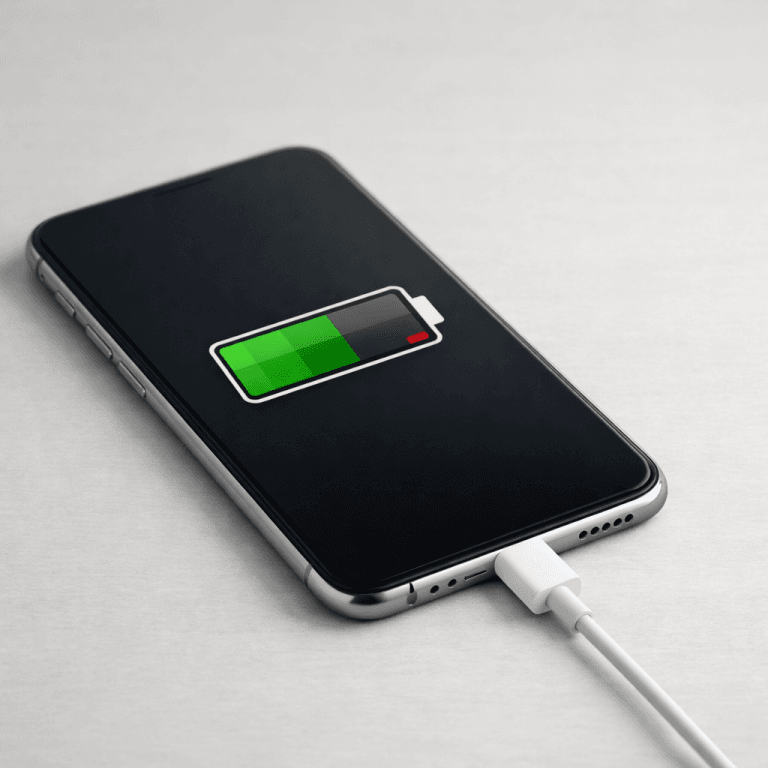
Battery chemistry. Lithium-ion cells lose capacity with every charge cycle. Apple rates iPhone 14 and earlier models to retain 80% of original capacity after 500 full charge cycles under ideal conditions; iPhone 15 models reach the same 80% mark after 1,000 cycles. Once capacity drops below 80%, the phone dies before dinner and unexpected shutdowns start. This clock is the usual killer, and you can slow it: we explain how to check your phone’s battery health in a separate guide.
Software support. A phone that no longer receives security updates becomes a risk to carry, especially for banking and work email. Support windows have grown dramatically: Samsung and Google now promise seven years on flagships, while Apple publishes per-release device lists instead of a year count. Our guide on how long phone updates actually last compares the brand-by-brand picture in detail.
Hardware failure and repair economics. Cracked screens, worn charging ports, and dying buttons are mechanical problems, not age problems. They become lifespan problems only when the repair quote exceeds the phone’s value. A $150 screen repair on a phone worth $120 is an upgrade trigger; the same repair on a phone worth $400 is maintenance.

Feature obsolescence. Apps raise their minimum OS requirements, banks require newer Bluetooth or security hardware, and cameras from 2019 look soft next to 2026 sensors. This clock runs slowest and matters least for most owners, but it eventually forces hands.
Think in clocks, not years. If your battery is at 88% and your phone still gets updates, none of the clocks have run out, and a calendar date is no reason to spend money.
Software Support Compared by Brand
Support promises look generous on a launch slide, so read the fine print: promises start at first sale, differ between flagship and budget lines, and count OS upgrades separately from security updates.

| Brand | OS upgrades promised | Security updates | What to know |
|---|---|---|---|
| Apple (iPhone) | No fixed count; per-release device lists | As long as the device is supported | iPhone 11 from 2019 still runs iOS 26, which is six years of major versions |
| Samsung (flagship) | Seven generations | Seven years | Announced with the Galaxy S24 series in January 2024; applies to flagships |
| Google (Pixel 8 and later) | Seven years of software support | Included in the seven years | Pixel 8 support runs into 2030, covering OS versions, security, and Feature Drops |
| EU regulatory floor | At least five years from the last unit sold | Part of the five-year window | EU market only; batteries must survive 800 cycles at 80%, spare parts for seven years after a model leaves the market |
Samsung announced its seven-generation commitment with the Galaxy S24 launch: seven OS upgrades plus seven years of security updates for flagship Galaxy devices. Google made a matching seven-year commitment for the Pixel 8 and Pixel 8 Pro, covering the latest Android versions, security patches, and Feature Drops into 2030; Google’s Pixel support page confirms the seven-year window for Pixel 8 and later models. Apple takes a different path: it promises no number of years and instead publishes compatible devices per release. Apple confirmed iOS 26 as a free update for iPhone 11 and later, which means 2019 hardware still runs the current release.
The European Union sets the global benchmark even if its rules bind only EU sales. The European Commission’s ecodesign rules, applying from June 2025, require smartphone batteries to hold at least 80% capacity after 800 charge cycles, operating-system updates for at least five years from the last unit sold, and key spare parts available within five to ten working days for at least seven years after a model leaves the EU market. These floors push every vendor’s global engineering in the right direction, and they give you a yardstick to judge any support promise against.
Five Signs Your Phone Is Done
Run this checklist honestly. Two or more hits mean the phone is finished.
1. The battery gives up before your day does. If maximum capacity sits under 80 to 85% and the phone dies by mid-afternoon on normal use, the chemistry clock has run out. Check your phone’s battery health in settings before you decide anything; a $99 battery swap is cheaper than any upgrade.
2. Security updates have stopped. No patches means every new exploit applies to you permanently. This is the one sign you should never argue with.
3. The repair quote exceeds the phone’s worth. Get a written quote, then check your phone’s resale or trade-in value. When the repair costs more than half the phone’s value and the device is already past three years old, the money belongs toward a replacement.
4. Apps you need have dropped support. When your bank or your work’s authenticator requires a newer OS than your phone can install, the decision is made for you.
5. The phone throttles under normal use. Occasional lag is fine; daily overheating, apps reloading constantly, and the camera shutter lagging a full second behind your tap mean the hardware can no longer keep up with current software.
Make Your Phone Last Four to Five Years
Every one of the four clocks responds to habits. These moves buy real months.
Charge in the middle, not the extremes. Keep the battery between 20% and 80% most days and avoid leaving it at 100% overnight every night. Full charges at high voltage stress the cell; partial charges do not.
Keep heat away from the battery. Heat ages lithium-ion faster than almost anything else. Remove the case while gaming or fast-charging, never leave the phone on a car dashboard, and use a standard charger for overnight charging instead of a 65W brick.
Protect the shell. A case and a tempered-glass screen protector cost little and preserve two things: resale value and repair options. See what teardowns reveal about repairability before you assume a cracked phone is doomed; many repairs are straightforward when the frame is intact.
Leave storage headroom. Phones with nearly full storage stutter, update poorly, and wear their flash storage faster. Keep 15 to 20% of capacity free by offloading photos and deleting apps you have not opened in months.
Time repairs early, not late. Replace the battery when health drops near 80%, not when the phone starts shutting down at 30%. A phone that has been deep-discharged repeatedly loses capacity faster, and a swollen battery can damage the frame.
The Bottom Line: Cost Per Year
Stop asking “how old is my phone” and start asking “what does each year of it cost me.” The formula is simple: total spent on the phone (purchase plus repairs) divided by years of use.
An $899 phone replaced after three years costs about $300 per year. The same phone with a $99 battery swap at year three, running comfortably for a fourth year, drops to roughly $250 per year. Every year you keep a healthy phone past the third is a year you skipped paying $300 for the privilege of a shinier camera you may not notice.
Replacement still wins sometimes. When security updates stop, when two clocks have run out at once, or when repair quotes approach half a new phone’s price, keeping the old device is false economy. And when you do buy, remember that new phones cost more right now than the spec sheets suggest, so buying more phone than you need compounds the waste.
Do this today: open settings, check your phone’s battery health, and confirm you are on the latest security patch. If both look good, your phone is not old, it is paid for. When the day comes to replace it, start with our Pixel 9a vs iPhone 16e vs Galaxy A56 comparison to spend wisely. How old is your current phone? Tell us in the comments; the average in this crowd keeps creeping up.

Irfan is a Creative Tech Strategist and the founder of Grafisify. He spends his days testing the latest AI design tools and breaking down complex tech into actionable guides for creators. When he’s not writing, he’s experimenting with generative art or optimizing digital workflows.





 Artificial Intelligent
 Design & Creative
 Freelance
 Gadgets & Gear
 Insights
 Laptop
 Reviews
 Smartphone
 Tech Guides
 Vibe Coding




