The Best Laptops for Engineering Students Under $1000 : A Survival Guide

Let’s be real for a second. Engineering school is a gauntlet. Between surviving Thermodynamics, deciphering your professor’s handwriting, and subsisting on instant noodles, the last thing you need is a laptop that decides to melt halfway through a SolidWorks render. You don’t just need a computer; you need a lifeline.
But here’s the kicker: You don’t have an unlimited budget. We all wish we could drop three grand on a mobile workstation, but for most of us, that’s just not happening. The sweet spot? The sub-$1000 mark. And honestly? In 2026, a grand goes a long way if you know where to look. We aren’t just looking for glowing keyboards; we need raw computational horsepower, decent thermals, and a battery that doesn’t ghost you after two hours.
Whether you are running AutoCAD, MATLAB, ANSYS, or just coding until your eyes bleed, finding the best laptops for engineering students under $1000 is about balancing compromise with performance. Let’s dive into the silicon jungle.
The Verdict: What You Actually Need (No Fluff)
Before we throw specific models at you, let’s clear up the confusion. Salespeople will try to sell you sleek ultrabooks. Ignore them. Unless you are strictly in Industrial Engineering or maybe CS, an ultrabook with integrated graphics is a one-way ticket to frustration town.
Also Read:
Here is your non-negotiable checklist for 2026:
- CPU: Core count is king. You want at least 6 cores (preferably 8). Look for Intel Core i7 (13th gen or newer) or AMD Ryzen 7 (7000 series or newer). The “H” suffix (High Performance) is your friend; avoid the “U” (Ultra-low power) series if you plan on 3D modeling.
- GPU: This is the game-changer. For Civil, Mechanical, and Aerospace engineering, a dedicated GPU is mandatory. We are targeting an NVIDIA RTX 4050 or 3050 Ti minimum. Integrated graphics won’t cut it for complex CAD assemblies.
- RAM: 16GB is the floor. 8GB is obsolete. If you can find a machine expandable to 32GB, you’re golden.
- Storage: 512GB NVMe SSD is standard, but 1TB is better because CAD files are massive.
Top Contenders: Best Laptops for Engineering Students Under $1000
Finding a machine that hits all these marks without breaking the bank is tough, but not impossible. Here are the heavy hitters that give you the most bang for your buck.
1. The Lenovo LOQ / Legion (The “Workhorse”)
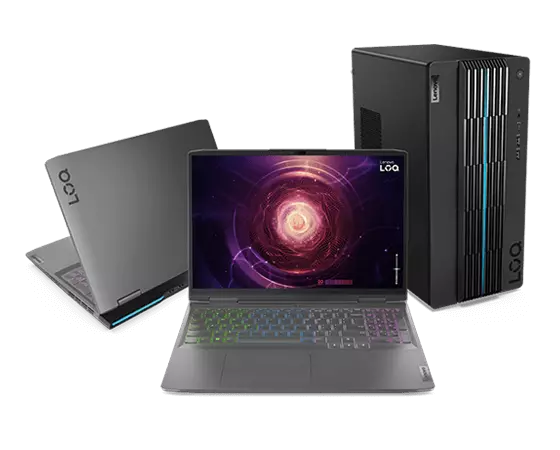

Lenovo has practically cornered the market on “budget performance.” While the Legion series sometimes creeps over the price limit, the Lenovo LOQ series is the spiritual successor to the budget gaming throne. Why is it on this list? Because it prioritizes cooling and TGP (Total Graphics Power).
Typically equipped with a Ryzen 7 and an RTX 4050, this machine eats CAD for breakfast. It’s not the thinnest laptop, and the brick is heavy enough to be a weapon, but it won’t thermal throttle when you are running a flow simulation. It’s a no-brainer for Mechanical Engineering majors.
2. ASUS TUF Gaming A15 (The “Tank”)


If you are clumsy or just toss your bag around like a sack of potatoes, the ASUS TUF (The Ultimate Force) lives up to its name. It meets MIL-STD-810H military standards, meaning it can survive the rigors of campus life.
But it’s not just tough; it’s smart. The cooling system in the 2025/2026 models has been revamped to handle sustained loads. You usually get a high-refresh-rate screen here too—while that’s marketed for gaming, it makes rotating 3D models butter-smooth. Just be warned: the fans can sound like a jet engine taking off during heavy loads.
3. Acer Nitro V (The “Budget King”)

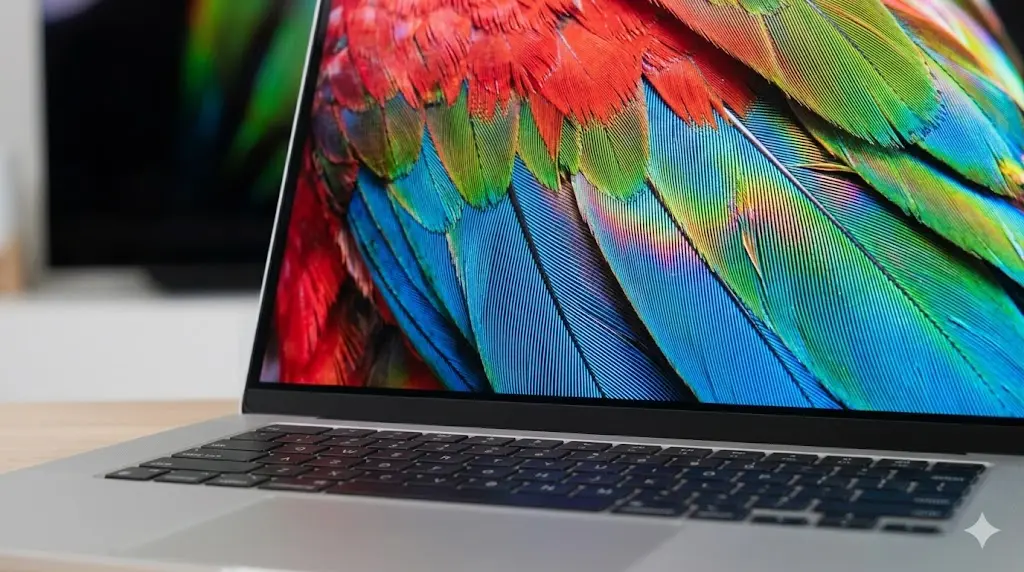
Let’s talk about the Acer Nitro. It’s historically been the “I need specs but I’m broke” option. In 2026, the build quality has improved significantly. It’s still plasticky, sure, but the internals are legit. You can often find configurations with excellent CPUs for well under $900, leaving you budget for a mouse and a sturdy backpack.
It’s a bit of a graphical powerhouse for the price, often packing specs that cost $200 more in a Dell or HP chassis. However, the screen color accuracy isn’t usually amazing, so if you’re into architectural visualization, you might need an external monitor.
4. Dell G15 (The Reliable Option)

Dell’s G-series is essentially an Alienware stripped of the fancy lights and premium chassis. It’s chunky, utilitarian, and powerful. The thermal management is derived from their higher-end lines, which is crucial for those long MATLAB compiling sessions. Support is also a factor here; Dell’s parts availability is generally better than smaller brands if you ever need a repair.
The “Apple” Question: Is a MacBook Air Okay?
I get asked this constantly. “Can I just get a MacBook?”
The answer is a complicated maybe. The M2 and M3 MacBook Airs are engineering marvels in themselves—fast, silent, and battery life that lasts literally all day. For Software Engineering (CS) or Electrical Engineering, they are fantastic because Unix-based systems are great for coding.
However, and this is a massive “however,” if you are in Mechanical, Civil, or Aero, you are rolling the dice. SolidWorks does not run natively on macOS. You’ll have to use Parallels (which costs money) to run Windows, and performance takes a hit. Unless you love troubleshooting compatibility issues while your classmates are already finishing their assignments, stick to Windows for heavy CAD workflows. If you absolutely must have a Mac, check with your department first.
Deep Dive: Why Dedicated Graphics Matter
You might be thinking, “I’m not a gamer, why do I need an NVIDIA card?”
It comes down to CUDA cores. Engineering software relies heavily on parallel processing. Programs like ANSYS, Abaqus, and the Adobe Creative Cloud suite (often used for presentations) leverage the GPU to accelerate calculations. Intel’s integrated Iris Xe or Arc graphics are getting better, but they still choke on complex assemblies with thousands of parts.
Investing in a dedicated GPU is future-proofing. It ensures that in your Junior and Senior years, when projects get significantly more complex, your laptop won’t become a paperweight.
Pros & Cons of Budget Engineering Laptops
When you are buying the best laptops for engineering students under $1000, you have to accept some trade-offs. Here is the reality check:
- The Good: Incredible performance per dollar. You are getting desktop-class power in a portable form factor. Upgradeability is usually better too—gaming laptops often let you swap RAM and SSDs, unlike ultrabooks.
- The Bad: Battery life usually sucks. Let’s not sugarcoat it. With a high-power CPU and GPU, you’ll be lucky to get 4-5 hours off the charger. You will become a wall-hugger in lecture halls.
- The Ugly: Weight and noise. These aren’t featherlight machines. They are bricks. And when the fans spin up, your roommate might complain.
Navigating the Operating System Landscape
While we touched on Macs, Linux is another conversation. If you are a Computer Engineering student, you might be tempted to wipe Windows and install a Linux distro. Go for it—but keep a Windows partition. Most university VPN clients and specialized testing software are Windows-first. A dual-boot setup on a 1TB SSD is the “mumpuni” (capable) way to handle this.
For more insights on setting up your tech ecosystem, check out our guide on essential tech setups for students.
Final Thoughts: Don’t Buy the Hype, Buy the Specs
Look, marketing teams are paid millions to make you want the thinnest, shiniest gadget. But engineering isn’t about aesthetics; it’s about function. A dented, heavy laptop that renders a 4K video in 5 minutes is infinitely better than a pristine, thin laptop that crashes when you open a large Excel sheet.
For 2026, aim for that sweet spot of a Ryzen 7 or Core i7 paired with an RTX 4050. Brands like Lenovo, ASUS, and Acer are fighting tooth and nail for this market segment, which is great news for your wallet. Don’t go “boncos” (broke) trying to buy a $3000 workstation. Save that money for textbooks—or, let’s be honest, coffee.
For further reading on hardware requirements, Autodesk’s certified hardware list is a great external resource to cross-reference GPU compatibility. Additionally, NotebookCheck offers deep dives into thermal performance if you want to geek out on heat maps.
Choose wisely, study hard, and may your compile times be short and your frame rates high.
Tagged with:
Budget TechCAD workstationseducational technologyengineering laptopslaptop reviews 2026student gadgets
Irfan is a Creative Tech Strategist and the founder of Grafisify. He spends his days testing the latest AI design tools and breaking down complex tech into actionable guides for creators. When he’s not writing, he’s experimenting with generative art or optimizing digital workflows.






 Artificial Intelligent
 Design & Creative
 Freelance
 Gadgets & Gear
 Insights
 Laptop
 Reviews
 Smartphone
 Tech Guides
 Vibe Coding