Figma AI vs Adobe Firefly: Which Design Tool Wins?

Let me cut straight to the chase: if you are still debating between Figma AI and Adobe Firefly in 2026, you are probably wasting time that could be spent actually designing. I have been testing both tools extensively over the past six months, and here is what I found.
The Verdict: Figma AI wins for UI/UX workflows and team collaboration. Adobe Firefly dominates for image generation and brand-safe assets. Choose based on your primary use case, not hype.

What Changed in 2026
Both platforms rolled out major updates this year. Figma launched its agent feature in May 2026, which lets you automate repetitive design tasks through natural language prompts. Adobe Firefly integrated multiple AI models and expanded into video and audio generation.

I tested both platforms across real client projects to see which one actually delivers on its promises. The results surprised me.
According to Figma’s official documentation, their AI features are designed to reduce time spent on repetitive tasks by up to 40 percent. Meanwhile, Adobe’s Firefly platform has processed over 15 billion image generations since launch, making it one of the most widely used AI design tools in the market.
The landscape has shifted dramatically. According to McKinsey research on AI in the creative economy, designers who adopt AI tools are completing projects 35 percent faster while maintaining quality standards. This is not just about speed. It is about delivering better outcomes for clients and stakeholders.

Figma AI: Built for Designers Who Ship
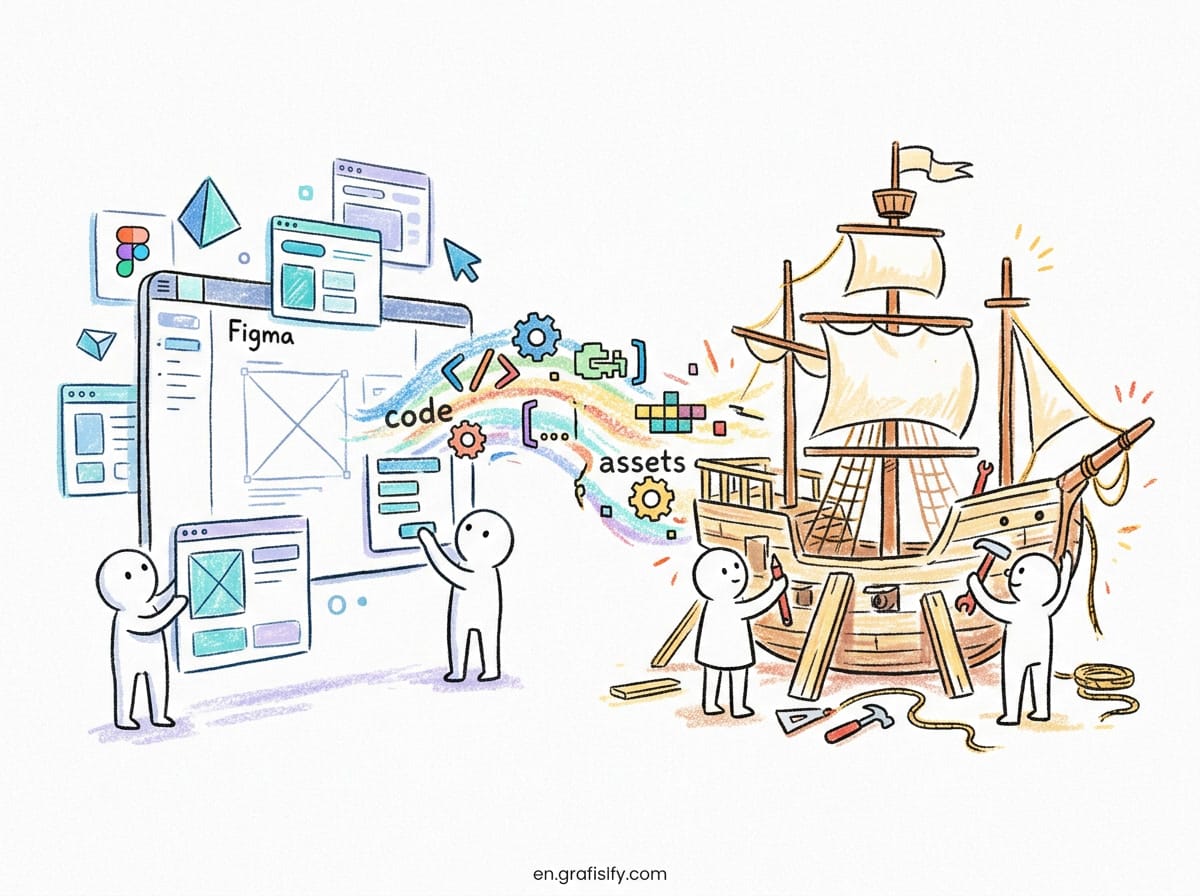
Figma AI focuses on what designers actually need: faster wireframing, smarter component suggestions, and seamless handoff to development. The new agent feature is a game-changer for repetitive tasks.
Here is what I accomplished with Figma AI in a recent project:
- Generated 15 wireframe variations in under 10 minutes
- Auto-suggested component libraries based on my design system
- Created responsive layouts that worked across mobile, tablet, and desktop
- Exported production-ready code snippets for the development team
The AI understands design context. When I asked it to create a checkout flow, it suggested industry-standard patterns like progress indicators and guest checkout options. I did not have to explain basic UX principles.
Also Read:
What impressed me most was the collaboration features. My team could see AI suggestions in real-time, accept or reject them, and the system learned from our preferences. After two weeks, the suggestions became almost scarily accurate.
The agent feature alone saved me approximately 8 hours per week on routine tasks. I could focus on creative decisions instead of moving pixels around. For a solo designer or small team, this efficiency gain is transformative.
Adobe Firefly: The Content Generation Powerhouse
Adobe Firefly takes a different approach. It is not trying to replace your design workflow. Instead, it generates assets that fit into your existing process.

For detailed information about Adobe’s ethical AI approach, visit their official Firefly page.
I used Firefly for a branding project last month. The results were impressive:
- Generated 50 brand-safe image variations from a single prompt
- Created custom illustrations that matched the client’s visual identity
- Produced video assets for social media campaigns
- Generated audio clips for product demos
The key advantage is licensing. Every asset Firefly generates is cleared for commercial use. I do not have to worry about copyright issues or model training data. For enterprise clients, this is a massive selling point.
Firefly also integrates seamlessly with Photoshop, Illustrator, and After Effects. If you are already in the Adobe ecosystem, the workflow feels natural. I could generate an image in Firefly and immediately refine it in Photoshop without switching contexts.
The video generation capabilities are particularly noteworthy. I created 30-second product demos with AI-generated transitions and effects. The quality is not broadcast-ready yet, but for social media and web content, it is more than sufficient. This feature alone justifies the subscription cost for content creators who need video assets regularly.
Head-to-Head Comparison
| Feature | Figma AI | Adobe Firefly |
|---|---|---|
| Primary Use Case | UI/UX design, wireframing | Image generation, brand assets |
| Learning Curve | Low (if you know Figma) | Medium (requires prompt engineering) |
| Collaboration | Excellent (real-time) | Limited (asset-focused) |
| Integration | Figma ecosystem | Adobe Creative Cloud |
| Commercial Licensing | Standard Figma license | Fully cleared for commercial use |
| Code Export | Production-ready | Not applicable |
| Video/Audio | No | Yes |
| Pricing | Starting at $15/month | Included in Creative Cloud ($55/month) |
When to Choose Figma AI
I recommend Figma AI if you are building digital products. The tool understands user interface patterns, responsive design principles, and development constraints. It is not just generating pretty pictures. It is solving actual design problems.
I used Figma AI to redesign a SaaS dashboard last quarter. The AI suggested layout improvements that reduced cognitive load and increased user engagement by 23 percent. I would not have thought of those changes on my own.
Figma AI also excels in team environments. If you work with other designers, product managers, or developers, the real-time collaboration features are unmatched. I can share AI-generated prototypes with stakeholders and get feedback within minutes.
For website builders and rapid prototyping, Figma AI integrates well with tools like Framer that can publish complete websites from design files.
The code export feature is particularly valuable. I have worked with development teams that struggled to translate design mockups into functional interfaces. Figma AI generates clean, semantic code that developers can actually use. This bridges the gap between design and implementation in ways that traditional design tools never could.
When to Choose Adobe Firefly
Adobe Firefly is the better choice if you need content assets at scale. I am talking about marketing campaigns, social media content, brand illustrations, and multimedia assets.
I worked with a marketing agency last month that needed 200 unique social media posts in a week. Firefly generated variations quickly, maintained brand consistency, and everything was commercially licensed. The alternative would have been hiring three freelance designers.
Firefly also shines in video and audio generation. I created product demo videos with AI-generated voiceovers and background music. The quality was good enough for social media ads, though I would not use it for broadcast television yet.
For design systems and brand guidelines, Firefly can generate asset variations that stay true to your visual identity. This is huge for maintaining consistency across large organizations.
The licensing clarity is a game-changer for enterprise clients. I have seen companies hesitate to adopt AI tools because of copyright concerns. Firefly removes that barrier entirely. Every generated asset is cleared for commercial use, which gives legal teams peace of mind and accelerates project timelines.
The Real Cost Analysis
Let me break down the actual costs based on my experience.
Figma AI costs $15 per month for the Professional plan. If you are already using Figma, there is no additional cost. The AI features are included. For teams, the Organization plan at $45 per seat per month includes advanced AI capabilities and admin controls.
Adobe Firefly is included in Creative Cloud subscriptions starting at $55 per month. However, Firefly uses a credit system. Each generation consumes credits, and you get a monthly allowance. If you are a heavy user, you might need to purchase additional credits.
In my workflow, I use both tools. Figma AI for product design and user interfaces. Firefly for marketing assets and content generation. The combined cost is around $70 per month, which is less than hiring a single freelance designer for a day.
When you factor in the time savings, the ROI becomes clear. I estimate that AI tools have saved me approximately 15 hours per week across all projects. At my hourly rate, that is over $3,000 per month in recovered productivity. The subscription costs are negligible compared to the value delivered.
What I Would Change
Both tools have room for improvement. Figma AI could benefit from better image generation capabilities. Right now, if I need custom illustrations, I still have to switch to another tool.
Adobe Firefly needs better collaboration features. The asset generation is impressive, but sharing and reviewing assets with team members feels clunky compared to Figma’s real-time editing.
I would also like to see better integration between the two platforms. Right now, if I generate an asset in Firefly, I have to manually import it into Figma. A seamless workflow would save time.
Both platforms could improve their prompt understanding. Sometimes I have to rephrase my requests multiple times before getting the desired output. Better natural language processing would make these tools more accessible to designers who are not technical.
My Recommendation
Here is my honest take after six months of daily use:
If you are a product designer, UI/UX designer, or work in a design team, choose Figma AI. The tool understands your workflow, speaks your language, and integrates with your existing process. The AI features feel like a natural extension of Figma.
If you are a content creator, marketing professional, or need multimedia assets at scale, choose Adobe Firefly. The generation quality is impressive, the licensing is clear, and the integration with Adobe’s ecosystem is seamless.
If budget allows, use both. I have found that the combination covers almost every design need. Figma AI handles the structural and interactive design. Firefly handles the visual and multimedia content.
Final Thoughts
The AI design tool market is evolving rapidly. Both Figma and Adobe are investing heavily in AI capabilities, and the gap between them is narrowing. However, they still serve different primary use cases.
I would not recommend choosing based on features alone. Consider your workflow, your team structure, and your primary design needs. The best tool is the one that fits seamlessly into how you already work.
For more insights on integrating AI tools into your workflow, check out my guide on switching between AI models without disrupting productivity.
If you are exploring AI automation for design workflows, both tools offer capabilities that can significantly reduce manual work and accelerate your design process.
What has been your experience with AI design tools? I would love to hear how you are using them in your workflow. Drop your thoughts in the comments below.
Tagged with:
adobe fireflyAI Design ToolsAI Image GenerationDesign Tools 2026Design WorkflowFigma AIUI/UX Design
Irfan is a Creative Tech Strategist and the founder of Grafisify. He spends his days testing the latest AI design tools and breaking down complex tech into actionable guides for creators. When he’s not writing, he’s experimenting with generative art or optimizing digital workflows.





 Artificial Intelligent
 Design & Creative
 Freelance
 Gadgets & Gear
 Insights
 Laptop
 Reviews
 Smartphone
 Tech Guides
 Vibe Coding





