Refresh Rate Explained: 60Hz vs 120Hz vs 144Hz Phones

Verdict: Which Refresh Rate Should You Actually Buy?
If you are shopping for a phone in 2026, the refresh rate spec can feel like a marketing arms race. Brands shout 120Hz, 144Hz, and even 165Hz at you, and it is easy to assume more is always better. In practice, 120Hz is the sweet spot for most people. It makes scrolling, animations, and general use feel dramatically smoother, and on modern LTPO panels the battery cost is small. 144Hz mostly matters for competitive gaming, and 60Hz is fine if you only use a phone for basics. My recommendation: buy a 120Hz LTPO display if you can, skip the extra spend on 144Hz unless you game seriously. I have tested this pattern across many phones over the years, and the 60 to 120Hz jump is the one that changes how a device feels every single day.

What Is Refresh Rate and Why Does It Matter?
Refresh rate is how many times your screen redraws the image in one second, measured in hertz (Hz). A 60Hz display updates 60 times per second. A 120Hz display updates twice as often. Every time the screen redraws, it replaces the previous frame, so a higher rate means motion looks smoother and transitions feel quicker.
The effect is most obvious when you scroll a long web page or swipe through a photo grid. On a 60Hz screen you can sometimes see a faint judder or a “stutter” as content moves. On a 120Hz panel, that motion becomes fluid, almost like the content is glued to your finger. This is why phone reviewers keep calling high refresh rates a “quality of life” upgrade. It does not change what your phone can do, but it changes how pleasant the daily experience feels.
Also Read:

One point worth stressing: the refresh rate is not the same as your processor speed or your frame rate in games. A display can refresh at 120Hz, but if an app only renders at 60 frames per second, you only get 60 updates regardless. I see people confuse these constantly, so keep the distinction in mind when you compare specs.
60Hz vs 120Hz vs 144Hz: The Real Differences
The gap between 60Hz and 120Hz is the largest and most meaningful jump. Going from 60 to 120 literally doubles the number of frames your screen shows, which is why the change feels night and day. The jump from 120 to 144 is far less dramatic, since the increase is only 20 percent, and most apps cap out well below 144 anyway.
To make the tradeoffs concrete, here is a simple comparison table.
Also Read:

| Spec | 60Hz | 120Hz | 144Hz |
|---|---|---|---|
| Frames per second | 60 | 120 | 144 |
| Scroll smoothness | Basic | Very smooth | Very smooth |
| Battery impact (fixed) | Lowest | Moderate | Higher |
| LTPO idle refresh | N/A | 1 to 10Hz | 1 to 10Hz |
| Gaming benefit | None | Good | Best |
| Typical devices | Budget phones | Midrange to flagship | Gaming phones |
| Best for | Basic calls and texting | Most people | Competitive gamers |
The table makes the pattern clear. Most people will not notice a meaningful difference between 120 and 144Hz, but almost everyone notices the jump from 60 to 120. If you are deciding between a midrange 120Hz phone and a gaming 144Hz phone, the 144Hz model is only worth the extra money if you actually play fast, competitive titles on your phone.
Does a Higher Refresh Rate Drain Your Battery?
Yes, a higher refresh rate uses more power, because the display has to work harder to push out more frames. Early high refresh phones, especially non-LTPO panels locked at 120Hz all day, could cost you a noticeable chunk of battery life. Independent tests, such as the battery drain comparison on Samsung Members, have shown a 120Hz panel drawing meaningfully more power than the same phone set to 60Hz during heavy scrolling and browsing sessions.
The reason modern flagships are fine is LTPO. LTPO, which stands for low-temperature polycrystalline oxide, lets the panel drop its refresh rate very low when nothing is moving. When you are reading a static article, an LTPO 120Hz phone can drop to 1Hz or 10Hz, saving a lot of power. When you scroll, it instantly ramps back up. This is why a 2026 flagship with a 120Hz LTPO screen can last a full day, while an older phone locked at 120Hz could not.
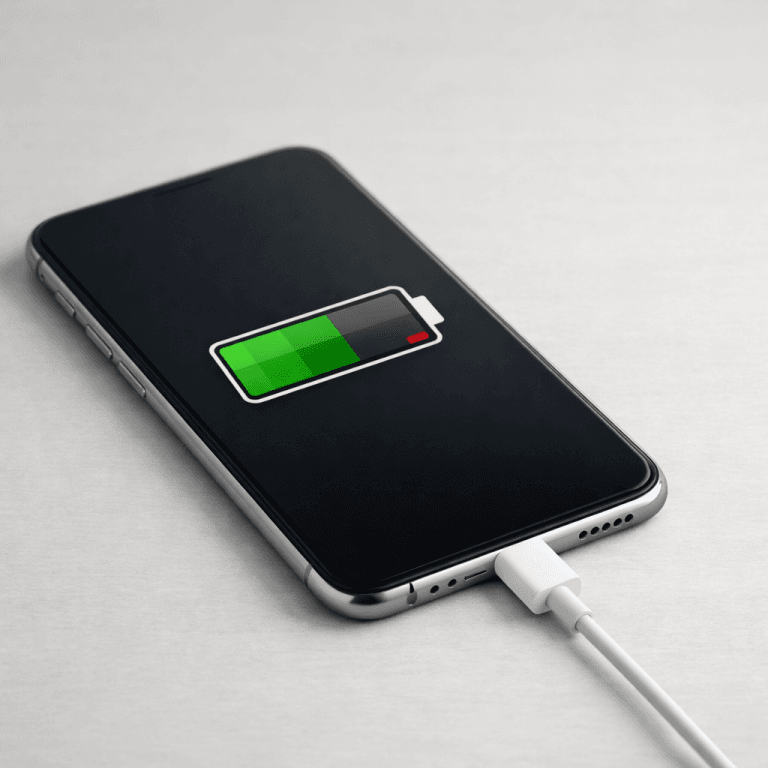
If battery life is your top priority, look for the words “LTPO” or “adaptive refresh rate” in the specs. A cheaper 120Hz phone that only toggles between 60 and 120 can still drain faster than an LTPO model that drops all the way to 1Hz at rest. My advice is to treat LTPO as the real feature and the peak refresh rate as marketing.
LTPO vs Standard Adaptive Panels
Not all adaptive displays are equal. A standard adaptive panel, often called a software toggle, can switch between a couple of fixed levels, usually 60Hz and 120Hz. It is better than a fixed 120Hz screen, but it still uses more power at rest than an LTPO panel.
An LTPO panel offers a much wider range, commonly from 1Hz all the way up to 120Hz or 144Hz. Because it can drop to 1Hz when idle, it sips power during static content. This is the technology behind features like an always-on display that barely costs battery, since the panel only refreshes the small clock or notification area. If you want the deeper technical breakdown, the LTPO versus non-LTPO explainer at Indian Express walks through exactly how these panels differ.
For most buyers the practical takeaway is simple. If you want a high refresh screen without sacrificing battery, choose a phone with LTPO. If you are on a budget and 120Hz matters to you, a standard adaptive panel is still a big upgrade over 60Hz, just with a somewhat higher battery cost.
What About Video and Gaming?
Video is a common point of confusion. Most streaming content is shot at 24 or 30 frames per second, and even high frame rate footage rarely exceeds 60. That means a 120Hz or 144Hz display does not make regular video look smoother, because the video itself has fewer frames to show. The high refresh rate mostly helps the interface around the video, like the control bar and scrolling.
Gaming is where high refresh rates genuinely shine. Many competitive titles now support 90, 120, or even 144 frames per second on capable phones. At 120Hz, motion in a shooter feels more responsive and input lag drops, which can give you a real edge. At 144Hz, the benefit is smaller but still real for fast-paced esports titles. Display testing firms such as DisplayMate and independent display comparisons confirm that the visual gains taper off sharply once you pass 120Hz for non-gaming content.
For everyone else, remember that apps and games must actually run at a high frame rate to benefit. A 144Hz screen does not create smoothness by itself. It only displays what the software gives it, so check whether your favorite apps and games actually support high refresh before you spend extra.
How to Check and Change Your Phone’s Refresh Rate
On most phones the refresh rate setting lives in the display settings menu. On Android, look for a setting labeled “Display” or “Motion smoothness” and switch between the standard and high refresh options. On many iPhones, the ProMotion display adjusts automatically, so there is usually no manual toggle to worry about.
If your phone has an adaptive or LTPO panel, leaving it on the automatic setting is almost always the right move. The phone handles the switching for you, giving you smoothness when you need it and battery savings when you do not. Forcing a high refresh rate all the time is rarely worth the battery cost.
Worth knowing: some budget phones advertise a 90Hz display, which sits between 60 and 120. A 90Hz panel is a decent middle ground if you cannot find a 120Hz phone in your price range, though 120Hz is the bigger upgrade if the choice is available.
Frequently Asked Questions
Does a higher refresh rate hurt battery life?
It can, but LTPO adaptive panels reduce the cost a lot by dropping to a low refresh rate when content is static. A 120Hz LTPO phone is generally fine for a full day.
Is 144Hz better than 120Hz on a phone?
Only for competitive gaming. Most apps do not run fast enough to show a clear difference beyond 120Hz, so the extra spec rarely matters for daily use.
Does 120Hz make video smoother?
No. Most video is 24 to 60 frames per second, so the display has no extra frames to show. High refresh mainly helps scrolling, animations, and gaming.
Should I choose a 120Hz phone over a 60Hz one?
If you can afford it, yes. The jump from 60 to 120Hz is the most noticeable improvement in daily phone use, and modern panels keep the battery cost low.
Bottom Line
Refresh rate is one of those specs where a little knowledge saves you money and avoids disappointment. The jump from 60Hz to 120Hz is the upgrade that actually matters for daily comfort. 144Hz is a niche extra for serious mobile gamers, and 60Hz is still perfectly fine if your budget is tight or you only use your phone for the basics. When you weigh options, our budget versus flagship buying guide shows how display quality fits into the bigger picture.
When you shop, focus on whether the panel is LTPO rather than just chasing the biggest number. An adaptive 120Hz LTPO display gives you smoothness and battery life at once, which is the best combination for almost everyone. If you are comparing phones, that spec will serve you better than a headline refresh rate. And if battery life is a concern, our breakdown of whether fast charging ruins your battery pairs well with this topic.
If you found this useful, you will probably also want to read our guide on how long your smartphone gets OS updates, plus our advice on which midrange phone camera specs actually matter. Understanding those tradeoffs is what turns a spec sheet into a smart purchase.

Irfan is a Creative Tech Strategist and the founder of Grafisify. He spends his days testing the latest AI design tools and breaking down complex tech into actionable guides for creators. When he’s not writing, he’s experimenting with generative art or optimizing digital workflows.






 Artificial Intelligent
 Design & Creative
 Freelance
 Gadgets & Gear
 Insights
 Laptop
 Reviews
 Smartphone
 Tech Guides
 Vibe Coding





