How AI Assistants Remember You: Memory Explained

An AI assistant that remembers your name, your project, and your preferred format feels different from one that starts from zero in each chat. That difference comes from memory, a separate layer that stores selected facts from past sessions and feeds the relevant pieces back into the next answer. Memory turns the product from a clever autocomplete into a working partner, and it also changes the risks: a wrong memory can steer answers for weeks, and a memory you never reviewed can hold details you never meant to keep.
I treat assistant memory as infrastructure, not magic. Once you see the parts, you can judge each assistant by one standard: what it stores, how it retrieves that material, how it updates or deletes it, and how much control you hold. This guide explains those parts, compares the main approaches, and ends with a checklist you can run on any assistant you use.

Verdict: TL;DR on AI Assistant Memory
Memory helps an assistant when it stores durable preferences and project facts, retrieves a small relevant slice for each request, and lets you inspect and delete entries with ease. Memory hurts when it stores trivia, retrieves the wrong slice, or hides its contents behind settings you never open. The strongest setup pairs a short working context for the current task with a long term store for facts that survive across sessions, plus clear controls for review and removal.

Start with the controls before you chase features. Open the memory settings, read the stored entries, delete the ones that no longer fit, and write down two or three standing preferences in your own words. That single pass gives you most of the benefit with far less of the risk.
The Four Kinds of AI Memory
Researchers borrow four categories from cognitive science to describe agent memory, formalized for language models in the CoALA framework from Princeton. Each category stores a different class of information, and strong assistants combine all four instead of betting on one store.
Working memory holds the active session: the current conversation, the task state, and any tool output produced along the way. It lives inside the context window, the text the model can see in a single request. Working memory ends when the session ends. It gives speed and focus, and it sets a hard limit, because each retrieved memory competes for space in that same window.

Episodic memory records specific past events and interactions, such as “last week you asked me to prioritize cost over latency.” Episodic entries carry time and context, so they help an assistant reconstruct a decision trail instead of guessing at it.
Semantic memory holds durable facts and preferences apart from the moment you learned them, such as “this user prefers Python over JavaScript.” It powers personalization that feels steady across months, because the fact stands on its own without a story attached.
Procedural memory stores skills, rules, and behavior patterns: the steps for opening a pull request, the checks that run before a release, the format for a weekly report. Coding assistants show procedural memory at its best. A coding assistant that learned your team’s pull request template applies that template without a fresh instruction in each session. Readers who build with coding tools will recognize the same pattern in how AI coding tools get context, where tool definitions and retrieved context shape each answer.

Two extra layers sit around those four. Parametric memory lives in model weights, the knowledge baked in during training. Retrieval acts as the delivery mechanism, the search step that picks relevant stored pieces and injects them into working memory. Retrieval quality decides the outcome more than storage size does: a large store with weak retrieval floods the window with near misses, while a small store with sharp retrieval feels smart.
How a Memory Gets Written and Retrieved
Memory work follows a loop with three steps: write, retrieve, and compile. The loop runs in the background for consumer assistants and in explicit code for agent systems, but the shape stays the same.
Writing starts with selection. An assistant does not store each chat in full. It extracts candidate facts, often by asking the model to summarize a turn into short statements, then stores those statements with an embedding, a numeric representation that captures meaning. Embeddings let the store find related material by similarity instead of exact keyword match. That design explains both the power and the failure mode: similarity finds paraphrases with ease, and it also surfaces plausible but wrong neighbors.
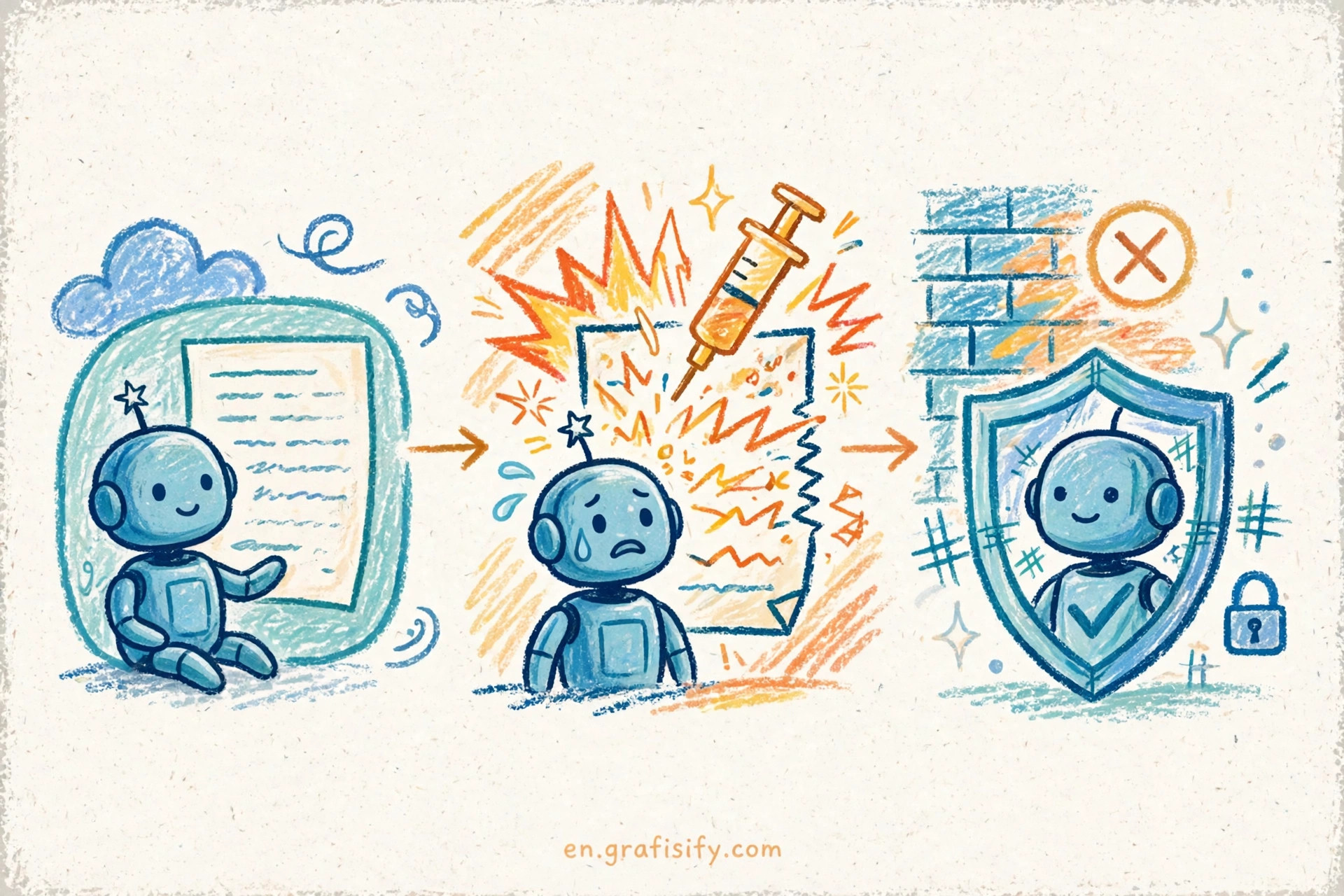
Retrieval starts with your new message. The system embeds your query, searches stored memories for the closest matches, and ranks them with extra signals such as recency, frequency of use, and keyword overlap. The top slice then moves into the compile step, where the system merges retrieved memories, your current message, and standing instructions into one working prompt for the model.
Compilation decides what the model sees. The model never sees your full memory store, only the compiled slice, and that slice shapes the answer. A good compile step keeps the slice small, recent, and tied to the task. A poor one stuffs the window with old facts, and the model then treats an old preference as a live instruction. That mechanism explains a common complaint: an assistant that insists on a format you abandoned months ago. The retrieval step picked a stale winner.
Updates close the loop. A memory entry should change when the world changes: a trip plan becomes a completed trip, a project role changes, a preference flips after a bad experience. Systems that rewrite entries in place age with grace. Systems that only append entries accumulate contradictions, and the model then faces two facts that cannot both hold. The audit habit in tracing production AI apps applies here too: when an answer looks odd, trace the context that fed it before you blame the model. For a plain language walkthrough of the four types and the write, retrieve, and compile loop, see AI agent memory explained.
Memory Systems Compared
Consumer assistants and developer agent frameworks solve the same problem with different tradeoffs. Consumer products hide the machinery behind settings screens. Developer frameworks expose the machinery as code. The table below compares the approaches by the questions that matter to you as a user or a builder.
| Approach | What it stores | Where it lives | User control | Best for |
|---|---|---|---|---|
| Chat assistant memory | Saved preferences and chat history summaries | Provider account store | Settings screen, per entry delete | Daily personal use |
| Coding agent memory | Project rules, past decisions, workflow steps | Repo files and local store | Files you can read and edit | Team coding work |
| Agent framework store | Episodic, semantic, and procedural entries | Vector database or graph store | Code and admin tools | Production agents |
| Retrieval augmented generation | Documents and knowledge base chunks | Vector database | Document set you curate | Grounding answers in docs |
Chat assistant memory wins on convenience: you change nothing in code, and the assistant carries context across sessions. The cost sits in opacity, since you cannot always see the exact slice that shaped an answer. Coding agent memory wins on transparency, with rules in files you can read, edit, and track in version control. The cost sits in effort: you maintain the files.
Retrieval augmented generation deserves a separate note, because people confuse it with memory. Retrieval pulls chunks from a document set you control, such as product docs or a knowledge base. It grounds answers in source material and pairs well with memory: memory supplies the personal context, retrieval supplies the factual grounding. The same discipline shows up in reducing hallucinations in production apps, where grounding and verification beat blind trust in model output.
OpenAI documents the consumer pattern in its help center. ChatGPT memory can draw on past chats, saved memories, custom instructions, saved files, and content from connected apps, depending on plan and region, through Settings, then Personalization, then Memory. Turning memory off does not delete past chats, and turning off reference chat history schedules information remembered from past chats for deletion within 30 days. A switch stops future personalization, while deletion follows a separate path with its own timeline. Read the source before you rely on a setting: Memory in ChatGPT.
What Memory Gets Wrong
Memory failures fall into five patterns, and each pattern points to a different fix. Naming the pattern saves you from the generic complaint that an assistant “forgot” or “hallucinated” when the mechanism failed in a specific way.
Stale memories rank first. A preference from a past project survives into a new project, and the assistant applies it without asking. The fix runs through review: open stored entries on a schedule, delete entries tied to finished work, and rewrite entries that changed. I run that review at the start of a new project, when the cost of a wrong carryover peaks.
Wrong retrieval ranks second. The store holds the right fact, but the query surfaces a neighbor instead. A request about a database migration pulls a memory about a database migration from a different client. The fix runs through specificity: name the project, the system, and the constraint in your message, so the retrieval step has strong signals to rank on.
Overgeneralization ranks third. A single event becomes a standing rule. You asked for short answers once during a busy week, and the assistant now treats brevity as your permanent style. The fix runs through explicit correction: state the rule as a preference with a scope, such as short answers for status updates and full answers for design reviews.
Contradiction ranks fourth. Two entries claim opposite facts, and the model picks one without flagging the conflict. The fix runs through consolidation: when you change a preference, delete the old entry in the same session instead of trusting the system to reconcile the pair.
Leakage ranks fifth. Memory built in one context surfaces in another context where it does not belong. A personal detail from a private chat shapes a shared workspace answer. The fix runs through separation: use a temporary chat or a separate workspace for sensitive topics, and keep work memories and personal memories in different accounts or projects when the product allows it.
Test a memory system like any other feature: feed it a changed fact, wait a session, then ask a question that reveals which version it kept. That habit mirrors building evals that catch real failures, where the test must expose the failure instead of confirming the happy path.
Privacy and Control: A Practical Checklist
Memory control starts with a simple question: can you see what the assistant remembers about you? If the answer is no, treat memory as a black box and limit what you share. If the answer is yes, run the checklist below once, then repeat it each quarter.
First, open the memory settings and read each stored entry. Delete entries that describe finished projects, old roles, or preferences you no longer hold. Second, check the connected sources. An assistant that reads files or connected apps can build memories from material you never typed into chat. Disconnect sources you do not need. Third, test the off switch. Turn memory off for a sensitive session, and confirm the session leaves no new entry behind. Fourth, separate contexts. Keep client work, personal life, and experiments in distinct chats, projects, or accounts when the product supports that split.
Fifth, treat sensitive facts as short lived. Avoid telling an assistant passwords, account numbers, health details, or other facts that should never persist. A temporary chat gives you a session without a memory trail for one off questions. Sixth, review the sharing boundary. Memory stays scoped to your account in consumer products, but a shared device or workspace can still leak context through the screen or the chat history itself.
The 30 day deletion timeline deserves attention. Turning off a reference setting schedules deletion instead of erasing entries at once. Plan around that lag for sensitive material: delete the entry and the source chat together, instead of relying on the switch alone. That pairing removes both the stored summary and the raw material it came from.
How to Teach an Assistant What Matters
Memory works best when you give it preferences instead of trivia. A fact such as a colleague name helps in one conversation. A preference such as a report format changes each answer from that point on. Lead with preferences, then add the facts that support them.
Write preferences in your own words, in one sentence each. State the format, length, and tone you want. Add one line about your work and one line about the project at hand. I keep the set small: three to five standing preferences beat a long list that retrieval can only sample from, and a long list dilutes ranking so the model picks a random subset instead of the right one.
Correct memories in the open. When an assistant applies a wrong memory, say so in that chat and state the replacement. That correction gives the system a fresh signal tied to the old entry, and it gives you a visible record of the change. A short correction in plain language teaches the system and keeps your record straight.
Use standing instructions for rules that must never drift, and use memory for material that should evolve. Standing instructions suit safety, format, and brand rules. Memory suits project facts, evolving preferences, and lessons from recent work. The split matters because the two layers update at different speeds: instructions stay fixed until you edit them, while memory rewrites itself as new sessions arrive. For background on the taxonomy behind this split, see the types of AI agent memory and the CoALA framework paper at Cognitive Architectures for Language Agents.
Builders get one extra lever: a gateway that routes requests across models while keeping memory in one place. That separation keeps your memory store portable even when you swap the model behind it. The pattern is worth a read in LLM gateways explained, and it pairs with the embedding mechanics in how AI search finds meaning, where vector similarity drives retrieval.
Conclusion: Take Action on Your Memory Settings
Memory turns an assistant from a tool you brief each time into a partner that carries context forward. That gain holds only when you can inspect the store, correct the entries, and delete the past on demand. Open your memory settings today, remove the entries that no longer fit, and write three standing preferences in plain language. Then test the result in your next session: ask a question that depends on one preference, and check that the answer reflects the current version, not a stale one.
The habit takes ten minutes, and it pays off in each session after it. A clean memory store gives you sharper answers, fewer repeated briefings, and less risk from facts that should have expired. Treat memory as a garden, not a vault: prune it on a schedule and pull the weeds before they shape your next answer.

Irfan is a Creative Tech Strategist and the founder of Grafisify. He spends his days testing the latest AI design tools and breaking down complex tech into actionable guides for creators. When he’s not writing, he’s experimenting with generative art or optimizing digital workflows.






 Artificial Intelligent
 Design & Creative
 Freelance
 Gadgets & Gear
 Insights
 Laptop
 Reviews
 Smartphone
 Tech Guides
 Vibe Coding



