Qi2 Wireless Charging: What Your Gear Actually Supports

Wireless charging has a simple promise: set your phone down and walk away. Qi2 keeps that promise better than the old Qi standard, because a ring of magnets lines the coils up for you every time. The catch is that the number on the box does not tell you what your phone will get. A charger labeled 25W can still feed your phone 15W, 7.5W, or nothing at all, depending on the phone, the adapter, and the case in between.
This guide sorts out the three things that decide your real charging speed: the Qi2 version, your phone model, and the power brick behind the pad. I use only figures from the Wireless Power Consortium, Apple, and Google, so you can check every claim at the source.
Verdict: Do You Need Qi2, and Which Version?
- If your phone has magnets built in, a certified Qi2 pad is worth it. Alignment stops being a daily gamble.
- Buy Qi2 25W only if your phone supports the 25W tier. For most phones, a certified 15W Qi2 pad charges at the same speed for less money.
- Skip any pad without the Qi or Qi2 logo. Only certified products may display it, and certification is your main protection against cheap coils and bad heat control.
- Match the adapter to the tier. A 25W pad on a 20W brick will never reach 25W.
- If your Galaxy S25 needs a magnetic case for full Qi2, budget for the case, not just the pad.
I would put it this way: Qi2 fixes alignment, not physics. It makes wireless charging reliable. It does not make it as fast as a cable, and no pad changes that.
What Qi2 Is, and How It Differs from Qi and MagSafe
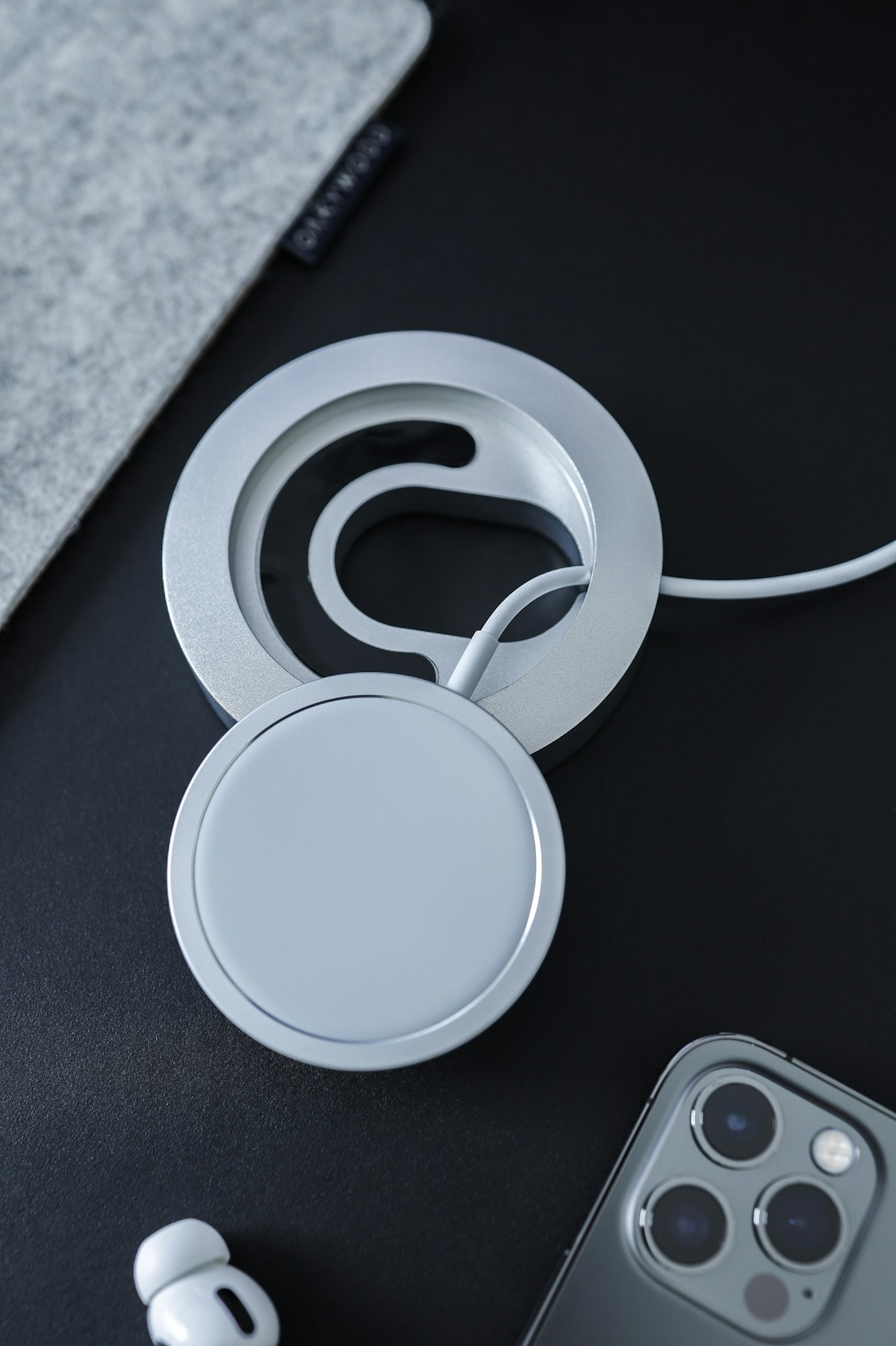
Qi2 is the second generation of the Qi wireless charging standard, run by the Wireless Power Consortium (WPC). The WPC launched Qi2 in November 2023 with 15 watts of charging power, and it built the magnetic alignment into the standard itself. Apple contributed the magnetic profile from MagSafe, which is why a Qi2 pad feels familiar if you have used a MagSafe charger: the phone snaps into place and the coils sit exactly where they should.

That alignment is the whole point. With the original Qi standard, a phone placed a few millimeters off center could still charge, but slowly, or stop and start through the night. Magnets remove that guesswork. A Qi2 charger holds the phone in the right spot, so the speed you see on the first night is the speed you see every night.
Qi2 25W is the next step. The WPC announced it as Qi v2.2.1 in July 2025, and it delivers nearly 70 percent more power than the original Qi2. The WPC says more than 300 member companies back the standard, and that over 1.5 billion certified Qi2 devices, transmitters and receivers, reached the market within a year of Qi2’s introduction. That figure comes from the WPC itself, so treat it as the consortium’s own count, not an independent audit. Still, the scale tells you this is now the default wireless standard, not a niche experiment.
MagSafe and Qi2 now overlap a lot, and the difference matters less than it used to. MagSafe is Apple’s own magnetic system, and Apple helped shape Qi2. A certified Qi2 charger works with MagSafe iPhones, and a MagSafe charger works with Qi2 phones at the Qi2 power level. The logo on the box tells you which standard the product passed, and the WPC states it plainly: only Qi Certified products can display the Qi or Qi2 logo. If the logo is missing, the product did not pass certification, whatever the listing claims.
The Power Tiers Compared
Four labels cover almost every wireless charger you will meet. The table below puts them side by side so you can see what each one guarantees and where each one stops.
| Standard | Max power | Magnets required | Open standard | Who supports it |
|---|---|---|---|---|
| Original Qi | Up to 15W | No | Yes | Older phones and pads |
| Qi2 | 15W | Yes | Yes | iPhone 12 and later, Pixel 10 family, Galaxy S25 with case |
| Qi2 25W | 25W | Yes | Yes | Newer iPhones, Pixel 10 Pro XL |
| Apple MagSafe | Up to 25W | Yes | No, Apple only | iPhone 12 and later |
Read the table from right to left when you shop. Start with your phone, find its row, and buy the tier that matches it. A 25W pad does nothing extra for a phone capped at 15W. It will charge that phone at 15W, and you paid for headroom you cannot use.
Also note that peak power is not sustained power. A phone may touch 25W for a few minutes, then drop as the battery fills and heat builds. That behavior is normal. The tier tells you the ceiling, not the average across a full charge.
What Your Phone Supports
Your phone decides the tier. Here is the support picture from Apple’s and Google’s own support pages, checked at publish time.
| Phone | Peak wireless power | Adapter you need |
|---|---|---|
| iPhone 18 Pro, iPhone 18 Pro Max, iPhone 17 Pro, iPhone 17 Pro Max, iPhone 17, iPhone 16 Plus, iPhone 16 Pro Max | Up to 25W | 30W or greater, 15V/2.0A or higher |
| iPhone Air | 20W peak | 30W or greater adapter |
| iPhone 16, iPhone 16 Pro | 22.5W peak | 30W or greater adapter |
| iPhone 17e, iPhone 15 and earlier | 15W tier | 20W or greater USB-C adapter |
| Pixel 10 Pro XL | Up to 25W | 35W or higher USB-C adapter |
| Pixel 10, Pixel 10 Pro, Pixel 10 Pro Fold | 15W | 20W or higher USB-C adapter |
| Galaxy S25, S25 Plus, S25 Ultra | Up to 15W, magnets in case only | 20W or higher USB-C adapter |
Apple spells out the adapter rule on its support page: up to 25W faster wireless charging needs a 30W or greater power adapter, rated 15V/2.0A or higher, paired with the right charger. iPhone Air peaks at 20W, and iPhone 16 and iPhone 16 Pro peak at 22.5W, even on the same charger. The iPhone 17e and iPhone 15 and earlier sit in the 15W tier with a 20W adapter, and Apple names the MagSafe Charger part number A2140 for that group.
Google sets a higher bar for its top Pixel. The Pixel 10 Pro XL reaches up to 25W only with a 35W or higher USB-C power adapter. The Pixel 10, Pixel 10 Pro, and Pixel 10 Pro Fold cap at 15W with a 20W or higher adapter. Google launched the Pixel 10 family in August 2025 as the first major Android phones with Qi2 built in, and its Pixelsnap Charger feeds the Pixel 10 Pro XL at up to 25W and other Qi2-certified devices at up to 15W.
Samsung is the odd case. The Galaxy S25, S25 Plus, and S25 Ultra charge wirelessly at up to 15 watts, but the phones have no magnets inside. Samsung calls them Qi2 Ready, which means full Qi2 alignment needs a supported magnetic case. Without that case, the phone still charges, yet it can slide off center and lose the alignment that makes Qi2 worth buying. If you own an S25, the case is part of the charger purchase, not an accessory you can skip.
Older Pixels have the same gap from the other side. Google says earlier Pixel models support the Qi1.x standard and lack the magnetic alignment feature of Qi2, which may result in inconsistent or no charging on a magnetic pad. A Qi2 pad will still work with them in most cases, but the magnets cannot lock a phone that has no magnet ring of its own.
How to Buy a Qi2 Charger
Start with the logo. Look for the Qi or Qi2 mark on the product and the box. The WPC allows only certified products to display it, so the mark is the fastest filter against listings that borrow the name without passing the tests. A charger that hides the logo or shows a lookalike mark is a pass.
Then match the adapter. The charger and the brick are a pair, and the weaker one sets the speed. A 25W pad needs a 30W or greater adapter for iPhones, and a 35W or higher adapter for the Pixel 10 Pro XL. A 15W pad needs a 20W adapter. If the pad ships without a brick, check the brick you already own before you buy. Our guide to picking the right wattage on your GaN charger walks through the numbers, and the same logic applies here: watts on the brick must meet or beat the watts on the pad.
Check the case next. A thick case without magnets can push the coils too far apart, and a metal plate inside a case can block the field. If your phone needs a magnetic case for Qi2, buy a case that names Qi2 compatibility. If you use a wallet case or a case with a card slot on the back, expect slower charging or no charging until you remove it.
Think about where the pad will live before you pick a shape. A flat pad suits a nightstand, where the phone rests face up. A stand suits a desk, where you want the screen visible for calls and notifications. A 3-in-1 station suits travel if it folds and charges a phone, watch, and earbuds from one brick, and it pairs well with a power bank that fits your devices when you charge on the move. I keep a 15W pad on my desk and a 25W pad by the bed, because the desk pad only tops up between meetings while the bed pad does the full overnight charge.
Price follows the tier, and you can save money without losing speed. If your phone caps at 15W, a certified 15W pad gives you the full speed your phone can take. Paying extra for 25W buys nothing until your next phone supports it. On the other hand, if you plan to upgrade to a 25W phone within a year, a 25W pad now saves you a second purchase later.
Why Your Qi2 Charger Is Slower Than Promised
A Qi2 charger that runs below its rated speed almost always has one of six causes. Work through them in order before you blame the pad.
First, check the adapter. A 25W pad on a 20W brick tops out at what the brick can give, and many people reuse an old phone brick without checking its label. Swap in the adapter wattage your phone tier needs and test again.
Second, check for connected accessories. Apple limits charging to 7.5W for the iPhone 16 family when USB-C or Lightning accessories such as headphones are connected, to comply with regulatory standards. Unplug the accessory and the speed returns.
Third, check the heat. Wireless charging makes heat, and heat is the enemy of a lithium-ion battery. Apple says that if the battery gets too warm, software might limit charging above 80 percent. A phone in a thick case, on a warm nightstand, or in direct sun will throttle sooner. Move the pad to a cool spot and take the case off for one charge to see if speed recovers. For more on this, read our guide to keeping your battery healthy over the long term.
Fourth, check the case. A non-magnetic case can let the phone drift off the coil ring, and the pad then charges at a reduced rate or stops. A magnetic case made for your phone model fixes the alignment in one move.
Fifth, check certification. A non-certified pad may advertise 25W and deliver far less, because nothing verified its coils or its heat control. The Qi2 logo is the check that costs you nothing.
Sixth, check the phone itself. A phone that is already above 80 percent charges slowly by design, and a phone running a heavy task while charging will split power between the processor and the battery. If the phone feels warm and the battery barely moves, close the heavy app and let the charge finish. And if your phone battery drains fast during the day, the charger is rarely the cause. Start with our guide on why your phone battery drains fast and how to fix it before you buy new gear.
What Comes Next, and the Bottom Line
Qi2 still has room to grow. The WPC reports that Qi 50W is in development, with hardware design parameters largely finalized and a planned official release in 2028. That date comes from a WPC meeting report, not a ratified specification, so treat it as a plan, not a promise. The WPC also counts over 13,000 Qi-certified products on the market, which means the next charger you buy will almost certainly carry the standard.
The buying advice stays simple. Find your phone in the table above, buy the tier it supports, pair it with an adapter that meets the wattage, and look for the Qi2 logo on the box. A 15W certified pad covers most phones today. A 25W pad makes sense only when your phone can use it.
One last note on efficiency: wireless charging uses more power than wired charging, and the European Union requires phones to say so on first use. Apple repeats that notice on its support page. I would not quote a hard efficiency percentage for wireless versus wired charging, because neither Apple nor the WPC publishes a verified one. What you can count on is the convenience: a phone that always lands on its charger, aligned, every night. That is what Qi2 actually sells, and it is worth the price of a certified pad. Tell us in the comments which phone and charger you use, and whether your pad hits its rated speed. For the official details behind this guide, see the WPC announcement of Qi2 25W, the Qi wireless charging standard, Apple’s MagSafe charging guide, Google’s Pixel wireless charging support page, Google’s Pixelsnap announcement, and Engadget’s Galaxy S25 Qi2 report.

Irfan is a Creative Tech Strategist and the founder of Grafisify. He spends his days testing the latest AI design tools and breaking down complex tech into actionable guides for creators. When he’s not writing, he’s experimenting with generative art or optimizing digital workflows.




 Artificial Intelligent
 Design & Creative
 Freelance
 Gadgets & Gear
 Insights
 Laptop
 Reviews
 Smartphone
 Tech Guides
 Vibe Coding






