Framework vs ThinkPad: Which Laptop Actually Lasts 7 Years

Laptop longevity used to mean buying a business-class machine, keeping it clean, and hoping the motherboard didn’t die after four years. Today, laptop longevity is an engineering arms race between two very different design philosophies: absolute modularity versus refined enterprise repairability.
On one side stands the Framework Laptop 13, built around modular mainboards, tool-less expansion cards, and public schematics. On the other side is Lenovo’s ThinkPad T14 (Gen 7), which recently achieved a 10 out of 10 repairability rating from iFixit by combining socketed memory, user-replaceable ports, and color-coded interior guides with Lenovo’s massive enterprise supply chain.
If you need a professional laptop that will remain fully functional, secure, and performant for seven years, both candidates look ideal on paper. However, their real-world maintenance workflows, long-term operational costs, component availability, and hardware failure modes differ significantly when analyzed over an extended deployment lifecycle.
Quick Verdict: Which Modular Laptop Fits Your Workflow?
Choose the Framework Laptop 13 if you value complete platform independence and want to upgrade core compute architecture without replacing the entire chassis. Its hot-swappable Expansion Card system allows instant port reconfigurations, while motherboard upgrades let you transition across CPU generations seamlessly over several years.
Choose the Lenovo ThinkPad T14 (Gen 7) if you demand enterprise-grade chassis rigidity, superior keyboard ergonomics, and instant local replacement parts availability. It offers modular memory, socketed Wi-Fi, and modular USB-C ports while maintaining classic ThinkPad durability, Military-Spec structural testing, and global repair logistics.
The Maintenance Paradigm: Modular Framework vs Enterprise ThinkPad
Understanding how these two laptops handle repairs requires looking inside their internal chassis design. Framework built its machine from the ground up around user serviceability and open hardware principles, while Lenovo redesigned the ThinkPad T14 line in direct partnership with repair advocacy teams to eliminate unnecessary glue and proprietary soldered connectors.
Framework uses a magnetic keyboard bezel and captive Torx fasteners. A single included spudger and screwdriver tool opens the bottom cover, exposing every sub-assembly instantly. Cable routing channels are clearly molded into the housing, and QR codes printed directly on individual hardware components link to step-by-step teardown guides and direct parts ordering pages.
Lenovo’s ThinkPad T14 Gen 7 takes a structured enterprise approach to serviceability. Standard captive Philips screws secure the bottom shell. Inside, Lenovo uses distinct color coding for major serviceable modules, printed directional indicator marks for internal ribbon cables, and fully socketed dual DDR5 SODIMM slots. Crucially, Lenovo redesigned the primary charging ports onto modular sub-boards, preventing a damaged USB-C jack from rendering the entire motherboard useless.

7-Year Repairability and Upgradeability Matrix
To evaluate true seven-year viability, we compared hardware accessibility, connector standards, thermal maintenance, and replacement component logistics across both laptop platforms.
| Hardware Category | Framework Laptop 13 | Lenovo ThinkPad T14 Gen 7 |
|---|---|---|
| iFixit Repairability Rating | 10 / 10 (Maximum Repair Score) | 10 / 10 (Maximum Repair Score) |
| System Memory (RAM) | Dual DDR5 SODIMM (Fully Socketed & Upgradeable) | Dual DDR5 SODIMM (Fully Socketed & Upgradeable) |
| Primary Storage | M.2 2280 NVMe SSD (Standard User Replaceable) | M.2 2280 NVMe SSD (Standard User Replaceable) |
| I/O Expansion & Ports | 4 Swappable Expansion Cards (USB4, HDMI, DP, Storage) | Modular USB-C Daughterboard + Fixed Legacy Ports |
| Display Assembly | Tool-less magnetic bezel, standard panel connector | Screwless bezel brackets, standard screen connector |
| Keyboard Replacement | Top-case sub-assembly (5-minute swap procedure) | Top-side removal without full chassis disassembly |
| Battery Maintenance | 4 fasteners, pull-tab connector (55Wh or 61Wh options) | Quick-release connector, captive screws (52.5Wh option) |
| Mainboard Upgrades | Yes (Swap Intel or AMD generations in same shell) | No (Motherboard tied to original chassis generation) |
| Spare Parts Logistics | Direct marketplace ordering (Framework Online Store) | Global enterprise supply chain & third-party vendors |
Upgrading Core Performance Over Time
The biggest architectural divergence appears when your laptop processor eventually grows underpowered for modern software workloads five or six years down the line.

When a ThinkPad T14 Gen 7 reaches the end of its CPU lifecycle, performance upgrades require purchasing a completely new laptop or hunting down an expensive replacement system board on secondary markets. However, its socketed memory, replaceable storage, and accessible Wi-Fi module mean you can easily maintain battery health, expand RAM up to 64GB, and swap worn keyboards for minimal cost across its operational lifespan. If you are setting up local development on a repairable machine, check our step-by-step tutorial on how to run private AI on your laptop with Ollama or learn how to connect MCP servers to your coding agent. For comprehensive tear-downs and repair guides, visit the official iFixit Laptop Repairability Index and detailed tech analysis on Notebookcheck.
Framework approaches performance degradation quite differently. Because the mainboard form factor remains fixed across motherboard generations, you can replace an aging mainboard with a next-generation processor board while reusing your existing screen, keyboard, battery, chassis, and expansion modules. Old Framework mainboards can then be installed into standalone printed enclosures or aluminum cases to function as silent home servers, media centers, or router firewalls.
Real-World Port Wear and Thermal Maintenance
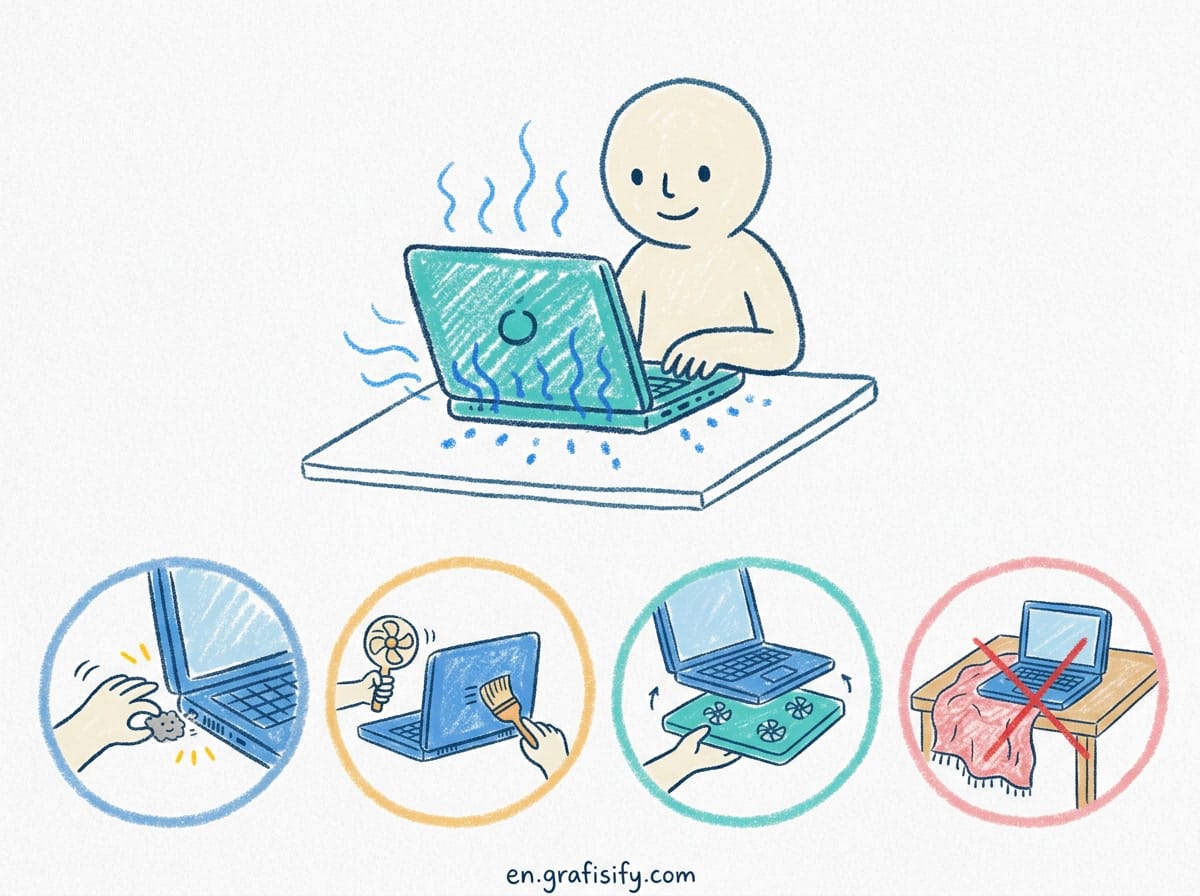
Two major physical causes of mid-life laptop death are thermal paste degradation and physical port fatigue. Daily plugging and unplugging of charging cables places repetitive mechanical stress on soldered USB-C ports.
Framework solves port wear through its external Expansion Card architecture. The high-stress physical connections occur between your external cables and the small aluminum expansion cards. If a USB-C or HDMI port fails or becomes loose, you replace a inexpensive module rather than opening the chassis. For background on how isolated modular hardware protects running services, see our guide on running workloads in isolated containers. Dust cleanup and thermal re-pasting require removing the top cover and unscrewing the central cooling fan and heatpipe assembly.
Lenovo addresses port failure on the T14 Gen 7 by decoupling the high-wear USB-C charging ports from the main system board onto an independent internal daughterboard. If a port solder joint fails after thousands of insertion cycles, technicians can swap the sub-board directly. Thermal maintenance is equally straightforward: opening the bottom cover gives direct access to the copper heatpipe assembly and dual-fan cooling structure for quick cleaning and thermal compound reapplication.

Keyboard Ergonomics, Trackpoint, and Chassis Durability
A laptop built for seven years of continuous daily professional use must withstand physical wear, typing stress, travel impacts, and accidental liquid exposure.
Lenovo’s TrackPoint keyboard system remains the industry benchmark for long-form typing efficiency and wrist comfort. The ThinkPad T14 Gen 7 chassis uses magnesium-alloy internal roll cages paired with glass-fiber reinforced plastics, offering high structural rigidity and spill resistance. Replacing a worn keyboard takes minutes: unscrew two bottom fasteners, slide the keyboard frame forward, and disconnect the ribbon cable without touching the motherboard. Full specifications and configuration details are available on the official Lenovo ThinkPad T Series product pages.
The Framework Laptop 13 features a sleek CNC-machined aluminum shell that delivers high structural resistance against chassis flex. The typing experience is crisp with 1.5mm key travel, though tactile key resistance is slightly lighter than classic ThinkPad switches. Keyboard replacement involves lifting the magnetic top cover, disconnecting one high-density ribbon cable, and unfastening the modular keyboard plate assembly. Hardware details and replacement modules are documented on the Framework Laptop 13 product page. For developers who want to consolidate their workspace hardware, read our practical guide on running parallel coding agents with git worktrees.
Software Support, Bios Updates, and Firmware Security
Physical repairability is only half the equation when evaluating seven-year longevity; firmware and operating system support play an equally critical role.
Lenovo provides extensive enterprise firmware support for ThinkPad series laptops, releasing BIOS updates, security patches, and Management Engine fixes for 5 to 7 years after initial release. Driver support across Windows 11 and major Linux distributions (Ubuntu, Fedora, RHEL) is certified out of the box with official hardware support from Lenovo’s Linux engineering teams.
Framework maintains a strong open-source firmware commitment, regularly releasing coreboot-aligned BIOS updates and driver bundles for both Windows and Linux. The active Framework community provides extensive testing and custom kernel tweaks, ensuring Linux compatibility remains seamless across kernel updates.
Total Cost of Ownership Analysis Over 7 Years
Evaluating long-term financial expenditure requires factoring initial hardware investment, replacement consumables (batteries and keyboards), and eventual performance upgrades.
- Year 1 to 3: Both machines operate without required component replacements under normal use. Standard battery degradation drops total health capacity to roughly 80-85% of original runtime.
- Year 4 Maintenance Window: Battery replacement period. Framework replacement batteries cost approximately $60 to $70 directly from their online store with simple self-installation. Lenovo genuine replacement batteries cost roughly $65 to $85 through authorized enterprise parts distributors.
- Year 5 Performance Bottleneck: CPU performance threshold point. Framework users can purchase a current-generation mainboard upgrade ($350 to $600) while keeping all chassis hardware, saving roughly 40-50% compared to buying a full new laptop. ThinkPad users must either accept existing CPU performance limits or purchase a full replacement laptop.
- Year 7 Lifecycle Point: Secondary maintenance cycle involving replacement of worn keyboards and cooling fan refreshes. Both machines allow low-cost component swaps without total machine retirement, keeping hardware out of electronic waste streams.
Key Takeaways for Long-Term Laptop Buyers
- iFixit Repairability Parity: Both laptops earned top-tier 10 out of 10 repairability scores, proving enterprise brands and modular specialized manufacturers can both prioritize user repair rights effectively.
- Modular Port Protection: Framework uses swappable external cards, while ThinkPad uses modular internal daughterboards. Both designs prevent high-wear charging ports from ruining the motherboard.
- Processor Upgrades: Framework is the only laptop platform offering true CPU and mainboard generation upgrades within the exact same chassis footprint.
- Enterprise Supply Chain: Lenovo ThinkPad parts enjoy extensive global distribution networks, while Framework relies on its direct online store and expanding regional logistics fulfillment centers.
Final Verdict
If your ultimate priority is absolute platform modularity with the freedom to upgrade CPU performance every three to four years without buying a new computer, the Framework Laptop 13 is the clear winner. It treats personal computer hardware as an evolving modular ecosystem rather than a disposable single-use appliance.
However, if you prioritize industry-leading typing ergonomics, exceptional chassis rigidity, and global enterprise parts availability, the Lenovo ThinkPad T14 Gen 7 matches Framework’s perfect repairability score while delivering a proven business machine engineered to endure years of demanding daily work.

Irfan is a Creative Tech Strategist and the founder of Grafisify. He spends his days testing the latest AI design tools and breaking down complex tech into actionable guides for creators. When he’s not writing, he’s experimenting with generative art or optimizing digital workflows.





 Artificial Intelligent
 Design & Creative
 Freelance
 Gadgets & Gear
 Insights
 Laptop
 Reviews
 Smartphone
 Tech Guides
 Vibe Coding





