Does Fast Charging Ruin Your Battery? The Real Science

Every phone owner has heard the warning: fast charging destroys your battery. Charge slow, charge overnight, keep the charger far away. The advice feels sensible. Heat degrades lithium-ion cells, and fast charging makes heat. So the slow path must be safer, right?
The short answer is that modern fast charging does not meaningfully damage your battery. A two-year, 40-phone experiment found the difference between fast and slow charging was tiny, around half a percent of extra capacity loss. The real threats are heat and extreme state of charge, and those exist whether you charge slowly or quickly.
This guide breaks down what the research actually shows, which habits matter, and how to make your battery last years longer without giving up the convenience of fast charging.
What the 40-Phone Fast Charging Study Found
In late 2025, a long-running test tracked 40 phones over two years and 500 charge cycles, comparing phones that used fast charging against phones that charged slowly. The results cut against the popular warning.
Also Read:

After all those cycles, fast-charged iPhones showed only about 0.5 percent more capacity loss than slow-charged ones. Fast-charged Android phones lost about 0.3 percent more. In practical terms, that is the difference between a battery reading 88 percent health instead of 89 percent after two years. Most users would never notice.
These phones had modern thermal management. They regulate heat, slow down as the battery fills, and cut charging power when temperatures climb. That matters more than the number on the charger.
The wattage on a charger is only part of the story. A 100W charger rarely delivers 100W for the whole session. Charging power curves down as the battery fills, so the last 20 percent of a charge often trickles in at low speed regardless of what the wall adapter advertises. That is why a fast charge gets you to 80 percent quickly, then the final stretch takes most of the time.
Also Read:

Heat Is the Real Enemy, Not Speed
Lithium-ion chemistry is sensitive to temperature, and heat accelerates the reactions that wear a battery down. Studies on cell degradation are consistent on this point.
Batteries exposed to 45°C (113°F) degrade more than twice as fast as those kept at 25°C (77°F). That is a bigger factor than any charging speed difference. A well-designed 65W charger that keeps the phone cool does less harm than a slow charger that leaves the phone warm under a pillow all night.
The advice to avoid fast charging comes from the early days of the technology, when phones lacked the cooling systems they have now. Early fast charging did run hot. Modern phones shift the load across multiple cells, use vapor chambers, and throttle power to protect the battery.
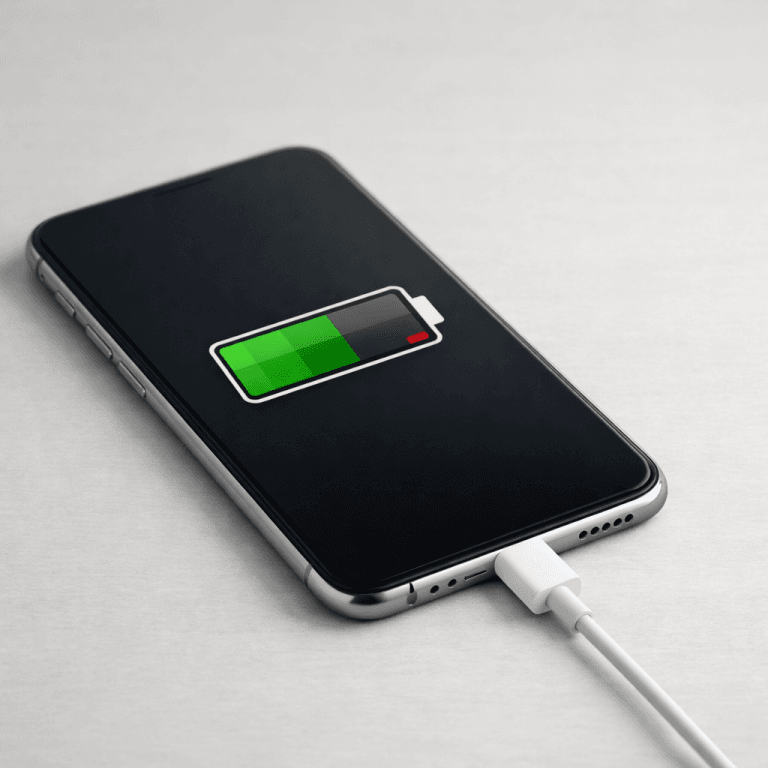
So the real question is not how fast you charge. It is how hot the phone gets while you do it.
Wireless Charging Warms Things Up
Wireless charging is convenient but generally runs hotter than wired charging because some energy is lost as heat during transmission. A phone left on a wireless pad all day, or in a hot car mount, can hold elevated temperatures for hours.
That does not mean wireless charging is bad. Many modern wireless chargers include fans, and Qi2 chargers align the coils better, cutting waste heat. The issue is prolonged heat, not the pad itself.
If you use wireless charging a lot, keep the phone off a hot dashboard, remove thick cases that trap heat, and use a charger with active cooling when available.
State of Charge Matters More Than You Think
Beyond heat, the biggest controllable factor is where your battery sits on the charge scale. Holding a lithium-ion battery at high state of charge stresses the cathode and accelerates degradation, even when the phone is not in use.
A battery stored at 100 percent charge in 40°C heat can lose more than a third of its capacity in a single year. That is the worst-case combination, but it illustrates the principle: high charge plus heat is what kills cells.
Charging to 80 percent instead of 100 percent measurably slows wear. In the two-year study, phones kept in a 30 to 80 percent window lost 4 percent less capacity on iPhone and 2.5 percent less on Android than phones charged to full.
Deep discharge is also a problem. Dropping below 20 percent repeatedly stresses the battery and can reduce its usable life. The healthy range is roughly 20 to 80 percent, with the lower end mattering less than the upper end.
Charging Speed Versus Charging Habits
To see which factors move the needle, the comparison table below ranks common habits by their effect on long-term battery health.
| Habit | Effect on battery | Worth doing? |
|---|---|---|
| Fast charging to 100% | Small extra wear, driven by heat and full charge | Fine, most of the time |
| Charging to 80% max | Meaningful reduction in capacity loss | Yes |
| Avoiding deep discharge below 20% | Reduces stress on the cells | Yes |
| Keeping the phone cool while charging | Biggest single controllable factor | Yes |
| Wireless charging in a hot car | Adds heat and speeds degradation | No |
| Charging overnight to 100% | Holds battery at full charge for hours | Optional, minor |
Notice what is missing from the high-impact list: the wattage on the charger. Modern fast charging does not appear there because well-designed phones manage the heat themselves.
How Many Charge Cycles Is Normal?
People often misunderstand what counts as a charge cycle. A cycle is 100 percent of total capacity used, not a single plug-in. Charging from 50 to 80 percent uses 30 percent of a cycle. It takes three or four partial charges to complete one full cycle.
Most modern phones are rated for roughly 500 full cycles before battery health drops to around 80 percent, though higher-end batteries often last longer. After that, performance can slow and some features may throttle.
You do not need to obsess over cycle counts. If you follow the habits above, a typical battery will comfortably outlast the time most people keep a phone.
Practical Charging Habits That Actually Help
Here is the practical list, distilled from the research.
- Charge to 80 percent for daily use, and only go to 100 percent when you need the full day.
- Keep the phone out of direct sun and off hot surfaces while charging.
- Remove a thick case during heavy fast charging if the phone gets warm.
- Use the phone’s built-in charging limit if it has one, or a smart plug that cuts power at a set time.
- Do not let the battery sit below 20 percent for long periods.
- Prefer wired charging over wireless when the phone runs hot or you need top speed.
None of these require giving up fast charging. They target heat and state of charge, which is where the actual wear comes from.
The convenience of fast charging is the point. A 30-minute top-up before leaving the house is a genuine quality-of-life improvement. The research does not ask you to give that up. It asks you to stop the two habits that genuinely shorten battery life: letting the phone bake in the heat and leaving it pinned at 100 percent for hours.
When to Replace a Battery
Battery health is not a countdown to failure. It is a measure of how much capacity the battery retains. When health drops near 80 percent, the phone may throttle performance and battery life becomes noticeably shorter.
At that point a battery replacement restores most of the original performance. It is cheaper than a new phone and keeps a good device running for years more. Check battery health in the phone’s settings, and replace when it becomes a real problem rather than preemptively.
Most manufacturers build in a battery health readout these days. It is not a marketing gimmick. Track it occasionally, and you will see how your charging habits affect real numbers over time. If your health drops unusually fast, the usual culprit is heat, not the charger, and adjusting habits is usually enough to slow the decline.
Key Takeaways
- Fast charging causes only about 0.3 to 0.5 percent more capacity loss over two years than slow charging.
- Heat and high state of charge drive most real battery wear, not charging speed.
- Keeping the battery between 20 and 80 percent and the phone cool matters far more than wattage.
- Modern phones manage charging heat well, so a 65W charger is safe on a modern device.
- Replace the battery near 80 percent health instead of buying a new phone.
Frequently Asked Questions
Does fast charging really damage the battery?
Not in any meaningful way on modern phones. The two-year, 40-phone study found fast charging added only about 0.5 percent extra capacity loss. Heat and holding the battery at 100 percent cause far more wear.
Is it better to charge slowly overnight?
Overnight slow charging is not inherently better. It can actually be worse if the phone sits at 100 percent for hours. Using a charging limit or stopping at 80 percent helps more than slowing down.
Should I avoid wireless charging?
No. Wireless charging is fine when the phone stays cool. The concern is heat, so avoid wireless charging in hot environments and prefer a pad with active cooling.
What is the healthiest battery range?
Roughly 20 to 80 percent. Charging to 80 percent instead of 100 percent reduced capacity loss by 2.5 to 4 percent in the two-year study. Deep discharge below 20 percent adds stress.
When should I replace my phone battery?
When battery health drops near 80 percent and you notice throttling or short battery life. A replacement restores performance at a fraction of the cost of a new phone.

Irfan is a Creative Tech Strategist and the founder of Grafisify. He spends his days testing the latest AI design tools and breaking down complex tech into actionable guides for creators. When he’s not writing, he’s experimenting with generative art or optimizing digital workflows.






 Artificial Intelligent
 Design & Creative
 Freelance
 Gadgets & Gear
 Insights
 Laptop
 Reviews
 Smartphone
 Tech Guides
 Vibe Coding





