Trello vs Asana vs Notion: Which Tool Fits Your Workflow
You need to track a project, and suddenly the choice of tool is a project in itself. Trello, Asana, and Notion dominate the space, and each has a loyal fan base that swears its pick is the only one that makes sense. The truth is simpler: these three tools solve different problems, and the right one depends on how your team actually works.
This guide breaks down the real differences in pricing, structure, and workflow fit. By the end you will know which tool matches your team size, your style of working, and your budget, without guessing.
What each tool actually is
Before comparing features, it helps to understand the core identity of each tool, because that determines everything else.
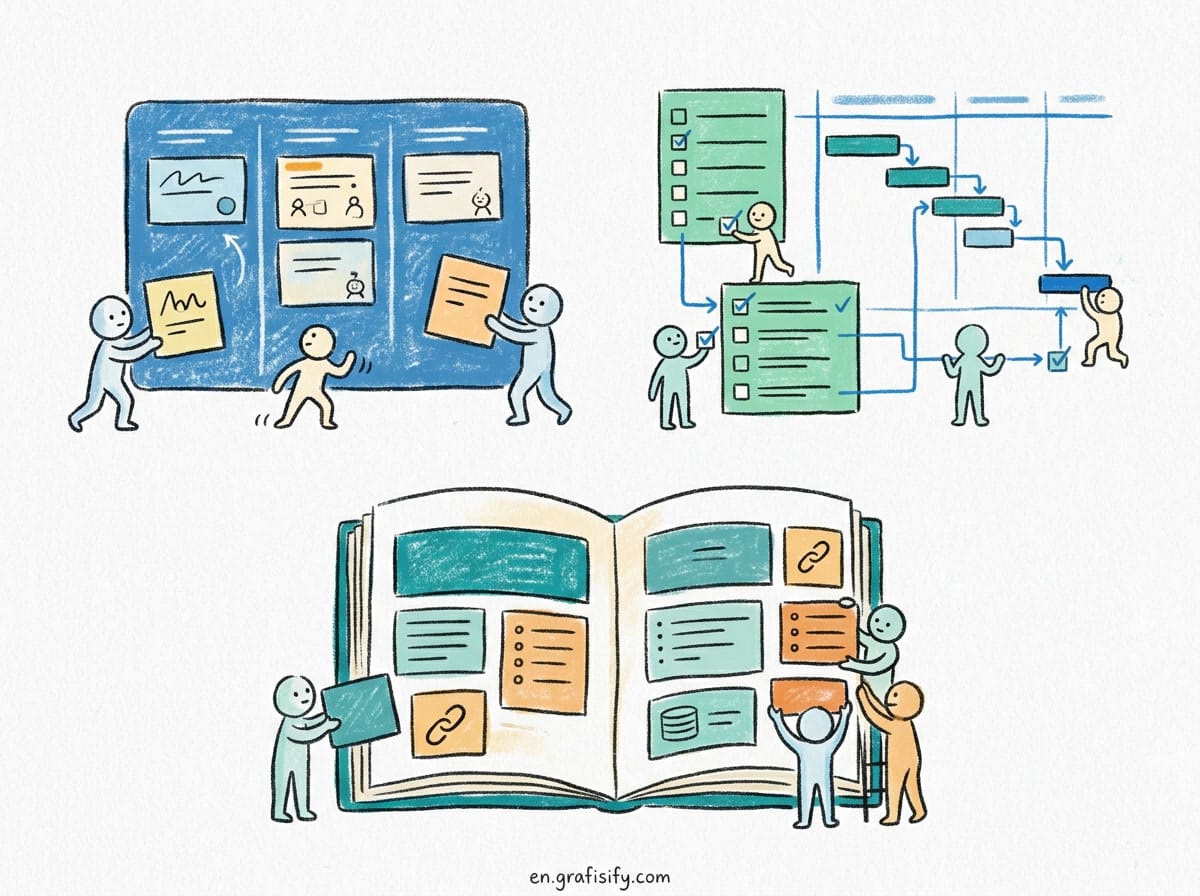
Trello is a Kanban board. It was built around a single, visual idea: cards moving through lists. You have a board, lists represent stages like To Do, In Progress, and Done, and cards hold the work. That simplicity is the whole product. Trello does one thing and does it well.
Also Read:
Asana is a full project management suite. It is designed for teams that need structure across many projects at once. You get task lists, timeline (Gantt) views, calendars, dependencies between tasks, workload management, and heavy automation. Asana assumes your projects are complex enough to need real project management, not just a board.
Notion is a workspace first and a project manager second. It started as a notes and docs tool, then added databases that behave like spreadsheets and kanban boards. You can build almost anything in Notion, from a simple task list to a full company wiki with an integrated project tracker. The cost of that freedom is that you have to build it yourself.
None of these descriptions make one tool objectively better. They make each tool better for a different situation.

How the simplest team should think about it
If your team is small, works visually, and mostly needs to know what is in progress and what is done, Trello is usually the right call. A one-person operation or a team of three tracking content tasks does not need dependencies or workload charts. It needs a board that updates in real time and is impossible to mess up.
Trello wins on speed to value. Someone can open a board, add a few lists, and be productive in under a minute. There is no setup, no workflow design, no database schema. For teams that are allergic to process overhead, that is the deciding factor.
The downside appears as the team grows. A board full of cards gets noisy, and Trello is weak at giving you a high-level view across many projects. You can link boards, but you are essentially managing a patchwork. If your reporting lives in spreadsheets and you need to see across a whole portfolio, Trello starts to feel limited.
Also Read:
When workflow structure matters more than simplicity
Asana is the tool for teams where handoffs, deadlines, and dependencies are real. If task A cannot start until task B is done, and both feed into a launch date that cannot slip, you want a tool that models that chain.
Asana gives you task dependencies, so the tool knows when a delay ripples downstream. Its Timeline view turns your project into a Gantt chart you can drag around. Workload lets you see whether a person is drowning while a teammate has nothing. These are genuine project management features, not gimmicks.
The automation engine is another separator. You can set rules that auto-assign tasks, move them between sections, and send notifications based on triggers. Teams that publish lots of repeatable work save hours every week once those rules are in place.
The tradeoff is complexity. Asana has a learning curve, and it is easy for teams to build overly elaborate workflows they then have to maintain. If you adopt Asana without discipline, you end up with a project management system that requires a project manager just to run it.
The all-in-one option that rewards effort
Notion is the most flexible of the three, and that flexibility is both its appeal and its trap. Instead of choosing between a board and a list, you get a database you can view as a board, a list, a calendar, a gallery, or a table, all from the same data.
That means Notion can replace more than your project tracker. Many teams use it as their wiki, their meeting notes home, their document store, and their task manager in one place. If you dislike juggling five tools, consolidating into Notion is genuinely attractive.
Notion databases also take an idea Trello and Asana handle differently: you can add custom fields, filter views, and relate databases to each other. A content team can link a “briefs” database to a “writers” database and see everything connected in one place.
But Notion puts the work on you. There is no default workflow, so you design every view and property yourself. Teams without a clear structure can end up with a mess that nobody owns. And for pure kanban flow, Notion is heavier than Trello for no real gain.
Pricing and what you actually get
All three offer free tiers, and for many teams the free tier is enough for a long time. This is where the decision often gets practical.
| Feature | Trello | Asana | Notion |
|---|---|---|---|
| Free tier | Unlimited cards, 10 boards, 10MB per file | Up to ~15 users, limited features, most views | Unlimited pages and blocks, up to certain guests |
| Paid plan starts at | About $5 per user per month (Premium) | About $11 per user per month (Starter) | About $10 per member per month (Plus) |
| Core view | Kanban board only | List, board, timeline, calendar, workload | Database with board, list, calendar, table views |
| Task dependencies | No (manual linking only) | Yes, native | Via properties, manual |
| Automation | Limited, one power-up per board on free | Powerful rules and templates | Built-in buttons and workflows |
| Best for | Simple visual team flow | Structured, multi-project teams | All-in-one docs plus tasks |
Pricing shifts over time, so check the vendor pricing page before you commit a team or a budget. The structure above is the shape of the decision, not a guarantee of today’s exact dollar figures.
Integrations and working with your other tools
No project management tool lives in a vacuum. The tools around it, your calendar, your chat app, your file storage, shape how useful it becomes.
Trello integrates with a broad ecosystem through power-ups and its API, and its simplicity makes those integrations easy to reason about. You connect a Slack channel or a Google Drive folder, and the pieces stay small and predictable. The limit is depth: each board only gets a limited number of power-ups on the free tier, so heavy integrations push you toward a paid plan.
Asana has some of the strongest native integrations for work tools you already use. Slack, Google Workspace, Microsoft Teams, and Jira connect cleanly, and its automation can pass tasks between apps. For teams inside a Microsoft or Google stack, Asana tends to slot in with the least custom work.
Notion takes a different route. Its power comes from a large library of community templates and its API, but many native integrations were still growing. You can embed a huge amount of content directly inside a page, which is great for documentation. For real-time data sync into a task tracker, Notion usually needs more manual setup than the others.
Whatever you choose, test the integration you care about most before committing. Drag a real task through a real Slack notification and a real calendar invite. A tool that technically integrates but makes you fight it every day will poison the whole rollout.
A decision framework you can apply right now
If you are still torn, answer these four questions in order.
First, how complex is your work really? If a board tells you everything you need, stop overthinking and use Trello. If you juggle dependencies, deadlines, and many projects, you need Asana. If your real problem is scattered tools and notes, Notion fixes that.
Second, who has to maintain the system? Trello needs almost no maintenance. Asana needs someone to keep the workflow honest. Notion needs someone to build and own the structure. Pick the tool whose upkeep your team will actually do.
Third, are you paying per user? Pricing scales with team size, and the free tiers differ. A ten-person team on Asana Starter is a real monthly bill. The same team on Trello free is zero. Do the math on your actual headcount, not the headline rate.
Fourth, what else does the tool need to replace? If you already have a wiki and just need a tracker, Trello or Asana is cleaner. If you are drowning in scattered docs and want one home, Notion consolidates.
Key takeaways
The short version, no matter how much jargon you read elsewhere, comes down to this.
Trello is for simple, visual, cooperative work where a board is enough. Choose it when you value zero setup over fancy features.
Asana is for structured teams that juggle dependencies, deadlines, and workloads across many projects. Choose it when process is your friend, not your enemy.
Notion is for teams that want one flexible workspace for docs, notes, and tasks, and are willing to invest in building it. Choose it when consolidation matters more than out-of-the-box flow.
There is no universal winner. There is only the tool that matches how your team really works. Match the tool to the workflow, not the other way around, and the software stops being a source of friction and becomes the thing that quietly keeps everything on track.
Frequently asked questions
Which is easiest to learn: Trello, Asana, or Notion? Trello is the easiest. A Kanban board is intuitive from the first minute. Notion has the steepest initial learning curve because you build your own structure. Asana sits in between, with rich features that take time to master.
Can I switch between these tools later? Yes, but with friction. Each exports data, usually to CSV, and importing into a differently structured tool requires cleanup. Think about your workflow fit early because migration is tedious even when it works.
Is the free plan of any of these enough for a small business? Often yes. Small teams that just need boards or a shared task list can run on free tiers for a long time. You pay when you need advanced views, automation, larger file limits, or more than the free user cap.

Irfan is a Creative Tech Strategist and the founder of Grafisify. He spends his days testing the latest AI design tools and breaking down complex tech into actionable guides for creators. When he’s not writing, he’s experimenting with generative art or optimizing digital workflows.
You might also like







 Artificial Intelligent
 Design & Creative
 Freelance
 Gadgets & Gear
 Insights
 Laptop
 Reviews
 Smartphone
 Tech Guides
 Vibe Coding