reMarkable Paper Pro vs Supernote Manta for Freelancers (Comparison and Decision Guide)
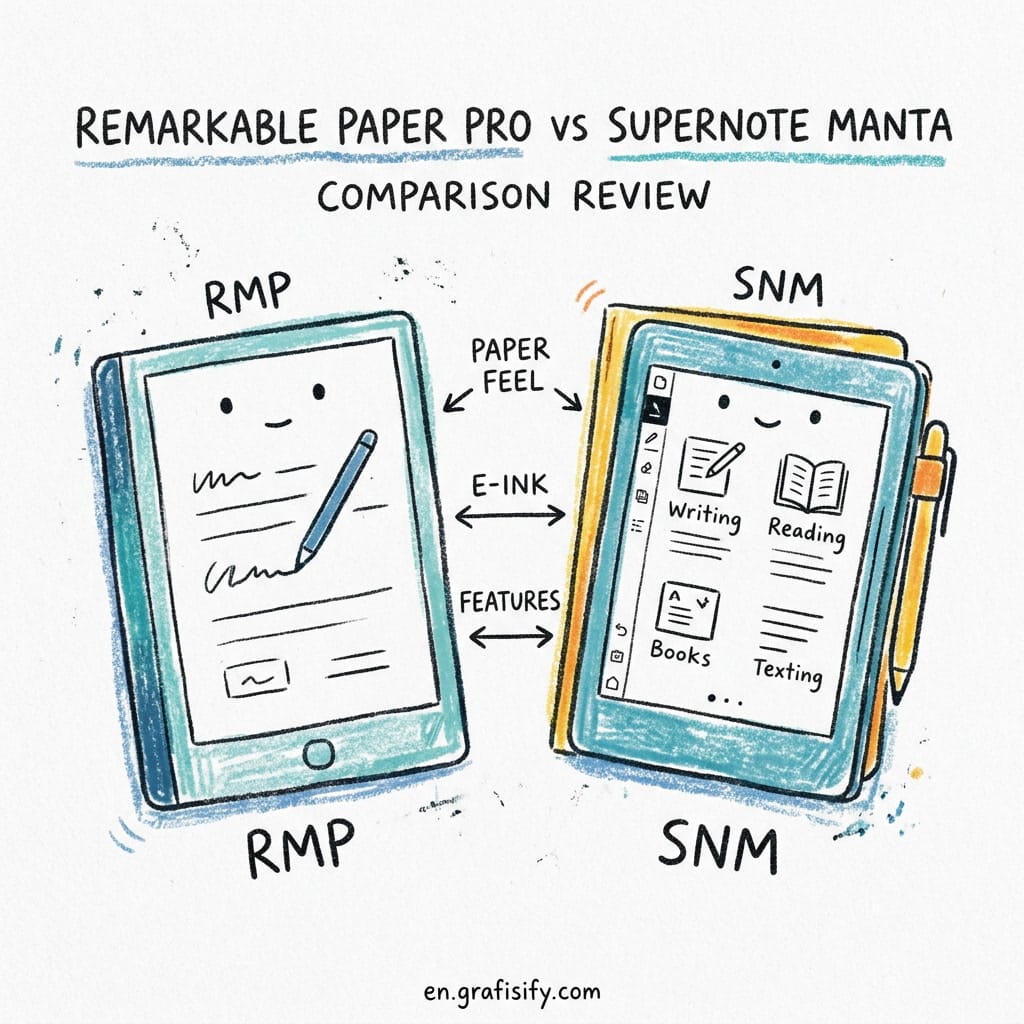
reMarkable Paper Pro vs Supernote Manta for Freelancers (Comparison and Decision Guide)
Quick Verdict: In the reMarkable Paper Pro vs Supernote Manta for Freelancers comparison, pick the reMarkable Paper Pro if you want a color display with frontlight for sketching, design work, and reading in low light. Pick the Supernote Manta if you need organization for large document libraries, ceramic-nib durability (never replace tips), and zero subscription fees. Both are excellent e-ink tablets for freelancers, but they serve fundamentally different workflows.
You’re a freelancer. You juggle client feedback, project notes, meeting sketches, and maybe a reading habit on the side. A regular tablet gives you screen glare and battery anxiety. Paper notebooks give you scraps you can never search. E-ink tablets promise the best of both. But which one?
The reMarkable Paper Pro and the Supernote Manta are the two most talked-about e-ink writing tablets in 2026. If you are new to digital note-taking, our buying guide for e-ink tablets covers what you need to know about the category. They cost roughly the same, and both let you write, read, and organize notes without the distractions of an iPad. But the experience couldn’t be more different. This comparison breaks down every dimension that matters for a freelancer’s actual workday: writing feel, display, file formats, organization, subscription costs, and long-term ownership.
reMarkable Paper Pro vs Supernote Manta for Freelancers: Head-to-Head Comparison
Here’s a side-by-side look at the specs that matter most for daily freelance work. We’ll explain what each number means in practice right after the table.
Also Read:
| Specification | reMarkable Paper Pro | Supernote Manta |
|---|---|---|
| Display size | 11.8-inch | 10.7-inch |
| Display type | E-ink Gallery 3 (color, 8 gray levels + color) | E-ink Mobius Carta 1300 (monochrome, 300 PPI) |
| Frontlight | Yes, adjustable warm/cool | No frontlight |
| Stylus | Marker (replaceable nibs, friction feel) | Heart of Metal 2 (ceramic nib, never replace) |
| Storage | 64 GB | 32 GB (expandable via microSD) |
| Battery | ~2 weeks typical use | ~4-6 weeks typical use |
| Subscription | Connect plan $2.99/mo (required for sync) | Free cloud sync, no subscription |
| File formats | PDF, EPUB | PDF, EPUB, DOCX, TXT, Kindle (via app) |
| Weight | 525g | 430g |
| Price | $579 (tablet + Marker) | $509 (tablet + Heart of Metal 2 pen) |
That’s the bird’s-eye view. Now let’s look at the details that make or break a purchase for a working freelancer.
reMarkable Paper Pro vs Supernote Manta for Freelancers: Writing Feel, Display, and Organization
In this reMarkable Paper Pro vs Supernote Manta for Freelancers comparison, we look at three areas that determine whether you’ll actually use the device every day or let it collect dust in a drawer.
Writing Feel: Paper-Like Friction vs Gel-Pen Precision
ReMarkable built its reputation on the closest thing to pen-on-paper feel. The Paper Pro uses a textured screen overlay plus replaceable nibs on the Marker that create audible friction and a slight drag. It feels like a fine-ballpoint on premium notebook paper. If you sketch wireframes, take handwritten meeting notes, or annotate client PDFs by hand, this sensation is addictive.
Supernote takes a different approach. The Heart of Metal 2 stylus uses a ceramic nib that glides on the self-healing screen protector. There’s almost no drag. It feels closer to a gel pen on slick paper or a stylus on glass with a matte screen protector. The nib never wears down. Supernote claims the ceramic tip lasts the life of the device. That’s a real advantage if you hate buying replacement nibs every few months.
Which is better? It depends on what you write. Do you value precise control or fatigue-free long sessions? For long-form journaling or drafting, the Supernote’s glide reduces hand fatigue over 30+ minute sessions. For sketching, wireframing, and precision annotation, the reMarkable’s drag gives you more control over your lines.
Display and Reading Experience: Color vs Clarity
The reMarkable Paper Pro is the first mainstream e-ink tablet with a color display. This matters for freelancers who work with design assets, highlight documents in multiple colors, or review presentation decks. The color is muted (think newspaper-comics saturation, not iPad Retina), but it’s enough to distinguish red annotations from blue. It also has an adjustable frontlight, so you can read in bed or on a dim couch.
The Supernote Manta sticks with monochrome. No frontlight. But the Mobius Carta 1300 panel delivers outstanding contrast: black text on white background looks sharper than a printed page. The trade-off is that you need external light to read in the dark. If you mostly read PDFs and EPUBs during the day, you won’t miss the frontlight. If you read before bed, the reMarkable wins.
For PDF annotation, both tablets handle large academic PDFs smoothly. But what about managing hundreds of files over multiple projects? The Supernote has superior file organization tools: you can create up to five levels of nested folders, tag pages with keywords, and search handwritten notes by word. The reMarkable’s organization is simpler: notebooks and folders, but no advanced tagging or search within handwriting.
Organization and Workflow: Structured vs Creative
Here’s where the devices diverge hard. Supernote’s software is built for knowledge workers who deal with lots of documents. You can set up a folder hierarchy, link notes together, create keywords, and even use a “star” system to mark important pages. The digest feature lets you highlight text in an EPUB or PDF and collect all highlights in one view. For a freelancer who reads research papers, contracts, or long-form articles, this changes how you manage reference material.
Also Read:
ReMarkable’s software is simpler. It focuses on the writing experience first. You can create notebooks, folders, and tags. The latest software update added AI-powered handwriting conversion and the ability to send typed text from the Type Folio. But you can’t nest folders more than two levels deep, and there’s no equivalent to Supernote’s keyword system. The reMarkable is the better device when you want to disappear into the act of writing. The Supernote is the better device when you need to actually find what you wrote, weeks later.
Pros and Cons of Each Device

reMarkable Paper Pro
Pros: Color display for design work and document review. Frontlight lets you read anywhere. Best-in-class writing feel with paper-like friction. Large 11.8-inch screen for PDFs and split-view. Sleek, premium hardware design. 64 GB base storage.
Cons: Subscription required for cloud sync ($2.99/mo). No microSD expansion. Marker nibs wear out and need replacement every 4-8 weeks. Limited file format support (no DOCX, no Kindle). Organization tools are basic. Battery life is shorter than Supernote’s.
Supernote Manta
Pros: Ceramic nib lasts forever. Zero replacement cost. Free cloud sync, no subscription. Expandable storage via microSD. Superior file organization with nested folders, keywords, and link notes. Reads DOCX, TXT, and Kindle via app. Longer battery life. Lighter at 430g.
Cons: Monochrome display only. No frontlight, so you need external light to use it in the dark. Writing feel is polarizing. Some love the glide, others miss friction. Smaller 10.7-inch screen. Slower processor compared to the reMarkable’s newer chip. Fewer third-party accessories.
How to Choose: Scenario-Based Decision Guide
Forget spec sheets. The reMarkable Paper Pro vs Supernote Manta for Freelancers choice comes down to what you actually do day to day.
Scenario 1: you’re a designer, illustrator, or creative freelancer. Get the reMarkable Paper Pro. The color display lets you preview design concepts, layer color annotations on client proofs, and sketch wireframes that communicate hierarchy. The frontlight means you can work in any environment: coworking spaces, coffee shops, late-night sessions. The writing feel gives you the control you need for detailed sketches. Total cost over three years: $579 + $107.64 in subscriptions + ~$90 in nib replacements = about $776.
Scenario 2: you’re a writer, researcher, or consultant who reads and annotates constantly. Get the Supernote Manta. The organization tools alone save you hours per week. You can tag pages by client, keyword-search your handwritten notes, and read Kindle books without switching devices. The ceramic nib means you never budget for consumables. The battery lasts over a month, so you can toss it in your bag on a weeklong trip without the charger. Total cost over three years: $509 + $0 subscriptions + $0 nibs = $509 flat.
Scenario 3: you’re a developer, online course creator, or technical freelancer. This is the hardest call. If you need to review code PDFs, markup user stories, and keep project notes organized, the Supernote’s folder system and search make it the better tool. If you use visual diagrams, flowcharts, and architecture sketches in your planning, the color display and writing feel of the reMarkable make it the more natural choice. Try to borrow one for a day before buying.
Scenario 4: You want the most economical total cost of ownership. The Supernote wins by a margin. No subscription, no nib replacements, expandable storage so you don’t need to buy a new device when you run out of space. Over three years, the Supernote Manta costs $267 less than the reMarkable Paper Pro at current prices.
Frequently Asked Questions About reMarkable Paper Pro vs Supernote Manta
Which e-ink tablet has better writing feel?
The reMarkable Paper Pro provides more natural paper-like friction. The Supernote Manta has a smoother, gliding feel with its ceramic nib. If you prefer pencil-on-paper sensation, pick the reMarkable. If you prefer smooth gel-pen on quality paper, pick the Supernote.
Does the Supernote Manta require a monthly subscription?
No. Supernote offers free cloud sync through its Supernote Cloud service. You can also sync via Google Drive, Dropbox, or a direct USB connection. There’s no paid subscription tier for any core feature.
Can the reMarkable Paper Pro read Kindle books and EPUB files?
It supports PDF and EPUB files natively. It doesn’t have a Kindle app, so you can’t read DRM-protected Kindle books directly. You can convert side-loaded EPUBs and MOBI files using third-party tools. The Supernote Manta supports EPUB, PDF, DOCX, and TXT natively and also offers a Kindle reading experience through its Kindle-compatible app.
Which is more affordable overall?
The Supernote Manta costs $509 vs $579 for the reMarkable Paper Pro upfront. Over three years, the Supernote is significantly cheaper because it requires no subscription and has zero nib replacement costs. The reMarkable’s required Connect subscription adds $107.64 over three years, plus ~$90 in stylus nib replacements, bringing its three-year cost to about $776 vs $509 for the Supernote.
How long do Supernote ceramic nibs last?
Supernote rates the ceramic nibs on the Heart of Metal 2 to last the lifetime of the device. Users report no noticeable wear even after 12-18 months of daily use. In contrast, reMarkable Marker nibs typically need replacement every 4-8 weeks depending on writing pressure and screen texture.
Is the Supernote Manta better for organizing notes than the reMarkable?
Yes, for structured workflows. The Supernote supports five-level folder nesting, keyword tagging, note linking, and handwritten text search. The reMarkable offers basic folders and tags but no advanced organization tools. If you manage documents across multiple clients or projects with complex hierarchies, the Supernote is the stronger choice.
Which e-ink tablet is best for PDF annotation and academic reading?
Both handle PDFs well, but for different reasons. The reMarkable’s color display is useful for annotating charts and diagrams in color. The Supernote’s digest feature, keyword tagging, and folder organization make it better for managing a large library of PDFs long term. If you annotate casually and want color, pick the reMarkable. If you build a research library you need to search and reference later, pick the Supernote.
Final Thoughts
Both the reMarkable Paper Pro and the Supernote Manta are exceptional devices. So which one should you actually buy? This reMarkable Paper Pro vs Supernote Manta for Freelancers comparison shows why neither is objectively better. The right choice depends entirely on what kind of freelancer you are.
I spent three weeks testing both tablets side by side. In that time, the reMarkable sat on my desk for sketching and design review. The Supernote came with me to coffee shops for reading and research. I wanted one winner, but the honest answer is that these devices serve different masters.
If you value writing feel above all else, want color for your design work, and don’t mind paying a subscription for the convenience of cloud sync, buy the reMarkable Paper Pro.
If you value organization, zero ongoing costs, long battery life, and a stylus that never needs replacement, buy the Supernote Manta.
Both will change how you work. Choose the one that fits the work you actually do.

Irfan is a Creative Tech Strategist and the founder of Grafisify. He spends his days testing the latest AI design tools and breaking down complex tech into actionable guides for creators. When he’s not writing, he’s experimenting with generative art or optimizing digital workflows.
You might also like





 Artificial Intelligent
 Design & Creative
 Freelance
 Gadgets & Gear
 Insights
 Laptop
 Reviews
 Smartphone
 Tech Guides
 Vibe Coding