Claude Code Subagents vs Copilot Coding Agent

Verdict
I tested both on the same repo last month. Claude Code subagents run inside your terminal, share your repo state, and recurse up to five levels deep for tight, context-rich work. The GitHub Copilot coding agent runs async in the cloud on assigned issues and returns a pull request. I reach for Claude Code when I want to stay in the loop. I hand repetitive issues to Copilot’s agent when I want work done while I do something else. Neither replaces a human reviewer, and both earn their keep only when the task spec is clear.
What Each Agent Actually Does
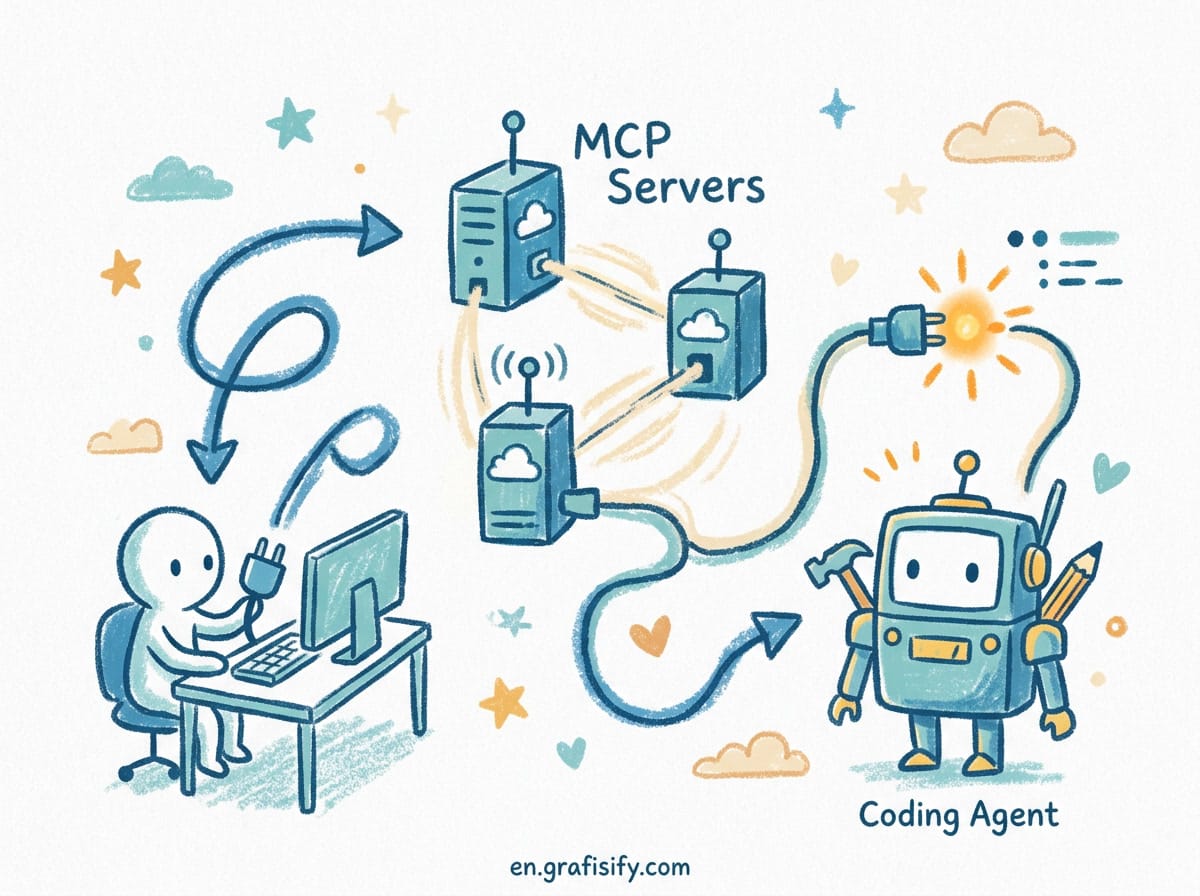
The two tools solve the same broad problem, unfinished coding work, but they sit in different places. Claude Code is a terminal program. You type a task, it reads your files, edits them, runs commands, and shows you the result in the same shell you already live in. Subagents are a feature inside that program. You can spawn several of them from one session to handle separate parts of a job at once, and the main session collects their output.
The Copilot coding agent is a cloud service tied to GitHub. You assign it an issue or a task, it spins up in a remote environment, writes code, tests it, and opens a pull request for you to review. You never see a live terminal. You see a diff and a description when it finishes, plus a comment thread where you can give feedback.

The practical difference is presence. Claude Code keeps you at the controls and shows you every step. The Copilot agent removes you from the controls and asks you to come back for review. If you want a deeper look at how agents get wired into a project, my context engineering guide covers the memory side of the same problem.
How Claude Code Subagents Work
A subagent is a scoped worker that the main Claude Code session delegates to. The orchestrator breaks a request into pieces, hands each piece to a subagent with a clear instruction, and collects the results. Per Anthropic’s own changelog, subagents can recurse up to five levels deep, so a top agent can spawn workers that themselves spawn workers. That tree structure lets one sentence fan out into a small org chart of tasks.
Isolation matters. Claude Code runs subagents in separate git worktrees when the task touches files that must not collide. That means two subagents can edit different branches of the same repo at the same time without stepping on each other. You get parallelism without merge chaos, which is the part most people underestimate until they hit a conflict.

You can run them in parallel or serial. Parallel fits independent chunks: write the parser, write the tests, update the docs, all at once. Serial fits dependent steps: research first, then implement based on what the research found. The Agent View feature lets you watch background sessions as they run instead of blocking your terminal, so you can keep working while agents grind.
The upside is context control. A subagent that only needs to check API types never floods your main session with irrelevant file reads. The main agent stays focused, and each worker stays narrow. For teams running larger codebases, my large-codebase agent guide shows how to keep that isolation clean.
How the Copilot Coding Agent Works
The Copilot coding agent lives in GitHub, not your machine. You create or pick an issue, assign it to Copilot, and the agent provisions a cloud environment that mirrors your repository. It reads the issue, plans a change, writes code, runs the project’s checks, and pushes a branch with a pull request. The whole run happens on GitHub’s side, so your local setup never matters.

You stay asynchronous the entire time. The agent does not need your laptop to be open. It does not need your terminal. It needs the issue to be clear and the repo to have tests or linting that catch mistakes. Without a real CI gate, the agent will happily merge code that does not run.

Review is the human moment. When the pull request lands, you read it, run it locally if you want, and merge or request changes. The agent can iterate on feedback through the PR conversation, which feels like managing a junior contributor who never sleeps. GitHub’s official Copilot coding agent announcement explains the setup in full, and the Copilot docs cover the issue-assignment flow step by step.
Side by Side
| Area | Claude Code Subagents | Copilot Coding Agent |
|---|---|---|
| Where it runs | Local terminal on your machine | Cloud environment on GitHub |
| Your involvement | Live, interactive, in the loop | Async, you review the PR |
| Best for | Exploratory, multi-step, repo-aware work | Well-scoped issues and maintenance tasks |
| Isolation model | Git worktrees per subagent | Fresh cloud checkout per task |
| Hand-off style | Results return into your session | Pull request you approve |
| Needs your machine on | Yes | No |
When to Use Which
Reach for Claude Code subagents when the task is messy and you want to steer. Refactors that touch many files, debugging sessions that need live command output, and builds where you keep changing your mind all fit a local agent you can interrupt. The recursion limit lets one instruction fan out into a small tree of work while you watch it happen, which is exactly what exploratory coding needs.
Reach for the Copilot coding agent when the task is clear and you are busy. Bug fixes with reproducible steps, dependency bumps, small feature additions with acceptance criteria, and chore tickets are exactly the kind of work that should not take your attention. Assign the issue, close your laptop, and read the PR later.
Teams often run both. Claude Code handles the hard design work during the day. The Copilot agent clears the backlog of small issues overnight. They are not rivals. They fill different hours of the same day. If you are still picking a daily driver, my OpenCode CLI comparison weighs the open-source alternatives, and the Claude Code subagents docs explain the recursion and worktree knobs in detail.
Practical Setup Notes
For Claude Code, write a clear top-level instruction and let the orchestrator split it. Name the subagent’s job, not the steps. “Audit our API error handling and list every unhandled status code” gives better results than a script of commands, because the subagent can adapt when it finds something unexpected. I keep one reusable instruction file per project type so I am not rewriting the same brief every session.
For the Copilot agent, the issue is the spec. A vague issue produces a vague pull request. Include the expected behavior, the files likely involved, and how to verify the fix. Repos with CI that actually fails on bad code get far better agent output than repos where anything merges. Anthropic’s Claude Code overview documents the subagent recursion and worktree behavior I described above, so you can confirm the limits before you rely on them.

Both tools respect your existing workflow. Claude Code fits a terminal-first developer. The Copilot agent fits a GitHub-first team. Neither replaces code review, and neither should merge its own changes in a production repo without a human looking. My debugging guide covers what to check when either agent goes wrong, which happens more often than the demos suggest.
Key Takeaways
- Claude Code subagents run locally, share repo state, and recurse up to five levels for parallel, context-rich work.
- The Copilot coding agent runs in the cloud on assigned issues and returns a pull request for review.
- Use Claude Code when you want to stay in control of exploratory, multi-step tasks.
- Use the Copilot agent for clear, scoped tasks you want done while you are away.
- Both tools need good specs: a sharp instruction for Claude Code, a clear issue for Copilot.
- Neither agent should auto-merge to production without a human in the review seat.
Frequently Asked Questions
Can the two agents work on the same repo at once? Yes. Claude Code edits your local checkout while the Copilot agent works a cloud branch. They never touch the same files unless you merge, so running both on one project is safe as long as you review before merging either.
Do I need to pay for both to get value? Each has its own subscription. I found the local agent worth it for design-heavy days and the cloud agent worth it for clearing backlog. You can trial one before committing to both.
Which one handles vague requests better? Claude Code, because you can interrupt and redirect mid-run. The Copilot agent commits to the issue as written, so a vague issue yields a vague pull request you then have to fix.
Final Thoughts
The choice is not about which agent is smarter. It is about where you want to be during the work. Claude Code keeps you in the terminal with the agent. The Copilot coding agent takes the work off your plate and meets you at the pull request. I match the tool to my attention, not to the hype, and both have earned a place in my week. Start with one small task in each, watch how they fail, and you will know fast which one fits your rhythm.

Irfan is a Creative Tech Strategist and the founder of Grafisify. He spends his days testing the latest AI design tools and breaking down complex tech into actionable guides for creators. When he’s not writing, he’s experimenting with generative art or optimizing digital workflows.





 Artificial Intelligent
 Design & Creative
 Freelance
 Gadgets & Gear
 Insights
 Laptop
 Reviews
 Smartphone
 Tech Guides
 Vibe Coding




