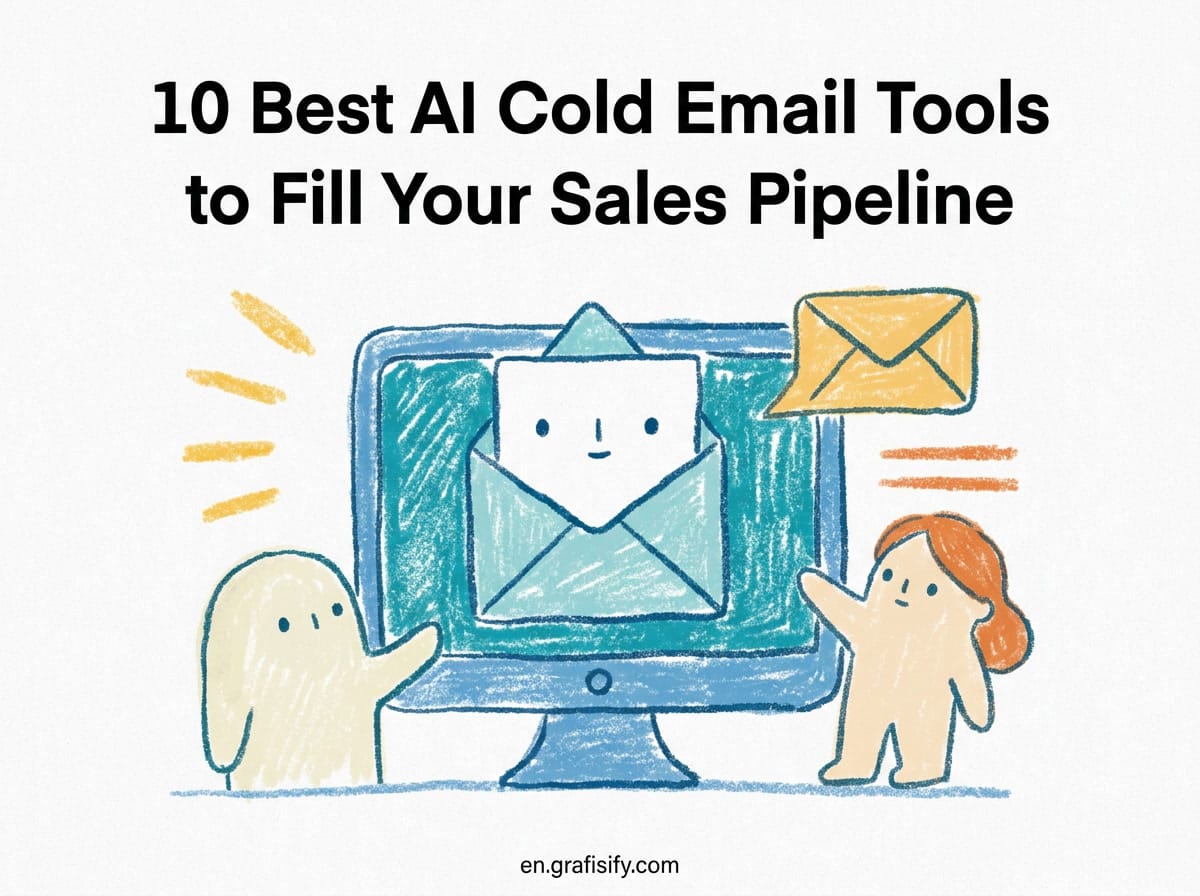
10 Best AI Cold Email Tools to Fill Your Sales Pipeline
Verdict Quick TL;DR
If you’re looking for AI-powered cold email tools to automate your outreach without drowning in spreadsheets or overcomplicated sequences, the market offers solid options across different budgets and needs.
Top recommendation: Instantly for solo founders who want fast setup with unlimited mailboxes and built-in lead databases. For agencies: Smartlead provides white-label workspaces and multichannel capabilities. For prospecting + sending: Apollo.io combines 240M+ contacts with AI sequence building. Budget-conscious: QuickMail delivers inbox rotation and team features at competitive pricing.
All tools listed here support personalization, automated warmup, and deliverability optimization, critical for keeping emails out of spam while scaling outbound efforts.

How AI Transforms Cold Email Workflow
Gone are the days when selling by email meant endless manual copy-pasting, spreadsheet gymnastics, or relying on outdated lists. AI cold email tools now handle everything from contact discovery and data enrichment to hyper-personalized messaging, inbox warmup, and intelligent follow-up scheduling.

The core value proposition is straightforward: automate repetitive tasks while improving signal quality. Instead of writing hundreds of generic messages, you build once, configure AI to personalize based on relevant signals (news triggers, social profiles, job changes), then scale outreach while monitoring deliverability and response rates.
Key capabilities modern AI cold email platforms provide include: automatic mailbox warmup to protect domain reputation, B2B data enrichment to verify contact information, AI-assisted message generation optimized for engagement, smart delivery scheduling based on recipient time zones, multi-channel sequencing (email + LinkedIn + SMS), and performance analytics showing what actually works.
These aren’t just productivity hacks, they fundamentally change how small teams approach outbound. A single founder or a lean sales team can run sophisticated campaigns previously requiring dedicated SDR resources. In my work with small businesses, I have watched teams cut outreach time from a full day to under an hour once the sending and warmup layers run unattended.
In my work with small businesses, I have watched teams cut outreach time from a full day to under an hour once the sending and warmup layers run unattended. The question shifts from “Can I afford this?” to “Which tool stack matches my workflow?”
Premium All-In-One Platforms (Instantly & Smartlead)
When you need to send at scale with maximum control over deliverability and branding, premium platforms offer comprehensive stacks combining sending infrastructure, warmup, testing, and analytics.

Instantly has emerged as a favorite for solo founders and small businesses seeking speed-to-value. The platform bundles unlimited cold email accounts, free unlimited mailbox warmup through their 4.2-million-mailbox pool, and SuperSearch, a database of 450M+ leads with verification. Their placement testing feature lets you preview how your emails render in major providers before launching a campaign. Pricing starts around $30-47/month on the official Instantly pricing page, with a clean interface that gets new users from zero to booked calls quickly.
The key advantage is integration: leads, warmup, sending, and inbox management live in one place without needing separate tools. This consolidation matters for solo operators who don’t have bandwidth managing multiple subscriptions.
Smartlead takes a different approach focused on agency workflows and multichannel outreach, as detailed on its official website. It supports email, LinkedIn, and SMS within a single sequence, useful for agencies managing diverse prospects. Workspaces enable whitelabeled setups per client (~$29/client workspace add-on). Base plans start at $39/month for up to 2K contacts and 6K sends, scaling to $94/mo (Pro, 50K contacts), $174 (Unlimited Smart, 150K sends), and $379/month (Unlimited Prime, 500K sends).

A critical distinction: Smartlead doesn’t include a native lead database, you’ll need to import leads or integrate third-party sources. Placement testing is a paid add-on ($49-599 depending on frequency). They also offer SmartServers for custom IP infrastructure at $39/server. If you’re an agency managing multiple clients with different channels, Smartlead’s structure fits well despite higher costs compared to instant-setup alternatives.
Prospecting and Data Platforms (Apollo & Clay)
Sometimes your bottleneck isn’t sending, it’s finding and enriching accurate contact data. These platforms combine massive databases with AI-driven enrichment and personalization columns.
Apollo.io operates on a credit-based model where each plan includes a monthly allocation of credits for data actions. The platform claims 240M+ contacts accessible worldwide. Plans range from Free tier (900 credits annually) through Basic ($49/user/mo, 30K credits), Professional ($79/user/mo, 48K credits), to Organization ($119/user/mo with 3-seat minimum, 72K credits), per the Apollo pricing page. Credits apply to enrichment, exporting records, or API access, so high-volume usage eats allocations quickly.
Apollo bundles sequence builders, AI-assisted messaging, native dialer for phone calls, and integrations with Gmail and Outlook. The “Sequence Builder” uses AI to optimize timing based on historical engagement patterns. Trial plans include 50 credits plus mobile credits for initial testing. This makes sense for companies prioritizing prospecting depth over pure sending volume.
One caveat: credit exhaustion forces either budget increases or manual data supplementation. Before committing, test whether Apollo’s accuracy in your niche justifies the cost compared to specialized alternatives.
Clay specializes in data enrichment and personalized messaging at scale rather than bulk sending infrastructure. Think of Clay as the connective tissue between discovery and execution, a concept explained in detail in Clay’s official outbound automation guide. You feed Clay raw lists or CRM exports, it enriches them using “waterfall” data sources (pulling from multiple APIs sequentially until reaching sufficient completeness), then adds AI columns that generate personalized openers or subject lines.
AI columns leverage large language models to analyze enriched data points, recent news mentions, role changes, funding announcements, and craft tailored message variants without manual research. This is ideal for building highly researched personalization without hiring SDRs to manually investigate every prospect. Pricing runs approximately $149/month upward depending on API call volume.
Use Clay when personalization quality matters more than speed-to-deploy. Use Apollo when you need both prospecting and sending in one place. Clay integrates with other sending platforms; Apollo includes sending natively.
Budget-Conscious Options (QuickMail & Lemlist)
Not every business needs unlimited mailboxes or multichannel orchestration. Sometimes simple, effective tools at lower price points serve best.
QuickMail positions itself as a reliable, no-frills platform with competitive pricing. Basic plan at $49/month includes 10K prospect limit and 30K monthly emails. Pro at $89/month scales to 50K prospects and 100K sends. Expert tier removes limits entirely for $129/month (300K sent cap). Features include inbox rotation, unlimited team members, multichannel capabilities, and a 14-day free trial. Perfect for growing teams wanting predictable costs without complex credit systems.
Lemlist emphasizes personalization as its primary value. Email-only plans start at $55-69/month with unlimited users. Multichannel plans run $87-109/user/month and unlock LinkedIn, SMS, WhatsApp, and calls. Lemlist claims 600-650M verified contacts in its database.
The standout is lemAgent, an AI research assistant that scans public signals for personalization hooks. Credit-based intent signals trigger automatic follow-up recommendations. Lemlist works well for brands where creative personalization drives differentiation (design agencies, creative services, lifestyle brands targeting consumer-facing decision-makers). However, pricing escalates quickly with user counts, so solo operators may find better value elsewhere.
Comparison Table: Feature-by-Feature Breakdown
This comparison focuses on tools with verified pricing data and clear feature sets.
| Feature | Instantly | Smartlead | Apollo.io | Lemlist | QuickMail | Clay |
|---|---|---|---|---|---|---|
| Base Price (Monthly) | $30-47 | $39-$379 | $49-$119/user | $55-109/user | $49-129 | ~$149+ |
| Free Unlimited Warmup | Yes (4.2M pool) | Yes | No | No | No | No |
| Included Lead Database | 450M+ (SuperSearch) | No | 240M+ | 600-650M | No | N/A (Waterfall enrichment) |
| Multichannel (LinkedIn/SMS) | No | Yes | Yes | Yes | Yes | N/A |
| Team Collaboration | Limited | Workspaces | Full | Full (unlimited) | Full (unlimited) | Standard |
| White Label / Client Portals | No | Yes (~$29/client) | No | No | No | No |
| Placement Testing | Free (built-in) | Paid add-on ($49-599) | No | Part of lemAgent | No | No |
| Data Enrichment Model | Database search | Import required | Credit-metered | Credit-based intent | Import required | Waterfall API aggregation |
Selecting the Right Stack for Your Business
The optimal choice depends on three factors: current stage, available budget, and operational constraints.
Solo founders and lean startups: Start with Instantly. The all-in-one bundle (leads, warmup, sending) minimizes overhead. You get immediate traction without juggling subscriptions or configuring integrations. If you later need multichannel capability or advanced personalization, migration paths exist.
Small agencies and consultancies: Smartlead’s workspace structure enables clean separation across clients. White-labeling lets you present data under your brand while charging clients separately for tool access. The trade-off is complexity and higher base costs, but justified if you’re already operating as an agency.
Teams focused on prospecting quality: If finding right-fit leads matters more than raw sending volume, invest in Apollo or Clay. Apollo gives breadth (240M contacts, unified interface). Clay gives depth (research automation, waterfall enrichment). Pair either with a lighter-weight sending platform to avoid paying for unnecessary capabilities.
Budget-conscious operators: QuickMail provides solid fundamentals at competitive prices. No credit traps, predictable monthly billing, essential features included upfront.
Best Practices for Cold Email Success
Regardless of which platform you choose, certain practices drive consistent results:
Start conservatively. Begin with 20-30% of your intended send volume during the first week. Monitor bounce rates and spam complaints daily. Gradually ramp up only after seeing stable engagement signals.
Invest in warmup. I recommend treating warmup as a non-negotiable first step, even though it delays your launch by a couple of weeks. Even “free” warmup pools require genuine activity. Real mailbox interactions (opens, replies, low complaint rates) matter more than artificial metrics. Don’t skip this phase.
Personalize meaningfully. Avoid “I saw your company recently” templates without substance. Reference specific details: product launches, funding rounds, leadership changes, or relevant industry developments that genuinely connect to your solution.
Test sender domains. Multiple domains reduce single-point-of-failure risks. Distribute sends across 3-5 warming-up domains initially, then consolidate to primaries as trust builds.
Measure beyond reply rates. Reply rate tells part of the story. Track meetings booked, qualified opportunities generated, and actual revenue influenced. Adjust messaging priorities toward actions that move revenue forward.
Frequently Asked Questions About AI Cold Email Tools
Are AI cold email tools compliant with CAN-SPAM regulations?
AI tools themselves don’t create compliance, they’re simply technology. Compliance depends on how you use them. Ensure you’re sending to legitimate contacts with opt-out mechanisms visible, include physical address in footers, honor unsubscribe requests promptly, and maintain suppression lists for bounced or unsubscribed addresses.
How long does mailbox warmup typically take?
Most platforms recommend 2-4 weeks for proper warmup before significant sending volume. This varies by domain age and starting reputation. New domains typically need longer warmups than established ones.
Can AI cold email tools guarantee response rates?
No tool can guarantee outcomes. Response rates depend on list quality, offer relevance, messaging effectiveness, and market conditions. Tools optimize probability, not certainty. Expect ranges: 1-5% typical for outbound, with top performers occasionally hitting 10%+ on exceptional offers or audiences.
Do I need separate tools for prospecting and sending?
Not necessarily. Platforms like Apollo and Instantly bundle both functions. Others like Clay focus on enrichment while integrating with sending platforms. Evaluate your bottleneck: is it finding contacts or delivering messages?
What happens if credits run out mid-month?
Credit-exhaustion stops further enrichment and export actions immediately. Some platforms throttle remaining actions; others suspend entirely until payment renewal. Check each provider’s policy before committing to credit-based pricing.
Final Thoughts
Building an outbound pipeline shouldn’t require hiring a full-time sales development team. AI cold email tools put sophisticated automation, personalization, and analytics within reach of any serious operator willing to invest effort in list quality and message relevance.
Your best next step: identify your biggest constraint (prospecting data, sending capacity, personalization labor), select a platform matching that priority, and iterate quickly based on measurable outcomes. I have seen operators make more progress in one quarter of structured testing than in a year of guessing.
I have seen operators make more progress in one quarter of structured testing than in a year of guessing. The tools handle routine work; you focus on strategy, offers, and relationship-building.The landscape evolves rapidly, new competitors emerge quarterly, pricing models shift frequently, but the fundamentals remain constant: relevance beats repetition, authenticity beats automation theater, and testing beats assumptions. Choose a tool that respects those principles and accelerates your learning velocity.

Related Articles
- AI Automation Workflows That Run Themselves, Learn how to set up self-running workflows that handle repetitive tasks automatically.
- Build a Freelance Client Acquisition System That Actually Works, Practical strategies for finding and converting clients consistently.
- n8n vs Make: Complete Comparison Guide for Automation, Which automation platform fits your technical skills and budget?
- How to Write a Freelance Proposal That Wins Clients, Craft proposals that convert prospects into paying clients.

Irfan is a Creative Tech Strategist and the founder of Grafisify. He spends his days testing the latest AI design tools and breaking down complex tech into actionable guides for creators. When he’s not writing, he’s experimenting with generative art or optimizing digital workflows.





 Artificial Intelligent
 Design & Creative
 Freelance
 Gadgets & Gear
 Insights
 Laptop
 Reviews
 Smartphone
 Tech Guides
 Vibe Coding