Gmail vs Outlook Comparison 2026: Which Email Platform Is Right for You?
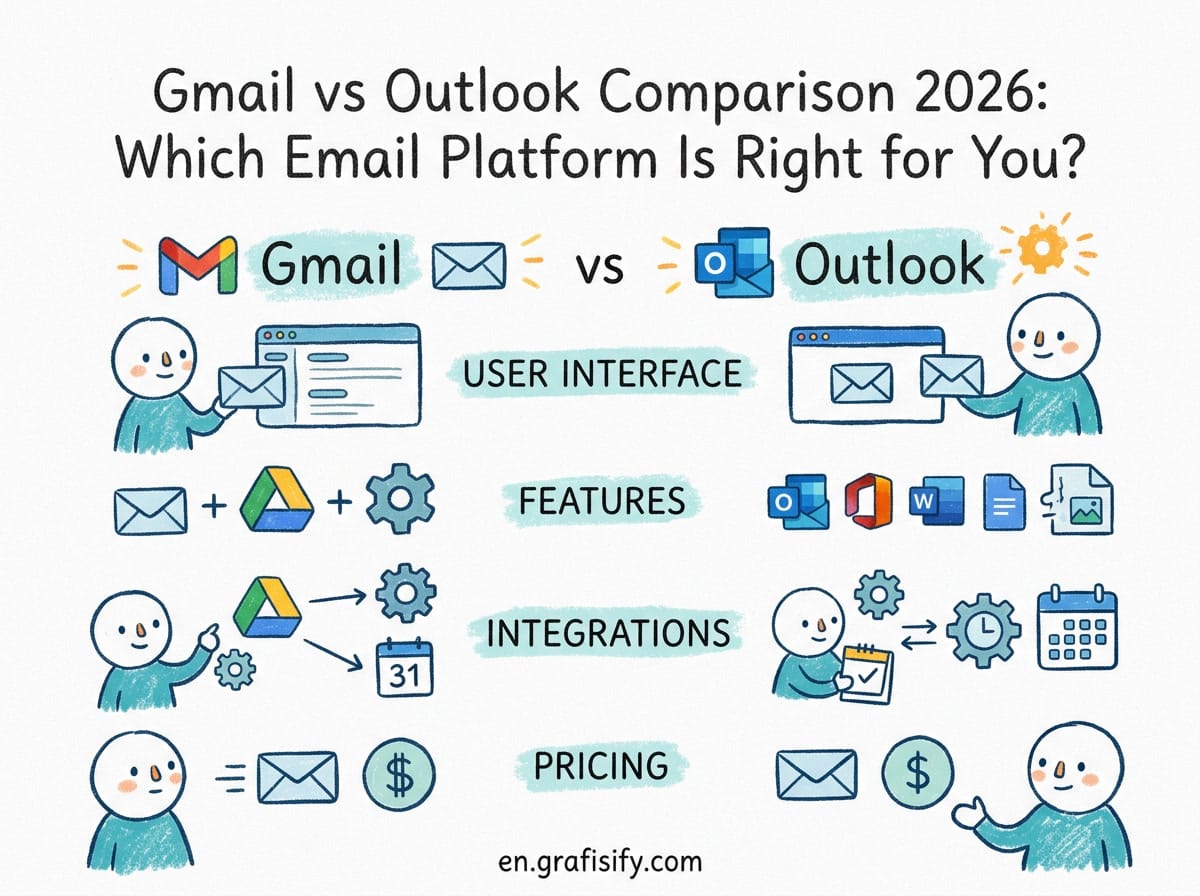
Gmail vs Outlook Comparison 2026: Which Email Platform Is Right for You?
Here’s the short answer from my Gmail vs Outlook comparison 2026: Gmail wins for simplicity, search, and free users. Outlook wins for enterprise integration, calendar management, and structured organization. But in 2026, the real question isn’t which is better on paper. It’s which ecosystem already powers your workday. After testing both platforms extensively, I found that neither is universally superior. The right choice depends entirely on how you work, what you value, and which tools you already rely on.
Over 3 billion people use Gmail. More than 400 million rely on Microsoft Outlook. Two email giants. Two ecosystems. Two very different philosophies about how email should work.
Gmail launched in 2004 and changed email forever with its massive free storage and lightning-fast search. Outlook (originally Hotmail) has been around even longer and evolved into the backbone of Microsoft’s enterprise empire. In 2026, both platforms have poured billions into AI features, better security, and deeper integrations.
But here’s the thing: despite all these upgrades, neither platform solves the fundamental problem of email overload. Both still present you with an endless, chronological stream of messages. They upgraded the engine without questioning whether the road has a destination.
I’ve used both platforms daily for years. This Gmail vs Outlook comparison 2026 breaks down exactly where each excels, where they fall short, and which one you should pick.
Gmail vs Outlook Comparison 2026: Quick Overview
Before we get into the weeds, here’s a high-level look at how the two platforms stack up in 2026.
| Feature | Gmail (Google Workspace) | Outlook (Microsoft 365) |
|---|---|---|
| Free Storage | 15 GB (shared across Drive, Photos) | 5 GB mailbox + 5 GB OneDrive |
| Business Starting Price | $6/user/month (Business Starter) | $6/user/month (Business Basic) |
| Business Storage | 30 GB per user | 50 GB mailbox + 1 TB OneDrive |
| AI Assistant | Google Gemini | Microsoft Copilot |
| Best Search | ✅ Excellent natural language search | ❌ Good but slower, folder-dependent |
| Calendar Integration | Google Calendar (clean, shareable) | Outlook Calendar (powerful, meeting-focused) |
| Collaboration | Google Docs, Meet, Chat | Teams, Word, Excel, PowerPoint |
| Offline Access | Limited (browser cache only) | Full desktop app with offline sync |
| Best For | Cloud-native teams, freelancers, individuals | Enterprise, heavy Microsoft users, structured workflows |
What this table doesn’t show is the most important factor: your existing workflow. If your team lives in Google Docs and Meet, switching to Outlook will feel like wearing someone else’s shoes. If you run on Microsoft Teams and Excel, Gmail will feel disconnected and underpowered.


AI Features: Gemini vs Copilot in 2026
The biggest battleground in 2026 is AI. Both Google and Microsoft have gone all-in on their respective assistants.
Google Gemini in Gmail
Gmail’s Gemini integration, announced in early 2026, introduced AI Overviews that summarize long email threads, Smart Compose and Smart Reply powered by Gemini 3, and a new AI Inbox view that surfaces action items from important messages. The writing quality is genuinely impressive. Gemini produces polished, natural-sounding drafts that often need zero editing.
But here’s the catch: Gemini’s usefulness hits a wall at Google’s ecosystem boundary. It can’t pull data from your CRM, your project management tool, or your sales pipeline. It’s a great writer trapped in a Google-shaped box.

Microsoft Copilot in Outlook
Outlook’s Copilot, now in its Wave 3 rollout, takes a fundamentally different approach. It can draft emails grounded in your entire Microsoft 365 environment, pulling context from OneDrive files, Teams conversations, and calendar events. It supports natural-language triage commands like flag this, archive that, and pin the budget report. The mobile voice experience lets you triage your inbox hands-free.
The practical difference? Gemini is a better writer in isolation. Copilot is a better assistant with context. According to G2’s 2026 comparison, Microsoft 365 Copilot delivers superior email intelligence for executives managing high-volume communications. But both tools share a blind spot. Neither ever tells you “you don’t need to reply to this.” They accelerate output. They don’t reduce input.
Pricing: Which One Saves You More Money?
For personal use, Gmail is the clear winner. The free tier gives you 15 GB of storage (shared with Google Drive and Google Photos), while Outlook’s free version caps you at 5 GB. If you just need a basic email account, Gmail’s free offering is simply more generous.

For business, the pricing is nearly identical. Google Workspace Business Starter costs $6 per user per month. Microsoft 365 Business Basic also costs $6 per user per month. But the value differs. Google’s starter plan gives you 30 GB of cloud storage per user. Microsoft gives you 50 GB of mailbox storage plus a massive 1 TB of OneDrive storage per user.
What most people don’t realize is that the real cost is migration. Switching from Gmail to Outlook (or vice versa) costs time, training, and productivity loss. The sticker price is almost irrelevant compared to the switching cost.
Email Organization: Labels vs Folders
This is where the two platforms diverge most sharply in daily use.
Gmail’s Label System
Gmail uses labels instead of folders. The difference sounds small, but it’s profound. A message can have multiple labels simultaneously. You can tag an email as both “Invoice” and “Client X” without making a copy. Combined with Gmail’s powerful search, you can find anything in seconds without organizing anything at all. It’s a philosophy that prioritizes retrieval over filing.
Outlook’s Folder System
Outlook uses a classic folder hierarchy. Each message lives in exactly one folder. This feels rigid compared to labels, but it forces a clean structure that scales well for high-volume business email. Rules and conditional formatting let you automate sorting, and the Focused Inbox feature separates important messages from newsletters and noise.
Bottom line: Gmail is better if you hate organizing. Outlook is better if you love structure.
Security and Privacy: A Closer Look
Both platforms offer strong 2-factor authentication and encryption in transit. But they differ in enterprise-grade security features.
Microsoft 365 offers data loss prevention (DLP), advanced threat protection, Azure Information Protection for encryption, and eDiscovery tools for compliance. These features matter for regulated industries like finance, healthcare, and legal. Google Workspace offers similar tools through its Business Plus and Enterprise tiers, but Microsoft’s security stack is more mature and deeply integrated.
For personal use, both are equally secure. The difference only appears when you need compliance certifications or granular access controls. If you’re a freelancer or small business owner, either platform will keep your data safe. A detailed Outlook vs Gmail business comparison by Cirrus Insight confirms that enterprise security features are the main differentiator for organizations.

Pros and Cons
Gmail Pros
- Generous 15 GB free storage
- Best-in-class search with natural language support
- Clean, fast, browser-first interface
- Excellent spam filtering
- Powerful Chrome extension ecosystem
- Seamless integration with Google ecosystem (Docs, Meet, Drive)
- Labels system flexible for multi-category emails
Gmail Cons
- Limited offline functionality
- Less structured organization for power users
- Weaker enterprise compliance features out of the box
- Gemini AI can’t access data outside Google ecosystem
- Shared 15 GB storage can fill up fast with Google Photos
Outlook Pros
- Full-featured desktop app with offline access
- Powerful calendar and scheduling tools
- Deep Microsoft 365 integration (Teams, OneDrive, SharePoint)
- Copilot AI pulls context from entire work ecosystem
- 1 TB OneDrive storage per user on business plans
- Advanced enterprise security and compliance tools
- Rules and conditional formatting for automated sorting
Outlook Cons
- Stingy 5 GB free storage
- Web interface feels cluttered compared to Gmail
- Slower search that depends on folder structure
- Less third-party app integration
- Desktop app can be resource-heavy on older machines
Which One Should You Choose in 2026?
Here’s my honest take after years of using both platforms for this Gmail vs Outlook comparison 2026.
Choose Gmail if: you value speed and simplicity. You prefer search over folders. You use Google products like Docs, Drive, and Meet. You want the best free email storage. You work as a freelancer, solopreneur, or in a cloud-native startup.
Choose Outlook if: your organization runs on Microsoft 365. You need a powerful desktop app with offline access. You manage high-volume email with complex sorting rules. You work in a regulated industry that needs enterprise compliance. You love structured folder hierarchies and calendar scheduling.
Use both if: you want the best of both worlds. Many professionals run Gmail for personal email and Outlook for work. The two platforms are free, and there is no rule saying you have to pick one.
Frequently Asked Questions About Gmail vs Outlook
Is Gmail or Outlook more secure?
Both are equally secure for personal use. For business, Outlook offers more advanced enterprise security features through Microsoft 365, including data loss prevention and advanced threat protection. Google Workspace offers similar tools at higher tiers, but Microsoft’s security stack is more mature.
Can I use Gmail and Outlook together?
Yes. You can add a Gmail account to the Outlook desktop app or forward emails between platforms. Many professionals use Gmail for personal communication and Outlook for work. There is no technical barrier to using both simultaneously.
Which has better spam filtering?
Gmail has historically led in spam filtering accuracy. Its AI-powered filters catch more unwanted emails with fewer false positives. Outlook’s filtering has improved significantly in recent years, but Gmail still holds the edge for personal accounts.
Is Outlook really free?
Yes. Outlook offers a free version with 5 GB of mailbox storage and access to the web and mobile apps. Microsoft also includes limited OneDrive storage (5 GB) with free Outlook accounts. The paid Microsoft 365 plans unlock desktop apps, more storage, and advanced features.
Final Thoughts
The Gmail vs Outlook comparison 2026 is less about features and more about ecosystems. Both platforms have converged on the same core functionality: strong AI assistants, robust security, and generous storage for paying users. Neither will let you down.
What neither platform solves is the underlying problem of email overload. AI can write your replies faster. Smart filters can sort your inbox better. But you still face an infinite stream of messages with no finish line. The best platform is the one that fits your workflow well enough that you stop thinking about email and start getting work done.
For most people, Gmail is the better choice. It is simpler, more generous on the free tier, and integrates beautifully with the Google ecosystem that billions already use. But if your world runs on Microsoft tools, Outlook’s deep integration makes it the obvious pick. Pick the ecosystem, not the email client. The email part will take care of itself.

Irfan is a Creative Tech Strategist and the founder of Grafisify. He spends his days testing the latest AI design tools and breaking down complex tech into actionable guides for creators. When he’s not writing, he’s experimenting with generative art or optimizing digital workflows.
You might also like




 Artificial Intelligent
 Design & Creative
 Freelance
 Gadgets & Gear
 Insights
 Laptop
 Reviews
 Smartphone
 Tech Guides
 Vibe Coding