Bluetooth Audio Codecs Explained: LDAC vs aptX vs LC3

TL;DR Verdict: Pick the Codec That Fits Your Phone
Your phone and your earbuds pick a Bluetooth codec for you, and that pick decides how much of your music survives the wireless trip. A codec compresses audio so it fits through a narrow Bluetooth link, then your earbuds expand it back into sound. Every codec throws away some detail, and each one throws away a different amount.
iPhone owners get one practical answer: AAC. Apple phones send AAC over Bluetooth, and they offer no codec picker to change that choice. Android owners get more room to move. Many Android phones support LDAC or an aptX variant, and the phone uses the best codec that both the phone and the earbuds share. If neither side shares a premium codec, the connection falls back to SBC, the baseline codec that every Bluetooth audio device supports.
For music, the codec deserves your attention. For calls and podcasts, it matters far less, because spoken voice needs far less detail than a full music mix. The rest of this guide explains each codec in plain terms, compares them side by side, and shows you where to check the codec your own devices picked.
Inside a Bluetooth Audio Codec
Uncompressed CD audio runs at 1,411 kbps. That number comes from a simple calculation: 16-bit depth times a 44.1 kHz sample rate times two channels. Bluetooth audio links top out near 1,000 kbps in practice, so uncompressed CD audio cannot fit through them at all. A codec closes that gap by re-encoding the audio at a lower bitrate before it leaves your phone.

Bitrate measures how much audio data moves per second. Sample rate measures how many times per second the original sound wave gets measured. Bit depth measures how much detail each measurement holds. A spec sheet can boast about 24-bit audio at a 96 kHz sample rate, but the codec still has to squeeze that signal through the same narrow link. The bitrate ceiling, not the source file, sets the limit on the trip.
Lossy codecs discard parts of the signal that human hearing notices least. Lossless codecs preserve the signal bit for bit, but they need more bandwidth to do it. Bluetooth codecs sit on a spectrum between those two goals, and the right choice depends on bandwidth, hardware support, and listening conditions. A codec that sounds superb in a quiet room can stumble on a crowded train, where radio interference forces it to drop to a lower bitrate to hold the connection.
Codec choice also involves licensing and silicon. Some codecs ship inside a chipset, so both ends of the connection need matching hardware. Other codecs ship as software, so a phone maker can add support without new silicon. That split explains a lot of the confusion in spec sheets: two earbuds can both claim high resolution audio support and still use different codecs with different limits.

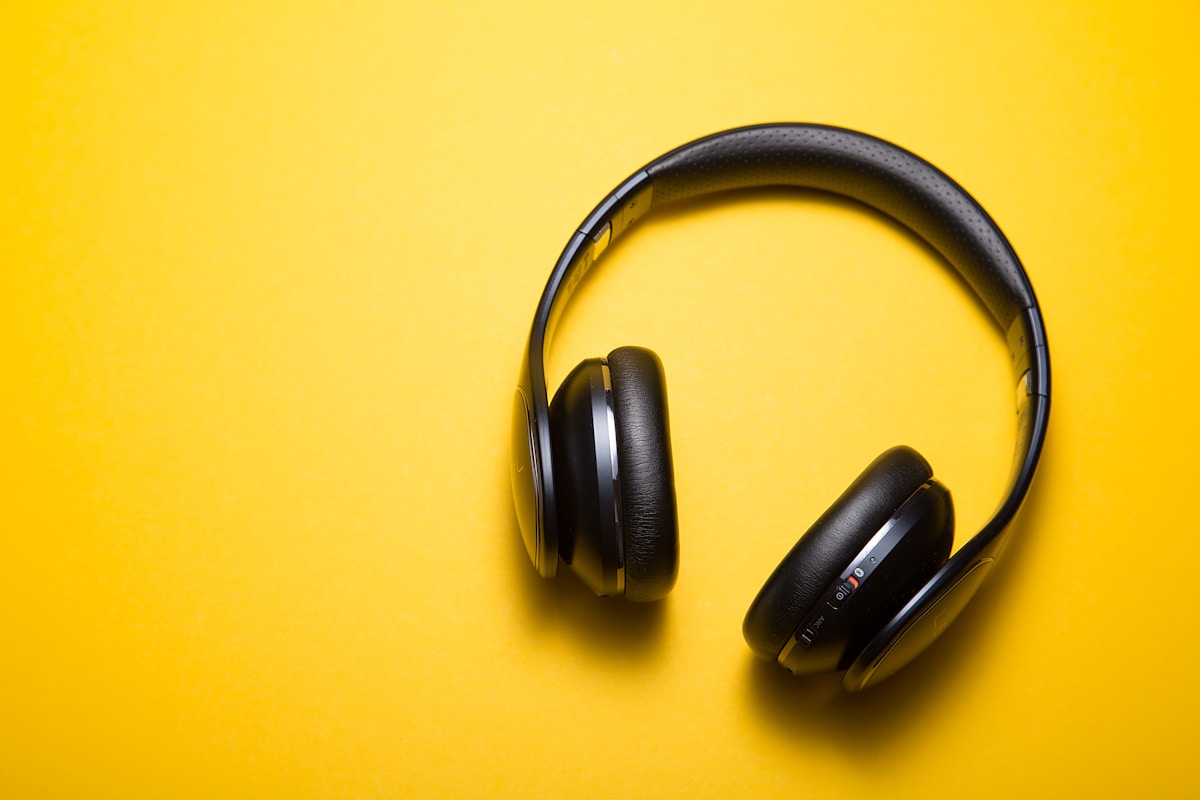
The Codec Lineup: SBC, AAC, aptX, LDAC, LC3
SBC serves as the mandatory baseline. Sony states that all Bluetooth devices support SBC, so any phone pairs with any earbuds through SBC at minimum. Sony cites SBC at 328 kbps at 44.1 kHz as its baseline comparison point. SBC sounds decent for everyday listening, and it sounds fine for podcasts and calls. Its weakness shows up in dense music, where its low ceiling leaves less room for fine detail.
AAC serves as the Apple path. Sony describes AAC as mainly used by Apple products such as iPhones, and states that it provides higher sound quality than SBC. Apple phones send AAC to AirPods and to third party earbuds that support AAC. AAC also appears on Android phones, but Android phones often pick a different codec when the earbuds offer one. No single maximum bitrate number defines AAC in this guide, because AAC implementations vary by device and encoder, and a single number would mislead more than it helps.

aptX comes from Qualcomm, and it arrives as a family rather than a single codec. Standard aptX improves on SBC for many Android listeners. aptX HD raises the ceiling to 576 kbps, according to Pocket-lint reporting on Qualcomm announcements. aptX Lossless pushes further, with The Verge reporting that it can hit up to 1 Mbps and scale down as low as 140 kbps to hold a connection when radio conditions worsen. Qualcomm designs aptX around its own silicon, so aptX works best when both the phone and the earbuds carry compatible Qualcomm hardware. Snapdragon Sound branding marks that matched hardware pairing on many Android devices.
LDAC comes from Sony, and it holds the highest headline bitrate among common codecs. Sony states that LDAC transmits audio at a maximum bitrate of 990 kbps, and that the bitrate changes on its own among 330 kbps, 660 kbps, and 990 kbps as conditions change. Sony contributed LDAC source code to the Android Open Source Project, so phone makers can install LDAC software without paying a phone side license fee, while the receiving side still needs a license. That open phone side explains why LDAC appears across many Android phones and Sony earbuds, and why iPhones skip it.
LC3 belongs to a different generation. LC3 ships with LE Audio, the Bluetooth SIG system that replaces Classic Audio for new devices. The Bluetooth SIG reports extensive listening tests showing that LC3 improves audio quality over SBC even at a 50 percent lower bitrate. LC3 also pairs with Auracast, a broadcast feature that lets one audio source send streams to an unlimited number of receiving devices. LC3 matters less as a spec sheet boast and more as a sign of where Bluetooth audio heads next: better sound at lower bitrates, with lower power use.

Codec Comparison Table
The table below puts each codec on the same footing. Treat the maximum bitrate as a ceiling, not a promise. Real connections adapt to interference, distance, and battery saving modes, so your earbuds may run below the ceiling most of the time.
| Codec | Owner | Max bitrate | Lossless claim | Hardware need | Typical platforms | Worth caring about |
|---|---|---|---|---|---|---|
| SBC | Bluetooth SIG baseline | 328 kbps at 44.1 kHz | No | None, universal | Every Bluetooth audio device | Yes, as the fallback you hear when nothing better matches |
| AAC | Apple path, open codec | Varies by device | No | None special | iPhone, many Android phones and earbuds | Yes, for iPhone owners it is the only practical choice |
| aptX HD | Qualcomm | 576 kbps | No | Qualcomm silicon both ends | Android phones and earbuds with Snapdragon Sound | Yes, for Android owners with matching hardware |
| aptX Lossless | Qualcomm | Up to 1 Mbps, scales to 140 kbps | Yes, at full rate | Qualcomm silicon both ends | Newer Android flagships and supported earbuds | Yes, when both ends support it and the link stays clean |
| LDAC | Sony | 990 kbps, adaptive 330, 660, 990 kbps | No, high resolution lossy | License on receiving side | Android phones, Sony earbuds and supported models | Yes, for Android owners who want the highest common ceiling |
| LC3 | Bluetooth SIG, LE Audio | Lower bitrate than SBC for better quality | No | LE Audio support both ends | Newer LE Audio earbuds, hearing aids, broadcast receivers | Yes, as the future default rather than a current upgrade |
Read the table from left to right and the tradeoffs turn clear. SBC wins on compatibility and loses on detail. aptX Lossless wins on ceiling and loses on hardware matching. LDAC wins on availability across Android phones and loses stability at its top rate. LC3 wins on efficiency and loses on current device coverage, because LE Audio adoption still grows device by device.
Check and Change Your Codec
Android owners can check the active codec through Developer options. Open Settings, enable Developer options, then look for the Bluetooth audio codec setting while your earbuds stay connected. The setting lists the codec your phone and earbuds agreed on, and it lets you pick a different codec from the list your earbuds support. A different pick only sticks when the earbuds support that codec too. Picking LDAC on earbuds without LDAC support sends the connection back to the fallback.
Sony earbuds owners get a second control inside the Sony companion app. The app offers a sound quality priority mode for LDAC, which pushes the connection toward the 990 kbps ceiling. That mode sounds best in a quiet room with the phone close by. Crowded places push the connection down to 660 kbps or 330 kbps on their own, because holding a fragile high rate link matters less than holding the link at all. Users who ride trains or walk busy streets often prefer a stable middle rate over a top rate that keeps dropping.
iPhone owners cannot pick a codec. iOS offers no Bluetooth codec picker, and iPhones send AAC to earbuds that support AAC. Earbuds without AAC support fall back to SBC. That limit sounds restrictive, but it also removes a whole class of fiddling. iPhone owners improve sound more by choosing well fitting earbuds with good drivers than by chasing a codec setting that iOS hides.
Windows users face a messier picture. Windows negotiates the codec with the earbuds, and the result depends on the Bluetooth adapter, the driver, and the earbuds. Headset mode for calls drops audio quality further, because the same link carries the microphone signal back. A dedicated USB microphone or a separate headset for calls solves that problem better than any codec change. Readers who work from home may find our webcam and mic kit guide for remote work calls more useful than a codec hunt, because mic quality shapes call clarity far more than codec choice.
A codec that keeps dropping to the fallback often signals interference, distance, or a low battery saving mode, not a broken codec. Move the phone closer to the earbuds, keep the phone out of a thick pocket or bag, and turn off battery saving modes that throttle Bluetooth. Test the same track in a quiet room before blaming the codec. A codec test in a crowded station measures the station as much as the codec.
Myths and Real Limits
High resolution wireless audio does not mean lossless wireless audio. LDAC at 990 kbps carries far more data than SBC at 328 kbps, but it still compresses the signal. aptX Lossless earns its name only when the link holds its full rate, and the rate scales down to 140 kbps when conditions worsen. Marketing labels describe a ceiling. Listening conditions decide the floor.
LDAC at 990 kbps also proves fragile in practice. Bluetooth shares the 2.4 GHz band with Wi-Fi, microwaves, and countless other gadgets, so congestion hits the highest rate first. Sony built the adaptive 330, 660, and 990 kbps steps into LDAC for that reason. A drop from 990 kbps to 660 kbps during a busy commute counts as the system working as designed, not as a defect. Readers who want the full story on that shared band can read why Wi-Fi and Bluetooth fight over the same 2.4 GHz band in our router guide.
Bitrate alone never decides sound quality. Driver design, ear tip fit, tuning, and the recording itself shape what you hear at least as much as the codec. A well tuned SBC earbud with a good seal can sound better than an LDAC earbud with weak tuning and a loose fit. Codec specs help you compare two similar earbuds, but they cannot rescue bad tuning or a bad fit. Test earbuds with music you know well, at a normal volume, before trusting any spec sheet.
SBC earns more respect than spec sheet debates give it. SBC handles podcasts, audiobooks, calls, and background listening with no drama. SBC also keeps older earbuds, car stereos, and speakers working without any matching hardware. Audiophiles chasing the last bit of detail have fair reasons to prefer LDAC or aptX Lossless, but everyday listeners lose little by using SBC for spoken content and casual music. The codec matters most when the music matters most: focused listening, with good earbuds, in a quiet place.
Conclusion and Next Step: LE Audio and Auracast
Buy earbuds for fit, tuning, and battery life first, then check the codec second. iPhone owners should confirm AAC support and stop there. Android owners should confirm LDAC or aptX support that matches their phone, and they should expect the connection to adapt below the ceiling in busy places. LE Audio owners should watch LC3 adoption, because LC3 delivers better sound than SBC at half the bitrate and opens Auracast broadcasts to many listeners at once.
The codec wars of the past decade taught buyers to chase a single number. The next decade shifts the goal from a bigger number to a smarter system: lower power use, better sound at lower bitrates, and broadcasts that reach a whole room. LC3 and Auracast point in that direction, and they matter more for hearing aids, public venues, and shared listening than any single bitrate record.
Check your own setup today. Android owners can open Developer options and read the active codec while music plays. iPhone owners can confirm AAC support in the earbuds specs. Then compare the result with the table above and decide whether a codec change, a better fit, or a new pair of earbuds gives you the bigger gain. Readers ready to shop can start with our noise-cancelling headphones buying guide, and readers with a mixed phone household can check our Android vs iPhone comparison before they commit to one ecosystem. Tell us in the comments which codec your devices picked, and whether the sound changed when you switched it.
Sources: Bluetooth SIG on LE Audio and LC3 (bluetooth.com LE Audio), Sony on LDAC (sony.co.jp LDAC), Sony help guide on SBC and AAC (Sony help guide), The Verge on aptX Lossless (The Verge aptX Lossless), Pocket-lint on aptX HD and Lossless (Pocket-lint aptX explainer), Qualcomm white paper on lossless Bluetooth audio (Qualcomm white paper).

Irfan is a Creative Tech Strategist and the founder of Grafisify. He spends his days testing the latest AI design tools and breaking down complex tech into actionable guides for creators. When he’s not writing, he’s experimenting with generative art or optimizing digital workflows.





 Artificial Intelligent
 Design & Creative
 Freelance
 Gadgets & Gear
 Insights
 Laptop
 Reviews
 Smartphone
 Tech Guides
 Vibe Coding






