Vibe Coding Workflow Guide for Solo Developers: Ship Apps Faster
Verdict: Is Vibe Coding Ready for Solo Developers?
Vibe coding has shifted from an experimental trend into a daily development workflow. For solo developers, building full-stack applications with AI coding assistants like Claude Code, Cursor, and Windsurf offers unprecedented speed. You can prototype an application in hours rather than weeks, transforming ideas directly into working software using natural language instructions. However, relying purely on natural language steering introduces new architectural challenges, context management overhead, and code quality pitfalls that traditional software engineering never had to consider.
If you treat AI as an autonomous senior developer without oversight, your project will inevitably hit a refactoring wall when context degrades. But when you establish a structured workflow combining system design prompts, explicit documentation, and modular test suites, vibe coding becomes the ultimate leverage for solo creators. In this guide, I will share the exact step-by-step workflow, practical strategies, and concrete lessons I learned building production-ready projects with vibe coding.
What Is Vibe Coding and Why Solo Developers Need It
Vibe coding is the practice of building software where natural language serves as the primary interface for design, implementation, and debugging. Rather than writing every function line-by-line in an IDE, developers describe system architecture, feature requirements, and user flows to an AI coding assistant. The agent reads the codebase, generates file diffs, executes test scripts, and handles complex refactoring tasks autonomously.
For independent developers and solo founders, the biggest bottleneck has always been context switching. Switching between frontend component design, backend API routing, database schema migrations, and deployment configuration drains mental energy. Vibe coding eliminates much of this friction by allowing you to maintain high-level creative momentum while delegating repetitive syntax execution to the model.

Core Tools in the Modern Vibe Coding Stack
To implement an effective vibe coding workflow, selecting the right tool for each stage of development is essential. The table below outlines how popular AI development tools compare across key capabilities for solo projects:
| Tool / Platform | Primary Use Case | Context Handling | CLI / Terminal Access | Best For |
|---|---|---|---|---|
| Claude Code | Terminal-native refactoring & agentic loops | High (Project-wide indexing) | Yes (Native CLI) | Full-stack CLI workflow & git integration |
| Cursor IDE | Visual code editing & inline generation | Medium-High (Workspace embedding) | Integrated Terminal | Interactive UI design & rapid file edits |
| Windsurf | Flow-state development & cascade agent | High (Deep codebase awareness) | Integrated Terminal | Complex multi-file architectural changes |
| GitHub Copilot | Inline autocomplete & quick functions | Medium (File-level context) | Limited | Traditional line-by-line coding support |
Step-by-Step Vibe Coding Workflow for Solo Projects
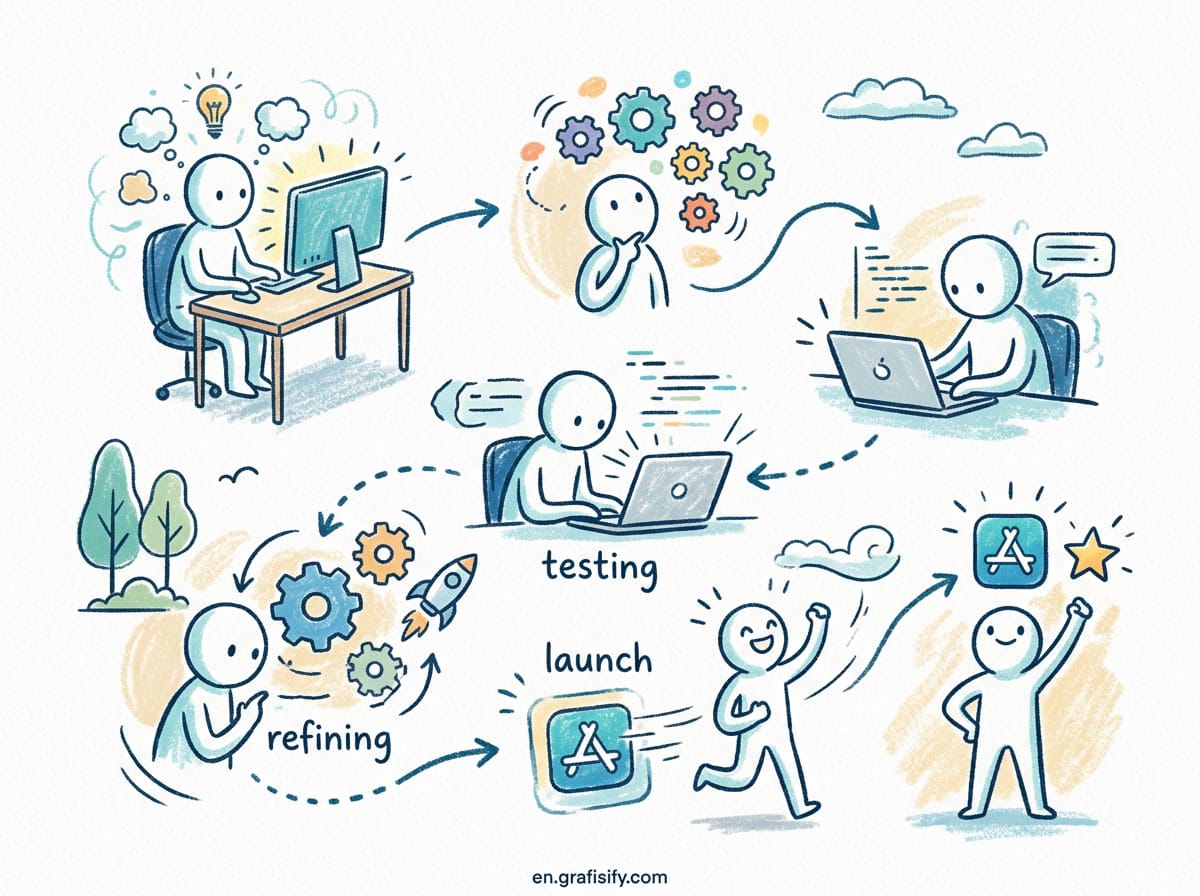
Building a successful application using vibe coding requires a structured approach. Jumping straight into generating code without clear guardrails leads to sprawling, unmaintainable codebases. Follow these five phases to keep your project clean and scalable.
1. Architecture and Project Scaffolding
Before writing a single feature prompt, define your stack constraints clearly. Create a foundational CLAUDE.md or project instruction file at the root of your repository. This file serves as the permanent memory for your AI assistant, detailing coding conventions, environment setup commands, formatting rules, and directory structures.

When starting a new repository, instruct the AI assistant to generate the baseline project boilerplate with TypeScript, Tailwind CSS, framework routes, and linting configurations already established. Starting with a strict build and test configuration prevents subtle syntax inconsistencies from creeping into your codebase early on.

2. Feature Decomposition into Atomic Prompts
One of the most common mistakes in vibe coding is requesting massive features in a single prompt. Asking an agent to “build a complete user authentication system with payment processing and dashboard metrics” almost guarantees hallucinations or broken dependencies. Instead, break your feature requests down into small, verifiable chunks:
- Task 1: Schema definition and database migration scripts.
- Task 2: API endpoints with input validation middleware.
- Task 3: UI component layout and mock data binding.
- Task 4: Integration of backend API with the frontend state.
By keeping tasks small, you can review diffs easily, run test suites after every step, and revert bad AI edits before they compound across multiple files.

3. Context Management and Session Hygiene
AI models have finite context windows. As conversation logs grow longer during a session, performance degrades, responses slow down, and the AI starts making repetitive mistakes or forgetting earlier architectural decisions. Practice active session hygiene to maintain high code quality:
- Clear session context or restart the agent after completing each major feature milestone.
- Pass only relevant file paths directly to the prompt rather than relying on automatic full-repository scanning.
- Keep key project decisions documented in modular spec files so new sessions can immediately pick up context.
4. Automated Testing as an AI Guardrail
Tests are your safety net when vibe coding. When you ask an AI assistant to refactor a module or add an edge-case handler, automated tests tell you within seconds whether existing functionality was preserved. Instruct your AI agent to write unit and integration tests alongside new feature code. Whenever a bug occurs, pass the test failure log directly to the agent so it can diagnose and fix the root cause autonomously.
Common Vibe Coding Pitfalls and How to Avoid Them
While vibe coding accelerates development speed, it introduces specific pitfalls that solo developers must actively manage to maintain production standards.

1. Technical Debt Accumulation
Because generating code is effortless, it is tempting to accept AI-generated features without checking for redundant helper functions, bloated packages, or duplicate logic. Periodically pause feature development to conduct dedicated refactoring sessions. Ask the AI agent to audit recent commits for code duplication, unused imports, and non-standard utility functions.
2. Blind Trust in Third-Party Dependencies
AI agents frequently import third-party libraries for minor utility tasks that could be handled with plain JavaScript or standard language features. Over-importing packages increases bundle size and security attack surfaces. Establish a rule in your system prompt instructing the model to prefer standard libraries over external packages unless explicitly approved.

Frequently Asked Questions About Vibe Coding
Do I need to know how to code to succeed with vibe coding?
Yes, fundamental programming knowledge is crucial. While AI handles code syntax generation, solo developers must understand system architecture, debugging, data structures, and security best practices to evaluate the quality of the generated code and fix complex edge cases.
How does vibe coding compare to traditional software development?
Traditional development spends the majority of time writing boilerplate and syntax line-by-line. Vibe coding shifts your effort toward system architecture, prompt engineering, code reviewing, and user experience design, significantly reducing total development time.
What is the best way to handle AI hallucinations in code?
The most effective strategy is combining strict TypeScript types, automated unit tests, and modular prompting. Running linters and build checks after every AI generation step catches invalid API references immediately.
Conclusion: Mastering Vibe Coding for Sustainable Solo Growth
Vibe coding represents a fundamental shift in how independent developers approach software creation. By combining high-level product design with agentic execution, solo developers can ship ambitious applications faster than ever before. However, sustained success depends on maintaining discipline—using strict system prompts, enforcing automated testing, managing context windows, and performing regular code reviews.
As AI coding tools continue to evolve, the developers who thrive will not be those who copy code blindly, but those who orchestrate AI agents effectively. Adopt these practical workflows today to scale your solo development capacity while keeping your codebase clean, robust, and production-ready.

Irfan is a Creative Tech Strategist and the founder of Grafisify. He spends his days testing the latest AI design tools and breaking down complex tech into actionable guides for creators. When he’s not writing, he’s experimenting with generative art or optimizing digital workflows.






 Artificial Intelligent
 Design & Creative
 Freelance
 Gadgets & Gear
 Insights
 Laptop
 Reviews
 Smartphone
 Tech Guides
 Vibe Coding




