Model Context Protocol (MCP) Setup Guide for AI Agents
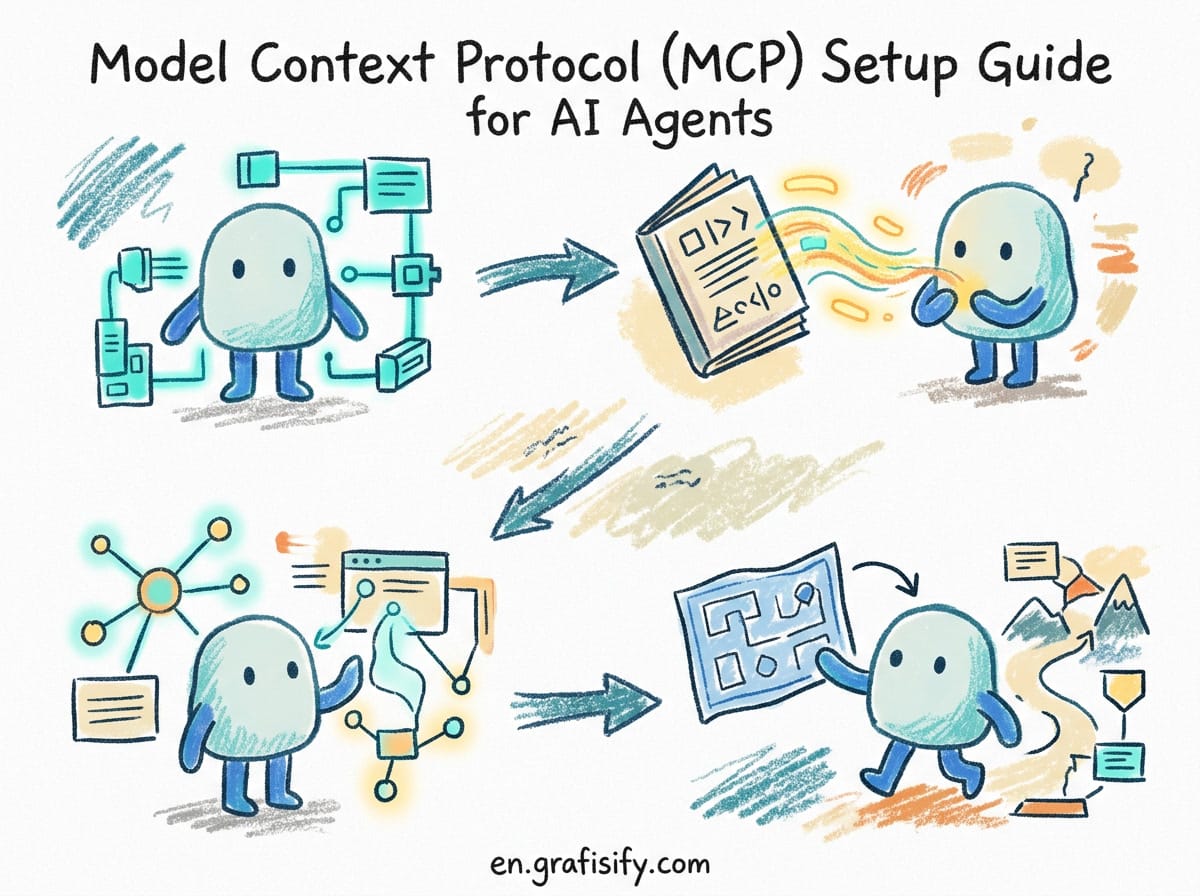
# Model Context Protocol (MCP) Setup Guide: Connect AI Agents to Databases, APIs, and Tools
> **Verdict / TL;DR**: Model Context Protocol (MCP) is an open standard created by Anthropic that acts as a universal bridge between AI coding agents (such as Claude Code, Cursor, and Windsurf) and external infrastructure (databases, APIs, and CLI tools). Instead of writing custom API integration code for every tool, MCP provides a standardized client-server protocol. Setting up an MCP server takes under 10 minutes and instantly gives your AI tools context-aware access to your entire stack.
AI coding assistants have evolved from simple code completion engines into autonomous agents that can debug, refactor, and execute commands across your workspace. However, out of the box, an AI agent’s view is limited to the local files in your project repository. When your agent needs to query a PostgreSQL database, check deployment logs in Docker, inspect a GitHub issue, or call an internal API, traditional workflows force you to manually copy and paste context back and forth.
Model Context Protocol (MCP) solves this isolation problem. By providing a unified protocol built on JSON-RPC 2.0, MCP allows AI clients to discover and invoke external capabilities through a structured client-server architecture. In this guide, we will walk through how MCP works, how to configure key MCP servers, and how to integrate them into modern AI tools like Claude Code and Cursor.

What Is Model Context Protocol (MCP) and How Does It Work?
Model Context Protocol (MCP) is an open-source standard designed to decouple AI model capabilities from tool implementations. Think of MCP as “USB-C for AI applications”: a single standard interface that allows any compliant AI client to talk to any compliant external tool server.
Under the hood, MCP uses a client-server architecture operating over stdio (standard input/output for local processes) or HTTP with Server-Sent Events (SSE for remote connections). The architecture relies on three primary primitives:
- Tools: Executable actions that the AI model can invoke with structured arguments (such as running a SQL query, creating a GitHub issue, or fetching a web page).
- Resources: Passive context provided to the model, such as file contents, API schemas, or live database tables.
- Prompts: Pre-configured prompt templates provided by the server to help users structure complex workflows.

Comparing Popular MCP Servers for Development Workflows
Selecting the right MCP servers depends on your daily stack. The community has developed dozens of open-source MCP servers for popular databases, cloud providers, and developer utilities. The table below compares five essential MCP servers commonly used in modern engineering setups.

| MCP Server | Transport | Primary Capability | Best Use Case |
|---|---|---|---|
| PostgreSQL | stdio | Schema inspection & read-only SQL queries | Database debugging & query drafting |
| GitHub | stdio / HTTP | Issue tracking, PR reviews & repo search | Automated pull request code reviews |
| Fetch / Web | stdio | Web page scraping & clean markdown conversion | Live API documentation lookup |
| Filesystem | stdio | Secure file reading/writing outside repository | Managing global workspace notes |
| Brave Search | stdio | Real-time web search and content retrieval | Fact-checking recent library updates |
How to Configure MCP Servers in Claude Code and Cursor
Setting up MCP servers requires editing your tool’s JSON configuration file. Configuration files define the command to spawn the MCP server, the environment variables required for authentication, and the scope of access granted to the tool.
1. Configuring MCP in Claude Code (CLI)
Claude Code uses a local configuration file located at ~/.claude.json or project-level settings. To add an MCP server for PostgreSQL and GitHub, update your configuration file as follows:
{
  "mcpServers": {
    "postgres": {
      "command": "npx",
      "args": [
        "-y",
        "@modelcontextprotocol/server-postgres",
        "postgresql://user:password@localhost:5432/mydb"
      ]
    },
    "github": {
      "command": "npx",
      "args": [
        "-y",
        "@modelcontextprotocol/server-github"
      ],
      "env": {
        "GITHUB_PERSONAL_ACCESS_TOKEN": "your_github_pat_here"
      }
    }
  }
}
2. Configuring MCP in Cursor IDE
In Cursor, navigate to Cursor Settings > Features > MCP, or edit your global settings. Cursor allows you to add servers via the UI or by pasting JSON definitions directly into the config panel. Once added, Cursor displays a green indicator light next to active servers, signaling that the AI model has registered the tools.

Step-by-Step Tutorial: Querying a Database with an AI Agent
To see MCP in action, let us walk through a practical scenario: asking an AI agent to analyze a database table and write an optimized query without manually exporting schemas.
- Start the MCP Server: Verify that the
server-postgrespackage is configured in your tool’s settings with a valid connection string. - Prompt the Agent: Ask your agent:
"Inspect the users table schema and identify any missing indexes on foreign keys." - Schema Inspection: The agent sends a request to the PostgreSQL MCP server using the
list_tablesanddescribe_tabletools. - Execution and Analysis: The MCP server returns table columns, data types, and index definitions in structured JSON. The agent parses the response, identifies unindexed foreign keys, and provides a migration script.

Security Best Practices when Deploying MCP Servers
Because MCP grants AI agents direct access to execute commands and query data, security configuration is essential. Giving an unconstrained LLM write access to a production database or cloud infrastructure creates significant risks.
- Use Read-Only Database Credentials: Always configure database MCP servers with a read-only database user. This prevents the agent from accidentally running
DROP TABLEor modifying live data. - Restrict Filesystem Scopes: When using the Filesystem MCP server, explicitly define allowed directories (for example,
/home/user/projects) to prevent access to system files or SSH keys. - Sanitize API Tokens: Use environment variables rather than hardcoding secret keys inside JSON configuration files committed to Git.
- Review Tool Executions: Enable approval prompts in your AI client so that write actions (such as creating git commits or posting comments) require human confirmation.
Frequently Asked Questions
Is Model Context Protocol limited to Anthropic models?
No. While Anthropic created and open-sourced the protocol, MCP is model-agnostic. Any AI interface – including open-source tools, Cursor, and custom local agents running Ollama – can implement MCP client support.
What is the difference between MCP and standard function calling?
Function calling is a model-level feature where an LLM outputs structured JSON representing a function invocation. MCP is an architectural protocol that standardizes how those functions are defined, hosted, discovered, and executed across different applications and servers.
Can I run remote MCP servers over the internet?
Yes. MCP supports transport over Server-Sent Events (SSE) in addition to local stdio. This enables team-wide MCP servers hosted on central infrastructure, though secure authentication headers must be enforced.
Conclusion
Model Context Protocol provides a clean, standardized foundation for connecting AI agents to real-world development infrastructure. By eliminating custom glue code and centralizing tool discovery, MCP allows developers to build rich, context-aware AI workflows in minutes. As the AI tool ecosystem continues to expand, adopting standard protocols like MCP ensures your development environment remains flexible, secure, and ready for autonomous workflows.
Ready to streamline your development setup? Start by integrating read-only MCP database or web fetch servers into your daily agent workflow, and explore how structured context transforms your coding speed and accuracy.

Irfan is a Creative Tech Strategist and the founder of Grafisify. He spends his days testing the latest AI design tools and breaking down complex tech into actionable guides for creators. When he’s not writing, he’s experimenting with generative art or optimizing digital workflows.





 Artificial Intelligent
 Design & Creative
 Freelance
 Gadgets & Gear
 Insights
 Laptop
 Reviews
 Smartphone
 Tech Guides
 Vibe Coding




