How to Cut Your AI Subscription Costs Without Losing Value
The Verdict
Your AI subscription stack is probably costing you far more than the monthly total on your credit card. Most professionals now juggle five to eight paid AI tools, and much of that spend never turns into measurable results. The fix is not to cancel everything. It is to audit what you actually use, consolidate overlapping tools, and buy only the features that change how you work. I have watched this same pattern play out across small teams and solo freelancers, and the cleanup always follows the same steps. This guide walks you through the numbers, the audit, and the cuts that protect the value you already get.
How Much Your AI Stack Really Costs

Add up the usual suspects and the number gets uncomfortable fast. ChatGPT Plus at $20, Claude Pro at $20, an AI writing tool at $30, a coding assistant at $20, an image generator at $10, and a meeting note taker at $15. That is $115 a month before taxes, or about $1,380 a year for a single person. For a small team, the figure multiplies quickly.
Gartner projects end-user spending on AI models and platforms to reach $64 billion in 2026, up 63 percent from the year before. Enterprise budgets are not the only thing inflating. The consumer and prosumer layer is growing just as fast, driven by the ease of starting a monthly plan and the fear of falling behind.

The real problem is that these subscriptions overlap. Two or three of them can often do the same job, and you are paying for redundancy you never notice because the charges are small and monthly.
Why Most AI Spending Does Not Pay Off
The uncomfortable truth is that most of the money is not producing a return. McKinsey reports that only about 6 percent of organizations qualify as AI high performers, the small group that actually sees clear financial impact. A separate PwC survey found that 56 percent of CEOs saw no measurable return from their AI investments. Research compiled in the Stanford HAI AI Index and other academic reviews has put the share of pilots that fail to move a metric even higher.
The gap is not because the tools are bad. It is because most people subscribe before they have a defined use case. They buy a general assistant, then use it for the same tasks they already did, in the same way. The subscription does not change the workflow, so it does not change the outcome. Reusable prompt templates that save hours every week are a better way to get value from a tool you already pay for than adding another subscription.

There is also the shadow AI effect. Even when companies try to control tooling, employees quietly use their own subscriptions for work. That cost is invisible on the company ledger, but it is real, and it rarely gets counted when leadership asks whether AI is paying off.
What Typical AI Tools Actually Cost
| Tool Type | Typical Price | Worth Keeping If |
|---|---|---|
| General chat assistant | $20/month | You use it daily for drafting or analysis |
| Coding assistant | $20/month | You write code more than a few hours a week |
| AI writing tool | $20-$30/month | It replaces an editor you would otherwise pay |
| Image generator | $10-$15/month | You ship visual work regularly |
| Meeting notes | $10-$20/month | You capture five or more meetings a week |
Notice how the cheapest plans still add up. The decision is not about any single tool. It is about the combined total and whether each line earns its place.
How to Audit Your Subscriptions
Run this audit once a quarter and you will cut the dead weight without losing capability.

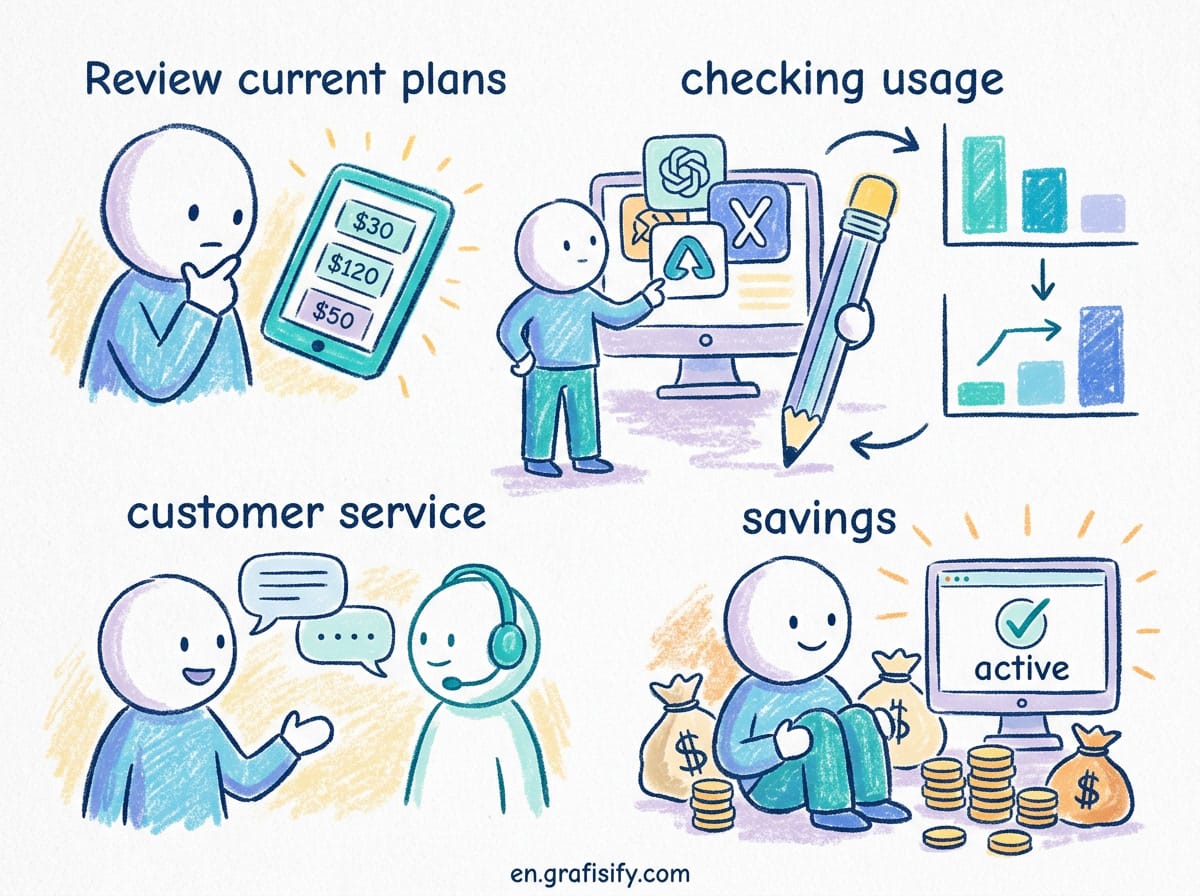
First, list every active subscription with its price and last usage date. Be honest about the ones you have not opened in the past month. Second, map each tool to a concrete job you actually do. If a tool has no job, it is a candidate for cancellation. Third, check for overlap. If your general assistant and your writing tool both draft long content, keep the better one and drop the other.
Look at your invoices, not your memory. Most people cancel a tool, forget about it, and keep paying because the renewal is automatic. If you are spending real time on manual tasks, the AI automation workflows that run themselves can replace a tool that only saves you minutes. Set a calendar reminder to review the list every three months.
Consolidate Instead of Subscribing to More
Before you add a new tool, ask whether your existing stack can do the job. Many premium plans now include features that used to be separate products. A general assistant with good file upload and web search can replace a dedicated research tool. If you keep multiple assistants, learning to switch AI models without breaking your workflow lets you use the best model for each task instead of paying for a separate subscription for every one. A coding assistant that handles chat and autocomplete can remove the need for a separate pair of tools.

Consolidating two $20 tools into one $20 plan saves $20 a month and $240 a year, with less context switching on top. The free tiers on several platforms are also stronger than they used to be, so start there before you pay for anything new.
The goal is not to be cheap. It is to make sure every dollar you spend on AI is attached to a result you can point to.
Key Takeaways
- Most professionals pay for five to eight overlapping AI subscriptions without noticing.
- Only a small share of AI spending produces measurable return, so audit before you scale.
- Map every tool to a real job and cancel the ones without one.
- Consolidate overlapping tools into one plan before adding anything new.
- Review your subscriptions quarterly, on the calendar, not from memory.
Common Mistakes When Cutting AI Costs
Most people who try to reduce their AI spend end up spending more later because they cut the wrong things. These mistakes are easy to make, and each one quietly undoes the savings you were aiming for. Watch for them as you clean up your stack.
The first mistake is cancelling a tool you actually use because it looks expensive on paper. Price per month is not the same as value per task. A tool you open every day at a higher price can be far cheaper per use than a low-cost subscription you never touch. Judge by usage, not by the monthly total.
The second mistake is switching to the cheapest alternative without testing it on your real workload. A tool that is a few dollars cheaper but forces you to redo prompts or export files into another app costs more in time than it saves in cash. Run a real task through the cheaper option before you commit.
The third mistake is forgetting about the free tier and annual plans. Many tools let you keep a useful free tier or offer a yearly discount that effectively cuts the monthly cost. If you are paying month to month for a tool you will keep for a year, check whether an annual plan saves you money.
The fourth mistake is sharing one login across a team and losing your history and personal settings. Shared accounts can look like a smart shortcut, but the confusion and lost context usually cost more than the small per-seat fee. Buy separate seats for people who actually work in the tool.
The fifth mistake is never reviewing the list again. Cutting costs once is not the same as keeping them low. New subscriptions creep in, free trials renew, and tools you stopped using stay on your card. Put a quarterly review on your calendar so the savings you found today do not disappear by next quarter.
FAQ
How do I know which AI subscriptions to cancel?
Check the last 30 days of usage for each tool. Cancel anything you have not opened in a month, then cancel overlap where two tools do the same job.
Is a cheaper AI tool always the right choice?
No. Pick the tool that does the specific job you have, then compare price across options that actually fit. Cheapest only wins when the capability is the same.
Should I use one all-in-one AI plan instead of several?
Often yes. If one plan covers the tasks you do most, it can replace multiple subscriptions and reduce both cost and context switching.
Will downgrading my plan lose my saved data and history?
Usually not, but it depends on the tool. Most providers keep your projects and files when you drop to a lower plan and simply remove the extra features. Check the downgrade policy before you switch so you are not surprised later.
How can I negotiate a better price with a provider?
It is worth asking. Some providers offer a discount on an annual plan, and a few will match a competitor’s price if you contact support. Keep your request simple, mention the plan you want, and be ready to accept a yearly commitment if the savings are real.
Final Call to Action
You do not need to cancel everything today. Mark the subscriptions without a job and cancel the clear losers this week. Keep the tools that change your output, cut the ones that do not, and review the list again in three months. Your AI stack should serve your work, not the other way around.
Want more practical guidance on using AI tools without wasting money? Start by learning to build a personal AI workflow from notes to action, then pick the right software for the job instead of subscribing to everything at once.
Tagged with:
AI costsAI ROIAI subscriptionsAI toolsProductivitysoftware budgetsubscription management
Irfan is a Creative Tech Strategist and the founder of Grafisify. He spends his days testing the latest AI design tools and breaking down complex tech into actionable guides for creators. When he’s not writing, he’s experimenting with generative art or optimizing digital workflows.





 Artificial Intelligent
 Design & Creative
 Freelance
 Gadgets & Gear
 Insights
 Laptop
 Reviews
 Smartphone
 Tech Guides
 Vibe Coding




