Claude Code vs GitHub Copilot CLI: Terminal AI Comparison
Quick Verdict
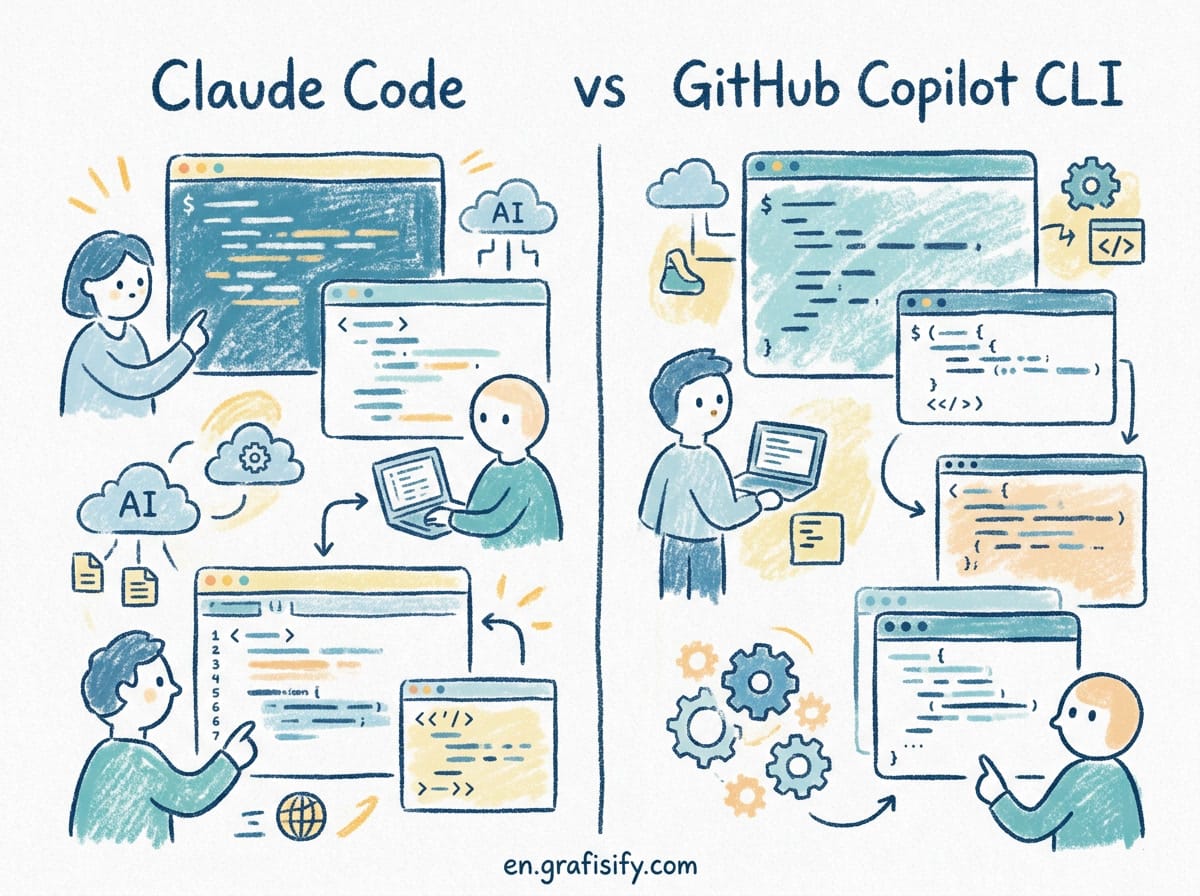
If you need an autonomous terminal agent that can inspect local directory trees, execute bash commands, run test runners, and fix complex refactoring errors directly inside your command-line interface, Claude Code is the far more capable tool. I tested both tools across multiple real-world engineering workflows, and Claude Code consistently handled complex tasks that required multi-file context and persistent execution state. However, if you want a safety-first terminal helper that translates natural language into precise shell commands without giving an AI model direct read and write permission over your filesystem, GitHub Copilot CLI remains a reliable, lightweight choice.
For modern vibe coding, autonomous terminal execution, and deep codebase debugging, Claude Code takes the clear lead. For fast command lookup without shell execution risks, GitHub Copilot CLI is an outstanding companion.
The Shift to Terminal-Native AI Development
Terminal-native AI tools have evolved rapidly over the past year. What began as basic command lookup utilities has turned into sophisticated autonomous agents operating directly inside the developer shell environment. Instead of context-switching between IDE tabs, web browsers, and terminal windows, developers can now instruct AI agents to inspect git diffs, run test suites, execute refactoring workflows, and fix build errors without ever leaving the command-line interface.

In my daily workflow, I found that terminal integration drastically reduces mental overhead during heavy engineering tasks. When you compare editor-centric tools like Windsurf vs Cursor AI code editors with specialized CLI agents, the terminal offers unparalleled access to local build environments and automated testing utilities. The terminal prompt is where raw code meets runtime execution, making it the ideal control room for autonomous tools.
Two tools currently represent opposite ends of this terminal assistant spectrum: Anthropic’s Claude Code and GitHub’s Copilot CLI. While both live inside your command prompt, their overall philosophy, underlying model architecture, and execution permissions differ significantly. Understanding these core differences is essential for choosing the right tool for your modern engineering stack.


Feature Comparison: Claude Code vs GitHub Copilot CLI
To evaluate how these two terminal tools perform in real-world software engineering scenarios, let us analyze their core functionality, model architecture, and control models side-by-side in the following detailed comparison table.
| Feature | Claude Code | GitHub Copilot CLI |
|---|---|---|
| Primary Philosophy | Autonomous terminal agent with file edit and shell tool permissions | Command generator and shell assistant for quick terminal lookups |
| Supported Models | Claude 3.7 Sonnet (with extended thinking capabilities) | GPT-4o, Claude 3.5 Sonnet, or OEM Copilot fine-tunes |
| File System Access | Full read/write capability across local repository files | Read-only context with manual user copy/paste execution |
| Tool Execution | Executes commands directly (npm test, git commit, pytest) | Suggests shell commands for manual execution |
| Agentic Loop | Yes (loops autonomously until build succeeds or tests pass) | No (interactive single-prompt lookup utility) |
| Enterprise Controls | Configurable auto-approval parameters and directory restrictions | GitHub Enterprise organizational security policies |
Deep Dive: Claude Code Architecture and Workflow
Anthropic launched Claude Code to bring true agentic reasoning directly into the command-line interface. Built on top of the Claude 3.7 Sonnet architecture, Claude Code is designed to process high-level natural language instructions and convert them into multi-step engineering actions. When I instructed Claude Code to debug a failing unit test in a complex TypeScript project, it did not merely suggest a code snippet. Instead, it ran the test suite, analyzed the stack trace, located the source file, applied the fix, and re-ran the tests to confirm resolution.
This level of autonomy places Claude Code alongside other specialized tools like Cline, Roo Code, and Codex CLI. The key architectural advantages of Claude Code include:

- Deep Workspace Awareness: It indexes local directory structures, parses configuration files, reads documentation, and understands package manager dependencies natively.
- Direct Tool Invocation: Claude Code can invoke bash commands, run linter checks, format code, and stage structured git commits automatically.
- Extended Thinking Support: It leverages hybrid reasoning to plan multi-step refactoring operations before altering code files on disk.
- Self-Correction Mechanism: When a bash execution fails or returns an unexpected error, Claude Code analyzes the stdout/stderr output and adjusts its strategy autonomously.
The primary operational consideration when adopting Claude Code is shell safety. Granting an AI agent permission to execute terminal commands requires strict configuration control. Claude Code addresses this by offering granular approval prompts, allowing engineers to decide which terminal actions require explicit manual verification before execution.
Deep Dive: GitHub Copilot CLI Features and Strengths
GitHub Copilot CLI approaches command-line assistance from an assistant-first perspective. Integrated natively into the GitHub ecosystem, its primary purpose is helping developers look up flags, syntax, and complex shell pipelines without leaving the terminal to search online documentation pages.
When working with complex DevOps tools like kubectl, docker, or advanced git rebase commands, syntax errors are common. Copilot CLI excels at translating plain English requests like “find all log files modified in the past 24 hours and compress them into a tar archive” into precise, executable terminal syntax. If you are already managing self-hosted infrastructure or deploying applications, such as following a guide on how to deploy Coolify on VPS, having quick command lookup in your shell saves substantial troubleshooting time.
Key highlights of GitHub Copilot CLI include:
- Zero Execution Risk: Because GitHub Copilot CLI presents suggestions for human review rather than executing commands automatically, there is no danger of accidental file deletion or unintended configuration changes.
- GitHub Ecosystem Integration: Seamlessly hooks into your active GitHub subscription, pull requests, issue trackers, and team permissions.
- Lightweight Footprint: Initializes quickly with negligible system footprint, making it ideal for quick terminal questions.
- Contextual Shell Explanation: Beyond simply generating commands, Copilot CLI can break down multi-flag bash commands piece-by-piece so developers understand exactly what will run.
Developer Performance and Benchmarks in Real Projects
To evaluate practical efficiency, I conducted a side-by-side test with both tools on a full-stack web repository. The test involved three common engineering tasks: refactoring an API endpoint, writing unit tests for an authentication module, and constructing a multi-stage Dockerfile.
During the API refactoring task, Claude Code analyzed the incoming request, found the corresponding controller file, updated database queries, and ran local test suites automatically. The entire operation required two prompt iterations and completed in under three minutes. In contrast, GitHub Copilot CLI provided accurate code snippets for the SQL queries and bash commands, but I had to manually edit files, handle imports, and execute the test runner myself.
For containerization and server configuration: similar to setting up custom local web environments or running interfaces like Open WebUI vs LibreChat: both tools performed admirably. Copilot CLI generated pristine Docker build strings, while Claude Code went a step further by verifying the build output directly through local docker CLI invocations.
Security, Approvals, and Safety Gateways
Security is a vital concern when integrating AI utilities into corporate development environments. Giving any software tool unmonitored shell permissions creates potential risk vectors if not governed properly.
GitHub Copilot CLI enforces a strict read-only boundary by design. It generates terminal text suggestions but leaves execution entirely in human hands. This architecture makes it straightforward for enterprise IT departments to approve, as it introduces no novel execution vectors into the host machine.
Claude Code uses a multi-tier permission gate. By default, read operations like reading files or listing directory contents can be set to auto-approve, while destructive actions like rm -rf, package installations, or git pushes require explicit user authorization in the terminal prompt. Engineers can customize these authorization bounds using local project configuration files, balancing developer velocity with operational safety.
Cost Structure and Token Usage Economics
Understanding the pricing and token economics of CLI tools is essential before deploying them across engineering teams. Both tools operate under distinct financial models that align with their parent companies’ strategies.
GitHub Copilot CLI is bundled into standard GitHub Copilot individual ($10/month) and Business/Enterprise tier plans. For engineers already subscribed to GitHub Copilot, using the CLI version incurs no incremental costs. This makes it an extraordinarily cost-effective utility for organizations that want to outfit their entire development staff with terminal assistance without managing usage-based API bills.
Claude Code operates primarily on direct Anthropic API key usage or specialized Claude tier subscriptions. Because Claude Code performs heavy agentic loops: reading directory structures, injecting context windows, and iterating on tool calls: it consumes significantly more tokens per task than a single-prompt command generator. A complex multi-file refactor using Claude 3.7 Sonnet might cost anywhere from $0.10 to $0.50 in API tokens depending on project size. For professional developers and agencies, the time saved in manual coding easily offsets the API expense, but team leads should establish usage caps to prevent unexpected bills.
Key Takeaways for Engineers
When selecting the ideal CLI assistant for your everyday workflow, consider the following key takeaways:
- Choose Claude Code if: You want an autonomous terminal partner capable of editing codebases, executing test suites, fixing build errors, and handling complex multi-file refactoring end-to-end.
- Choose GitHub Copilot CLI if: You prefer a fast, safety-oriented command generator that helps you craft shell commands and recall complex CLI syntax without granting the AI write access to your filesystem.
- Consider Combining Both: Many senior developers use GitHub Copilot CLI for quick, one-liner terminal lookups while keeping Claude Code ready for deep, multi-step engineering tasks.
Summary and Final Conclusion
The choice between Claude Code and GitHub Copilot CLI illustrates the evolution of modern developer tools from passive code completion toward active, autonomous terminal agents. Claude Code represents the next wave of command-line tools: an agent capable of exploring codebase structures, running automated tasks, and fixing code errors in real time. Meanwhile, GitHub Copilot CLI remains an efficient, zero-risk staple for engineers who want rapid syntax lookups without granting file edit permissions.
If you are building modern software projects or practicing vibe coding, integrating Claude Code into your terminal setup will streamline your development pipeline. For quick terminal lookups and command generation, GitHub Copilot CLI remains a trusted, reliable companion. Explore these options today to elevate your terminal engineering workflow!

Irfan is a Creative Tech Strategist and the founder of Grafisify. He spends his days testing the latest AI design tools and breaking down complex tech into actionable guides for creators. When he’s not writing, he’s experimenting with generative art or optimizing digital workflows.






 Artificial Intelligent
 Design & Creative
 Freelance
 Gadgets & Gear
 Insights
 Laptop
 Reviews
 Smartphone
 Tech Guides
 Vibe Coding





