AI Meeting Notes Automation for Freelancers (Complete Workflow Guide)
AI Meeting Notes Automation for Freelancers (Complete Workflow Guide)
Quick verdict: Yes, you can automate your meeting notes with AI in under 10 minutes using free tools. No, you don’t need to invite a bot to every call. This guide walks you through the exact setup. Start with bot-based tools like Fathom to bot-free options like Tactiq, so you never manually type notes from a client call again.
You just finished a 45-minute client call. Now you spend another 20 minutes typing up notes, extracting action items, and deciding what to follow up on. That’s almost an hour of unpaid work per client meeting, which is exactly the problem AI meeting notes automation for freelancers solves. For a freelancer charging $75/hour, those 20 minutes cost you $25 every single call. Over ten client calls a month, you’re losing $250 to manual note-taking.
I have tested both approaches extensively, and here’s what I found. The good news? You can stop doing that today. AI meeting notes tools have gotten good enough that the real bottleneck isn’t the technology. It’s knowing which setup works for your specific freelance workflow. This guide covers both approaches so you can pick the right one.
What Is AI Meeting Notes Automation for Freelancers?
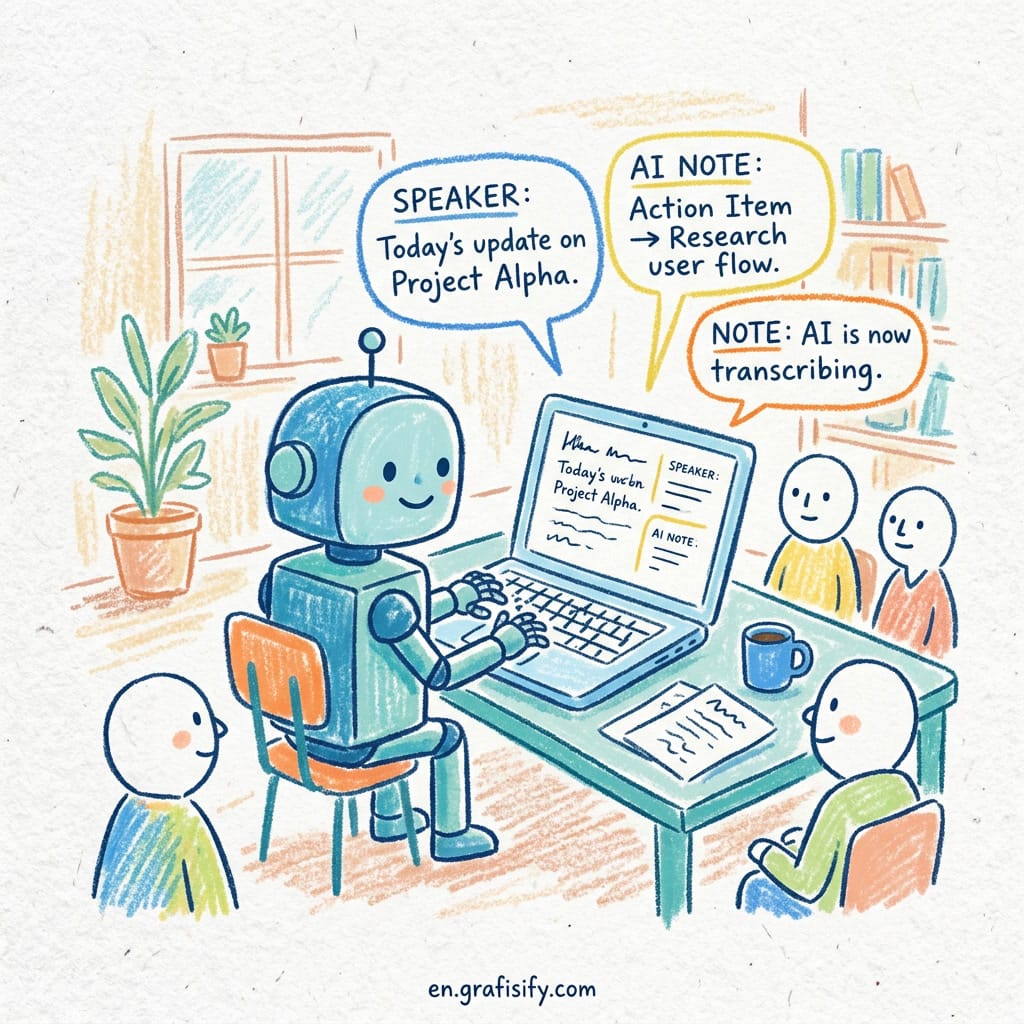
AI meeting notes automation for freelancers is a system that records, transcribes, and summarizes your client calls without you lifting a finger. The AI joins your meeting (or processes the audio after the fact), generates a transcript, extracts action items, and saves everything to your preferred workspace on autopilot.

For freelancers, the value is straightforward. You’re not running a company with an admin assistant. You’re the CEO, the accountant, the project manager, and the note-taker all at once. Every minute you save on admin work goes straight into billable hours or, better yet, free time. If you are building out your freelance tool stack, check out our guide to AI finance tools for freelancers. The tech has matured fast. In 2024, most AI note-takers could only handle basic transcription. Reviews of the top tools show how fast the space has evolved. By mid-2025, tools like Fathom, Otter, and Krisp were producing summaries that rivaled what a human assistant would write. Today in 2026, the gap between AI notes and human notes on routine client calls is nearly invisible.
Deep Dive: Two Approaches to AI Meeting Notes Automation for Freelancers
Not all AI meeting notes automation for freelancers tools work the same way. The first decision you need to make is whether you want a bot that joins your meetings or a tool that processes audio after the call. Each approach has trade-offs.
Bot-Based Tools: Fathom, Otter, and Fireflies
Bot-based tools work by having an AI assistant literally join your meeting as a participant. It listens to everything, takes notes in real time, and delivers a summary within seconds of the call ending. Fathom is the most popular choice for freelancers because it’s free for unlimited meetings and integrates directly with Zoom, Google Meet, and Teams. Otter offers similar functionality but charges for its pro features. Fireflies focuses more on team collaboration than solo freelancers.

The main advantage of bot-based tools is accuracy. Because the bot sits inside the meeting, it captures everything, including tone shifts, interruptions, and the exact timing of decisions. The main disadvantage is social friction. Some clients get uncomfortable when they see “Fathom Recording” in the participant list. A few have even asked freelancers to turn it off.
Bot-Free Tools: Tactiq, Airgram, and Glass
Bot-free tools work differently. They don’t join your meeting. Instead, they pull the audio directly from your meeting platform’s recording feature or use a Chrome extension to capture captions in real time. Tactiq, for example, uses Zoom’s built-in captions to generate notes without appearing as a participant. Airgram does the same for Google Meet. Glass is a newer player that focuses on clean, minimalist summaries.
The big win here is zero social friction. No bot in the room, no awkward conversations, no paranoid clients. The trade-off is that you may lose some context. These tools can’t track speaker emotions or read the room the way a bot can. For most freelancer-client calls though, the trade-off is worth it.
Which One Should You Pick?
| Factor | Bot-Based (Fathom) | Bot-Free (Tactiq) |
|---|---|---|
| Setup time | 5 minutes | 2 minutes |
| Accuracy | High (captures everything) | Good (caption-dependent) |
| Client comfort | May raise questions | Invisible |
| Free tier | Unlimited (Fathom) | Limited minutes (Tactiq) |
| Best for | Long-term retainer clients | One-off calls, nervous clients |
Setting Up Your First AI Meeting Notes Workflow

Let’s walk through the fastest AI meeting notes automation for freelancers setup: Fathom for bot-based, Tactiq for bot-free. Both take under 10 minutes.
Fathom Setup (Bot-Based)
Sign up at Fathom’s site (or any of the other tools mentioned in productivity roundups) with your Google account. Connect your calendar (Google Calendar is the smoothest). Fathom automatically detects which meetings are client calls and joins them. After each meeting, check your Fathom dashboard. You’ll see the full transcript, a bullet-point summary, and action items extracted automatically. Forward the summary to your project management tool (Notion, Asana, or Todoist) via the built-in integration. Total time: 5 minutes.
Tactiq Setup (Bot-Free)
Install the Tactiq Chrome extension. Open your Google Meet or Zoom call. Tactiq reads the live captions and generates notes in real time with no bot and no participant list entry. At the end of the call, click the Tactiq icon and copy the summary. Paste it into your notes app. Total time: 2 minutes. The catch is that Tactiq’s free tier caps you at 10 meetings per month. If you have more calls than that, you’ll need the pro plan at $10/month.
Also Read:
Pros and Cons of AI Meeting Notes for Freelancers
| Pros | Cons |
|---|---|
| Save 20-30 minutes per client call | Client may feel surveilled (bot tools) |
| Never miss an action item again | Transcription errors on heavy accents |
| Searchable archive of every client conversation | Free tiers have meeting limits |
| Professional follow-up emails generated automatically | Requires stable internet during calls |
| Built-in integrations with Notion, Asana, Slack | Some tools over-summarize and miss nuance |
The pros clearly outweigh the cons for most freelancers. The key is picking the right tool for your client relationship. If you have clients who are tech-savvy and trust you, Fathom’s bot is a no-brainer. If you work with more traditional clients or handle sensitive conversations, go bot-free.
How to Choose the Right AI Meeting Notes Setup for Your Freelance Business
Here’s a simple decision framework. Answer these three questions:
1. How many client calls do you have per week? If it’s 5 or fewer, Tactiq’s free tier covers you. If it’s more, you need Fathom or a paid tier.
2. Do your clients ever express privacy concerns? If yes, go bot-free. If no one has ever mentioned it, start with Fathom; the accuracy gain is worth it.
3. What tools do you already use? If you’re deep in Notion, both Fathom and Tactiq integrate. If you use Obsidian or plain markdown files, Tactiq’s simple copy-paste output is actually easier to work with.
Here’s my recommendation for most freelancers: start with Fathom’s free plan. Test it on your next three client calls. If even one client asks about the bot, switch to Tactiq immediately. If no one notices or cares, stick with Fathom. You can always change later, and your data moves with you.
Frequently Asked Questions About AI Meeting Notes for Freelancers
What is the best free AI meeting notes tool for freelancers?
Fathom offers unlimited free meeting transcription with summaries and action items. No meeting cap, no hidden limits. That makes it the best free option by a wide margin. Tactiq gives you 10 free meetings per month, enough to test the waters but not enough for regular use.
How do I automate meeting notes and action items with AI?
Connect Fathom to your calendar, let it join your calls automatically, and set up the Notion or Slack integration to push summaries where you need them. From meeting end to action items in your project board takes about 60 seconds, and none of it is manual work on your part.
Can AI meeting notes replace manual note-taking for freelancers?
For routine client calls (status updates, project reviews, planning sessions): yes, absolutely. For sensitive or high-stakes conversations (negotiations, performance feedback, legal discussions), you may still want your own notes. AI handles the mechanical recording well but misses subtext and body language.
What is the difference between bot-based and bot-free AI note-takers?
Bot-based tools (Fathom, Fireflies) join your meeting as a participant and capture audio directly. Bot-free tools (Tactiq, Glass) use captions or post-call audio processing and never appear in the participant list. Krisp’s comparison of note-taking apps explains the technical difference well. Bot-based is more accurate but can make clients uncomfortable. Bot-free is invisible but slightly less precise.
How much does an AI meeting assistant cost for solo freelancers?
You can get a fully functional setup for $0. Fathom’s free plan is genuinely unlimited for individual use. If you need bot-free, Tactiq’s free tier handles 10 meetings per month, and the pro plan is $10/month. For comparison, paying yourself to take manual notes at $75/hour costs $25 per call. The ROI is instant.
Final Thoughts
AI meeting notes automation for freelancers is one of those tools that seems optional until you try it. that feels like a luxury until you try it. Then it feels like a necessity. The 20 minutes you save per call adds up fast. Ten calls a month? That’s over three hours of reclaimed time. Use it to take on one more client, improve your service, or just log off earlier. The choice is yours. But the setup takes less time than your next client call, so there’s really no reason not to try it.
Start with Fathom’s free plan today. If it doesn’t fit your workflow, switch to Tactiq. Either way, stop taking notes manually. Your future self will thank you.

Irfan is a Creative Tech Strategist and the founder of Grafisify. He spends his days testing the latest AI design tools and breaking down complex tech into actionable guides for creators. When he’s not writing, he’s experimenting with generative art or optimizing digital workflows.




 Artificial Intelligent
 Design & Creative
 Freelance
 Gadgets & Gear
 Insights
 Laptop
 Reviews
 Smartphone
 Tech Guides
 Vibe Coding