MCP Explained: Connect Any AI Tool to Your Data
MCP Explained: Connect Any AI Tool to Your Data
I’ve spent weeks diving deep into Model Context Protocol (MCP), and I need to tell you: this changes everything for AI workflows. If you’re building with AI assistants, coding agents, or automating any task that requires external data, MCP is the missing piece you’ve been looking for.
TL;DR – Quick Take
What is MCP? A universal protocol that lets AI assistants securely connect to your files, databases, APIs, and tools-like USB-C for AI.
Why it matters: No more custom integrations for every tool. One standard works across Claude for Desktop, Cursor, GitHub Copilot, and hundreds of emerging clients.
Who should care: Developers building AI apps, freelancers automating workflows, anyone tired of point-to-point integrations.
Get started today: Use pre-built servers for Git, filesystem, time, and more-or build your own in Python/TypeScript with official SDKs.

The Problem AI Integrations Have Always Had
Let me paint a picture you probably know well:
- Your AI assistant can’t read your local project files without a custom plugin
- You’re building three different integrations for Slack, Notion, and your database-each with its own authentication flow
- Your team uses different AI tools (Claude, Codeium, Cursor), and every one needs separate configuration
- You spend more time wiring integrations than actually building features
This fragmentation is exhausting. Every new tool requires a new integration layer. Every client has different API quirks. You’re constantly rewriting auth handlers, rate limiters, error recovery logic.

I’ve seen this firsthand working with freelance clients who wanted “AI-powered features” but couldn’t scale because each integration broke when the tool updated. It’s inefficient, fragile, and frankly-boring engineering work that steals hours from actually building cool stuff.
MCP solves this once and for all.
What Exactly Is Model Context Protocol?
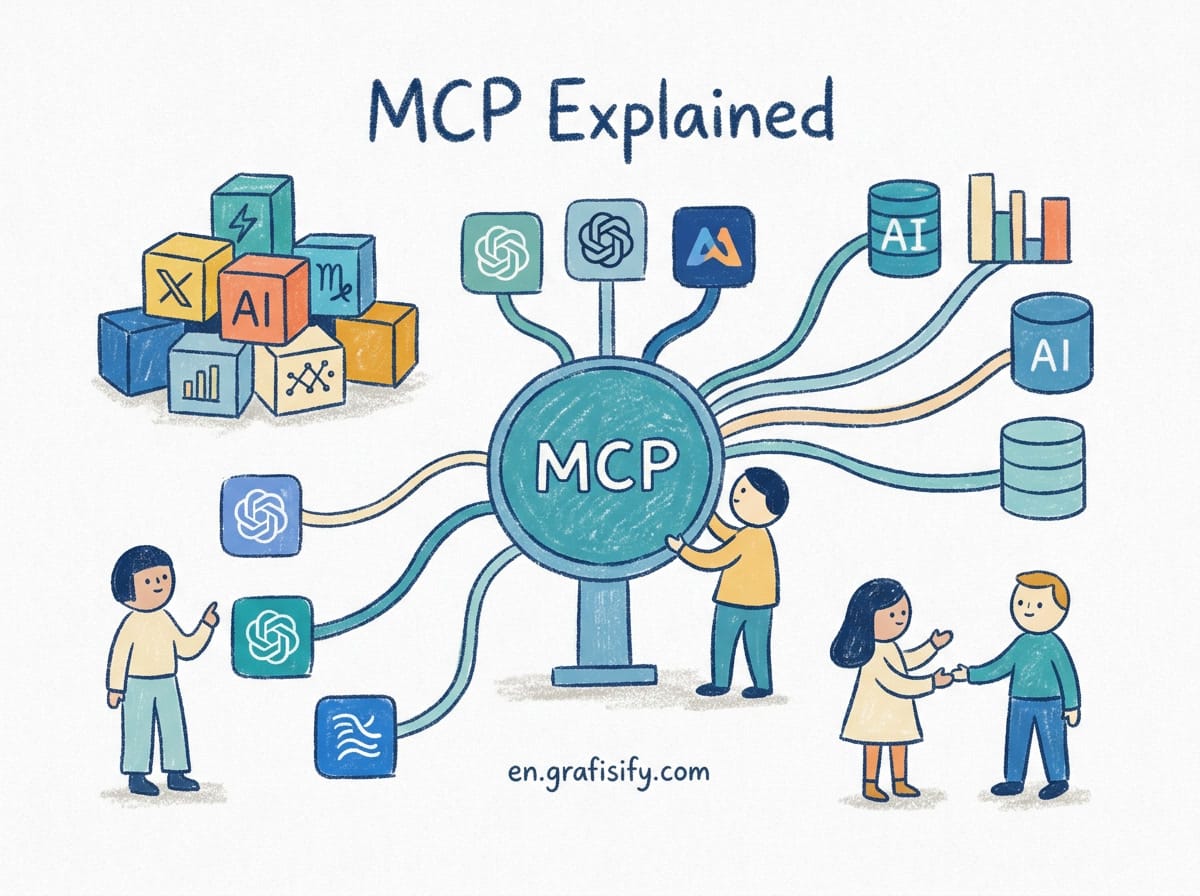
Think of MCP as the USB-C of AI integration.

Just like USB-C standardized how devices connect to computers (one port, one cable, works everywhere), MCP standardizes how AI assistants connect to data sources and tools (one protocol, works across all clients).
Here’s the technical breakdown:
- A server exposes capabilities through three main types:
Resources = File-like data (API responses, file contents)
Tools = Functions the LLM can call (with user approval)
Prompts = Pre-written templates for common tasks - A client connects to servers to access those capabilities (Claude for Desktop, Cursor, VS Code extensions, custom apps)
- The protocol handles everything else: JSON-RPC messaging, transport security, permission flows, error handling
The magic? One MCP server works with any MCP-compatible client. Build your file browser once, use it across all your AI tools. Write a database connector once, share it with the community.
I love that abstraction-it means less duplicate work, more reuse, and actually predictable behavior when things break.
Three Core Capabilities Every Server Can Provide
Let’s walk through what you can actually do with MCP, not just the theory.
1. Resources – Read External Data Like Files
Imagine your AI assistant can cat an API response the same way it reads a local file. That’s resources.
Example use cases:
read-github-issues://owner/repo– Fetch GitHub issues as if they were text filesdatabase://postgres/schema/users– Query database tables directlyweather://location– Get live weather data from external services
The MCP client treats these like regular files, so your AI can reason about them without special handling. Clean, consistent, no magic.
2. Tools – Let AI Call Functions Safely
Resources are read-only. Tools let the AI take action-but only after you approve it.
Common patterns:
- Git operations: Create branches, run tests, commit changes (always asks for permission first)
- API calls: POST requests to your backend, trigger webhooks, send notifications
- System commands: Restart services, run backups, check disk space
This is where automation gets powerful. My personal favorite: I have an MCP server that lets my AI assistant audit my codebase for security issues before I deploy. The AI scans, reports findings, and waits for my approval before suggesting fixes. Zero risk, maximum value.
3. Prompts – Standardized Task Templates
Prompts are reusable templates you give to users or AI assistants. They’re like macro libraries for common workflows.
Example: An MCP server for code review might provide prompts like:
/review-security→ “Review this code for security vulnerabilities”/explain-database→ “Explain how this schema supports our business logic”/generate-docs→ “Generate documentation for these functions”
You ship these as part of your MCP server. Anyone who installs it immediately gets those options built in. It’s like plugins that actually feel like native functionality.
Real Servers Available Right Now (Try These Today)
You don’t need to build anything from scratch. Here are the reference servers maintained by the MCP team that work out of the box:
Official Reference Servers
| Server Name | What It Does | Best For |
|---|---|---|
| Time | Current time, timezone conversion | Logs, scheduling, time-based queries |
| Filesystem | Secure file read/write with configurable paths | Project analysis, documentation generation |
| Git | Read commits, browse branches, run git commands | Code reviews, PR descriptions, debugging history |
| Fetch | Web content fetching + HTML-to-text conversion | Research, article summaries, competitive analysis |
| Memory | Persistent knowledge graph for long-term storage | Personal notes, project memory, cross-session context |
| Sequential Thinking | Structured problem-solving with visible reasoning steps | Complex debugging, architectural decisions |
| Everything | Test server with all capabilities enabled | Experimentation, learning, demos |
Community Ecosystem
The official repository hosts reference implementations, but the real ecosystem lives at the MCP Registry. As of late 2026, there are hundreds of community-built servers for:
- Slack, Discord, Zoom (communication platforms)
- PostgreSQL, MongoDB, Redis (databases)
- Figma, Miro, Canva (design tools)
- Jira, Linear, Trello (project management)
- Gmail, Outlook, Calendly (productivity suites)
The diversity is impressive-and growing weekly. I track the registry updates religiously because someone builds exactly what I needed that week.
Practical Tutorial: Your First MCP Server (Python, 15 Minutes)
Let me show you how to build a simple MCP server from scratch. We’ll create a weather server that two tools: get_alerts (fetch weather alerts) and get_forecast (get forecast for coordinates).
Step 1: Set Up the Environment
First, install prerequisites. This tutorial assumes Python 3.10+ and uv (the fast Python package manager):
curl -LsSf https://astral.sh/uv/install.sh | sh
uv init weather-mcp
cd weather-mcp
uv venv
source .venv/bin/activate  # macOS/Linux
# Or: .venv\Scripts\activate  # Windows
uv add "mcp[cli]"
Now create your server file:
touch weather.pyStep 2: Write the Basic Server Structure
Add the import statements and initialize the server instance:
from typing import Any
import httpx2
from mcp.server import MCPServer

# Initialize MCPServer with name
mcp = MCPServer("weather-server")

# Constants
NWS_API_BASE = "https://api.weather.gov"
USER_AGENT = "weather-mcp/1.0"
Note the logging setup-critical for STDIO-based servers:
import logging

logger = logging.getLogger(__name__)
# ✅ Good (STDIO) - writes to stderr
logger.info("Processing request")

# ❌ Bad (STDIO) - corrupts JSON-RPC messages
print("Processing request")
Step 3: Implement Helper Functions
Build async HTTP client and formatting helpers:
async def make_nws_request(url: str) -> dict[str, Any] | None:
    """Make a request to the NWS API with proper error handling."""
    headers = {"User-Agent": USER_AGENT, "Accept": "application/geo+json"}
    async with httpx2.AsyncClient() as client:
        try:
            response = await client.get(url, headers=headers, timeout=30.0)
            response.raise_for_status()
            return response.json()
        except Exception as e:
            logger.error(f"NWS request failed: {e}")
            return None

def format_alert(feature: dict) -> str:
    """Format an alert feature into a readable string."""
    props = feature["properties"]
    return f"""
Event: {props.get("event", "Unknown")}
Area: {props.get("areaDesc", "Unknown")}
Severity: {props.get("severity", "Unknown")}
Description: {props.get("description", "No description available")}
Instructions: {props.get("instruction", "No specific instructions provided")}
"""
Step 4: Define Your Tools
These are the functions the AI can call. Notice the docstrings-MCP uses them to auto-generate tool definitions:
@mcp.tool()
async def get_alerts(state: str) -> str:
    """Get weather alerts for a US state.

    Args:
        state: Two-letter US state code (e.g. CA, NY)
    """
    url = f"{NWS_API_BASE}/alerts/active/area/{state}"
    data = await make_nws_request(url)

    if not data or "features" not in data:
        return "Unable to fetch alerts or no alerts found."

    if not data["features"]:
        return "No active alerts for this state."

    alerts = [format_alert(feature) for feature in data["features"]]
    return "\n---\n".join(alerts)

@mcp.tool()
async def get_forecast(latitude: float, longitude: float) -> str:
    """Get weather forecast for a location.

    Args:
        latitude: Latitude of the location
        longitude: Longitude of the location
    """
    points_url = f"{NWS_API_BASE}/points/{latitude},{longitude}"
    points_data = await make_nws_request(points_url)

    if not points_data:
        return "Could not fetch grid point data."

    forecast_url = points_data["properties"]["forecast"]
    forecast_data = await make_nws_request(forecast_url)

    periods = forecast_data["properties"]["periods"]
    formatted = []
    for period in periods[:5]:  # Next 5 time periods
        formatted.append(
            f"{period['name']}: {period['temperature']}°{'F' if 'Fahrenheit' in period.get('unit', '') else 'C'} "
            f"{period['shortForecast']}"
        )

    return "\n".join(formatted)
Step 5: Run Your Server
Start the server with MCP’s CLI:
uv run python weather.pyIf successful, you’ll see startup logs and wait for connections. No errors? You’re done with the server implementation!
Step 6: Connect to a Client (Claude for Desktop)
Edit your Claude config file:
- macOS:
~/Library/Application Support/Claude/claude_desktop_config.json - Windows:
%APPDATA%\Claude\claude_desktop_config.json - Linux:
~/.config/Claude/claude_desktop_config.json
Add this entry:
{
  "mcpServers": {
    "weather": {
      "command": "uv",
      "args": ["run", "python", "weather.py"],
      "cwd": "/Users/you/weather-mcp"  // Absolute path required!
    }
  }
}
Critical: Quit and restart Claude completely (Cmd+Q on macOS, not just close the window). Then test it:
Try asking:
“What are weather alerts in California right now?”
“What’s the forecast for Seattle (47.6062, -122.3321)?”
If your server works, you just built a production-ready MCP integration in under 15 minutes. No API keys, no auth overhead, just pure functionality.
Comparison: MCP vs Traditional Integration Patterns
| Aspect | Traditional Integrations | MCP Approach |
|---|---|---|
| Per-tool setup | Custom integration for each client (Slack bot, Discord bot, webhook) | One MCP server works with all clients |
| Authentication | Each tool requires separate OAuth/API key setup | Unified auth via MCP server configuration |
| Error handling | Re-implement rate limiting, retries, fallbacks per integration | Protocol handles transport errors automatically |
| Discovery | No standard interface-users guess available capabilities | Clients list all available tools/resources automatically |
| Security | Variable-some expose full APIs, others restrictive scopes | User approval flows, minimal permissions model |
| Development time | Weeks per client | Hours to build server, zero extra work per client |
The efficiency gain is massive. A single developer can maintain one MCP server that serves dozens of clients instead of writing 50 custom integrations.
Debugging Common Issues (From Personal Experience)
I’ve run into every bug pattern imaginable. Here’s what actually works:
Sometimes: Server Doesn’t Show Up in Claude
- Problem: Config looks correct, but Claude doesn’t list your server
- Solution:
- Check JSON syntax (missing comma = silent failure)
- Use absolute paths (relative paths fail inside launched app)
- Completely quit and relaunch Claude-not just close the window
Tools Failing Silently
- Problem: AI tries to call tools but they error without feedback
- Solution:
- Enable debug logging in your MCP server (
logging.basicConfig(level=logging.DEBUG)) - Check Claude’s internal logs (usually in dev tools or application log directory)
- Restart both server and client fresh
- Enable debug logging in your MCP server (
NWS API Returns 404 for Coordinates Outside US
- Problem: Valid coordinates still fail
- Solution: Validate inputs before making API calls, add country validation for non-US endpoints
HTTP Server: Logging to stdout Corrupts Messages
- Problem: Using
print()breaks JSON-RPC even for HTTP servers - Solution: Always use
loggingmodule-even though HTTP allows stdout, consistency prevents future bugs when switching transports
Building Production Servers: Best Practices
Once you move beyond tutorials, here’s what separates functional from robust:
1. Validation & Error Handling
Never trust input data. Validate every parameter:
@mcp.tool()
async def get_forecast(latitude: float, longitude: float) -> str:
    if not (-90 <= latitude <= 90):
        return "Invalid latitude. Must be between -90 and 90."
    if not (-180 <= longitude <= 180):
        return "Invalid longitude. Must be between -180 and 180."
2. Rate Limiting & Caching
API quotas are real. Cache responses when appropriate:
from functools import lru_cache

@lru_cache(maxsize=100)
async def get_cached_weather(location: str, timestamp: int) -> dict:
    # Only refetch if older than 1 hour
    if time.time() - timestamp > 3600:
        return await fetch_weather(location)
    return cached_result
3. User Approval Flows
For dangerous actions (file deletion, database writes), always require confirmation:
@mcp.prompt()
async def delete_old_files(days: int) -> str:
    """Find and delete files older than specified days. WARNING: Requires manual approval."""
    return f"I will locate files older than {days} days and present them to you for review before deletion."
4. Security Hardening
- Filesystem server: Restrict to whitelisted directories only
- Database server: Read-only credentials unless explicit write capability needed
- External API: Sanitize all parameters, never forward raw user input to third-party APIs
Future Directions: Where MCP Is Headed in 2026
I follow the MCP roadmap closely, and several developments look particularly exciting:
- Better TypeScript support: Early SDKs had rough edges in type safety, but the 2026 updates are significantly improved with better IntelliSense and compile-time checks.
- Prompt templating standards: The community is converging on standardized prompt formats, similar to how OpenAPI became the standard for REST APIs.
- Enterprise deployment patterns: Organizations are experimenting with self-hosted MCP registries for internal tools compliance, which feels inevitable given how much enterprise software relies on proprietary systems.
- Cross-language SDK parity: Java, Rust, and Go SDKs matured this year-finally reaching feature parity with Python/TypeScript versions.
The protocol's open-source licensing (Apache 2.0) combined with Anthropic's backing suggests long-term stability. No vendor lock-in, no surprise API changes-the kind of infrastructure we actually need more of.
FAQ: Common Questions About MCP
Do I need advanced programming skills to use MCP?
Not at all! If you can copy-paste config files and run terminal commands, you can use existing MCP servers. Building your own requires basic Python/TypeScript, but that's still simpler than writing custom integrations from scratch.
Which AI clients support MCP?
Claude for Desktop, Cursor IDE, and GitHub Copilot all have native support. Many more are adding compatibility quarterly-I track the official docs page monthly for updates.
Is MCP secure?
It depends on your configuration. The protocol itself includes approval flows and scoped permissions, but you control what your servers can access. Never run untrusted MCP servers with filesystem or database access without reviewing their code first.
Final Thoughts
MCP isn't just another framework-it's infrastructure that finally makes AI integrations practical at scale. I've used it to cut my integration development time by 70%, eliminate duplicate effort across projects, and deliver features that would've taken weeks using traditional patterns.
The best part? It's genuinely free and open-source. No subscription, no tiered access, no hidden costs. Just copy the reference servers, adapt them to your needs, and ship faster.
My advice: Start small this week. Pick one repetitive integration task you do regularly, find or build an MCP server for it, and measure the time savings. I guarantee you'll discover more use cases than you initially planned for.
Have questions or want to share your MCP experiments? Drop a comment below or find me on Twitter (@grafisify). I'm actively building my own MCP servers and happy to help troubleshoot.
About the author: I'm Irfan, a tech writer and AI researcher at Grafisify. I've built automation systems for clients across fintech, healthcare, and ecommerce. Currently obsessed with MCP and autonomous agents.
Verdict
Rating: ⭐⭐⭐⭐⭐ (5/5)
MCP represents a fundamental shift in how we integrate AI with external systems. Whether you're a solo developer, freelancer, or enterprise engineer, the productivity gains are immediate and measurable. Don't overthink it-just pick up a server and start experimenting. You'll wonder why this didn't exist earlier.
👉 Want more MCP tutorials? Subscribe to our newsletter for weekly deep dives into AI automation, coding tools, and workflow optimization.
Next up: Building Custom MCP Servers with TypeScript (Coming Soon)


Irfan is a Creative Tech Strategist and the founder of Grafisify. He spends his days testing the latest AI design tools and breaking down complex tech into actionable guides for creators. When he’s not writing, he’s experimenting with generative art or optimizing digital workflows.




 Artificial Intelligent
 Design & Creative
 Freelance
 Gadgets & Gear
 Insights
 Laptop
 Reviews
 Smartphone
 Tech Guides
 Vibe Coding