How to Choose an Ergonomic Mechanical Keyboard

Why Your Keyboard Might Be the Problem
If you type all day, your keyboard is the one piece of gear you touch more than anything else on your desk. Yet most people pick one because it looks nice or matches the setup in the photo, not because of how it feels at hour six of a workday. Wrist pain, numb fingers, and a stiff neck often trace back to a keyboard that forces your hands into an awkward position.
The good news is that you have more control over this than you think. An ergonomic mechanical keyboard is one of the few upgrades that can change how your body feels by the end of the week, not just how your desk looks. This guide breaks down what actually matters so you can pick one without guessing.
What an Ergonomic Keyboard Actually Does (and Doesn’t)
Start with the honest part. A keyboard alone does not prevent repetitive strain injuries. A 2024 meta-analysis of 17 occupational therapy trials found that users who took mandatory 60-second breaks every 25 minutes cut RSI incidence by 63%, regardless of the keyboard they used. Breaks and posture do more heavy lifting than hardware.
That does not mean the keyboard is pointless. It means you should treat ergonomics as one layer, not a magic fix. What the right keyboard can do is keep your wrists neutral, your shoulders relaxed, and your forearms roughly parallel to the floor. That reduces strain when you are doing the thing you are going to do anyway, which is type.
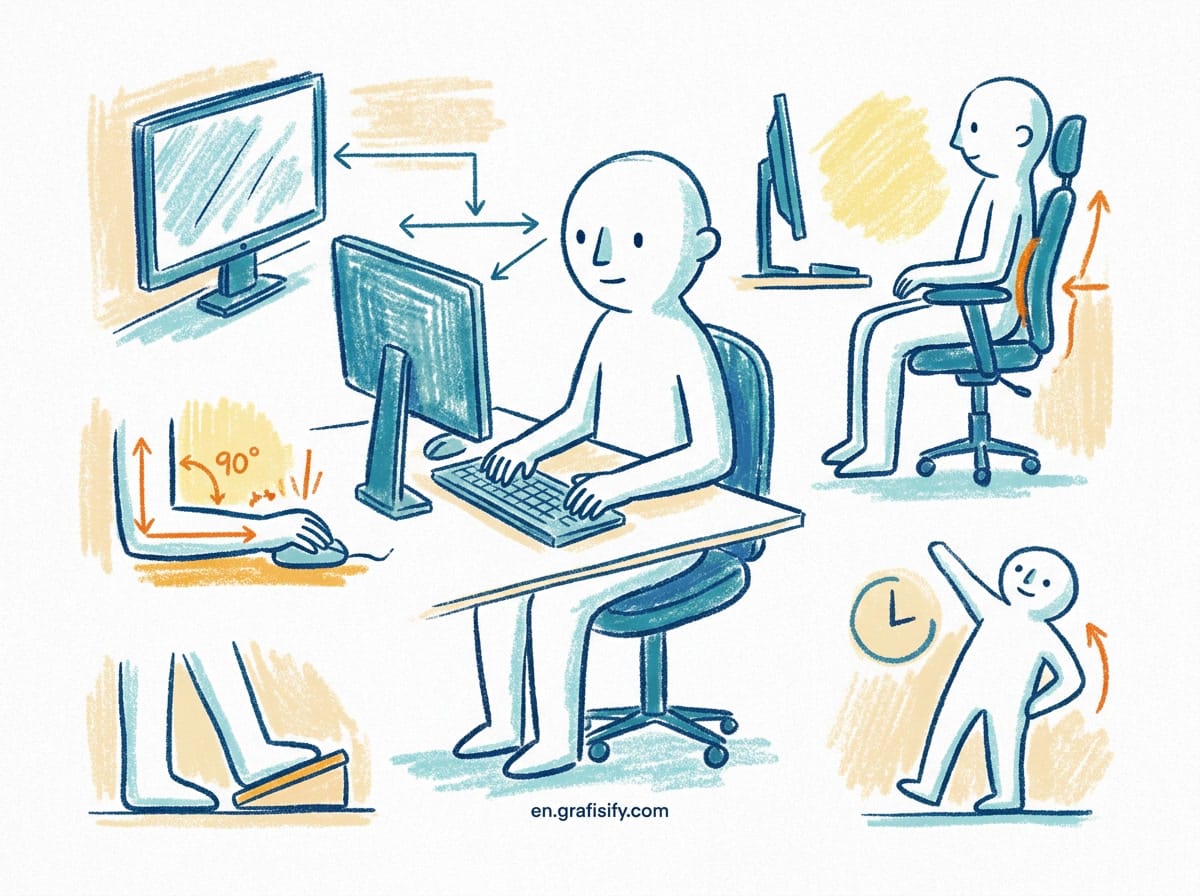
Two features matter most here: split layout and tenting. A split board divides the keys into two halves so each hand sits at shoulder width, instead of the forced inward angle of a standard board. Tenting tilts the two halves upward in the middle, which lets your hands rest in a more natural handshake position. These two adjustments do more for comfort than any amount of premium switch material.
The Case for Mechanical Switches
Ergonomic keyboards used to mean those flat, springy dome keyboards. That era is over. Mechanical switches give you a tactile bump and a defined actuation point, so you do not have to bottom out the key to register a press. Less bottoming out means less impact on your fingers over thousands of keystrokes.
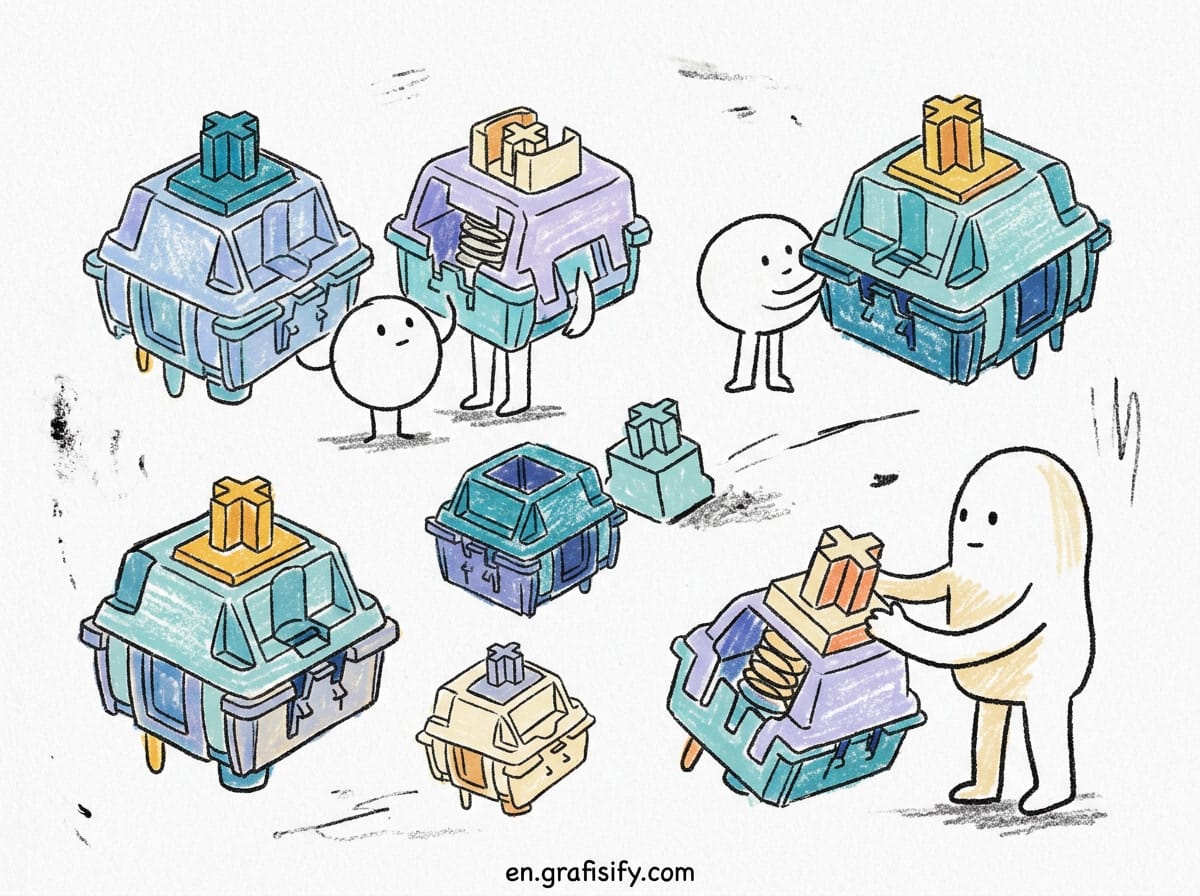
You also get options. Linear switches are smooth with no bump, good for people who type fast or hate feedback. Tactile switches give you a small bump halfway down so you can feel the press without pressing all the way. Clicky switches add an audible click on top of that bump. For all-day typing, most people land on tactile. They give you feedback without the noise that drives coworkers up the wall in an open office.
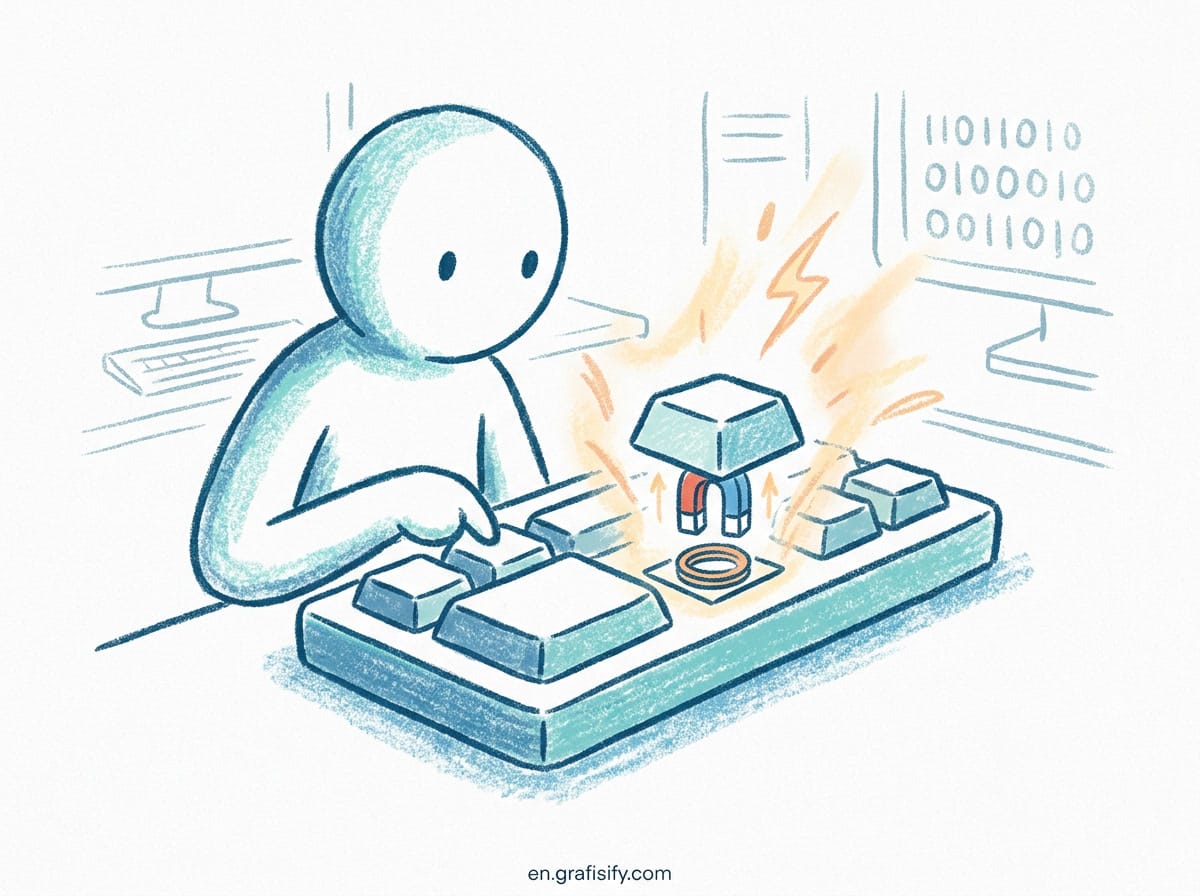
Here is the tradeoff to weigh. Standard-height giant-stemmed switches are the classic choice, deeply customizable and comfortable for most hands. Low-profile switches have a shorter travel distance, which some heavy typists find less fatiguing over a full day, and they let you keep a thinner, flatter desk setup. Neither is objectively better. It comes down to whether you bottom out hard and whether you like a taller or flatter board under your palms.
Comparing the Main Options
The market splits into a few clear camps. The table below summarizes what you are choosing between, so you can narrow it down fast.
| Option | Best For | Key Features | Tradeoff |
|---|---|---|---|
| Split and tented (Kinesis, ergonomic true-split boards) | Maximum hand comfort, chronic strain | Split halves, adjustable tent, thumb clusters | Learning curve, higher price |
| Standard-height mechanical (Keychron, many hot-swap boards) | Customization, affordable entry | Hot-swap switches, lots of layouts, software remapping | Needs keycaps moved to proper position on some models |
| Low-profile mechanical (Logitech MX Mechanical, NuPhy) | Flat desk setups, fast low-travel typing | Low-profile switches, wireless, slim | Fewer switch choices, harder to customize |
| Scissor-switch ergonomic (Logitech ERGO K860) | Familiar feel, split-wave comfort | Waved split layout, wrist support | Not actually mechanical |
If you are coming from a standard membrane keyboard, the biggest jump in comfort comes from going split, not from going mechanical. A split board changes where your hands sit. Mechanical switches only change how the press feels. If you can only change one thing, make it the split.
Key Features That Matter More Than Brand
Once you pick a category, a few features separate a keyboard you will want to return from one you will keep for years.
Hot-swap switches. This means you can pull a switch out and drop a different one in without soldering. It lets you test a tactile switch, decide it is too light, and swap in a heavier one in minutes. It also means a single failing switch does not kill the whole board. Worth paying the small premium for.
Keycap profile. Keycaps come in different heights and shapes. A sculpted profile slopes toward you, matching the natural arc of your fingers. Uniform flat profiles look minimalist but give most typists no help. This is a detail reviewers skip, and it is precisely the detail that determines whether your fingers land comfortably.

Connectivity and battery. For desk use, a good wireless board lasts weeks or months on a charge. Bluetooth multipoint lets you switch between a laptop, desktop, and tablet with one keypress. Wired, meanwhile, means zero latency and no battery anxiety. Decide based on how many devices you actually switch between, not on marketing.
Remapping. The ability to reprogram keys through software or the board’s firmware turns a generic layout into one tuned to your hands. If you use a non-QWERTY layout or want your most-used keys closer to home, remapping matters more than almost any switch choice.
Noise. If you share a room or take calls near your desk, an open office does not forgive a loud board. Some boards come with sound-dampening foam and quieter switches out of the box. Others you can quiet down with O-rings on the keycaps. Think about who else will hear you type.
A Quick Comparison Table of Popular Boards
To make the choice concrete, here is how a few common picks stack up across the features that matter.
| Board | Type | Split | Hot-Swap | Wireless | Best For |
|---|---|---|---|---|---|
| Keychron K series | Standard mechanical | No | Yes | Yes | Customization on a budget |
| Logitech MX Mechanical | Low-profile mechanical | No | No | Yes | Slim flat desk setups |
| Logitech ERGO K860 | Scissor-switch | Waved split | No | Yes | Comfort without relearning |
| Kinesis Advantage / split ergo boards | Standard mechanical | Yes | Varies | Varies | Maximum hand relief |
Notice what is missing from this table: a universal best. The right board depends on whether you want to customize, whether you want a split, and how much learning curve you accept. A board that is perfect for a developer might frustrate someone who just wants to plug in and type. Match the board to your habits, not to the influencer who unboxed it.
How to Set It Up So It Actually Helps
An ergonomic keyboard fails to help if you place it wrong. Even the best split board does nothing if it is shoved across the desk so you hunch forward to reach it.
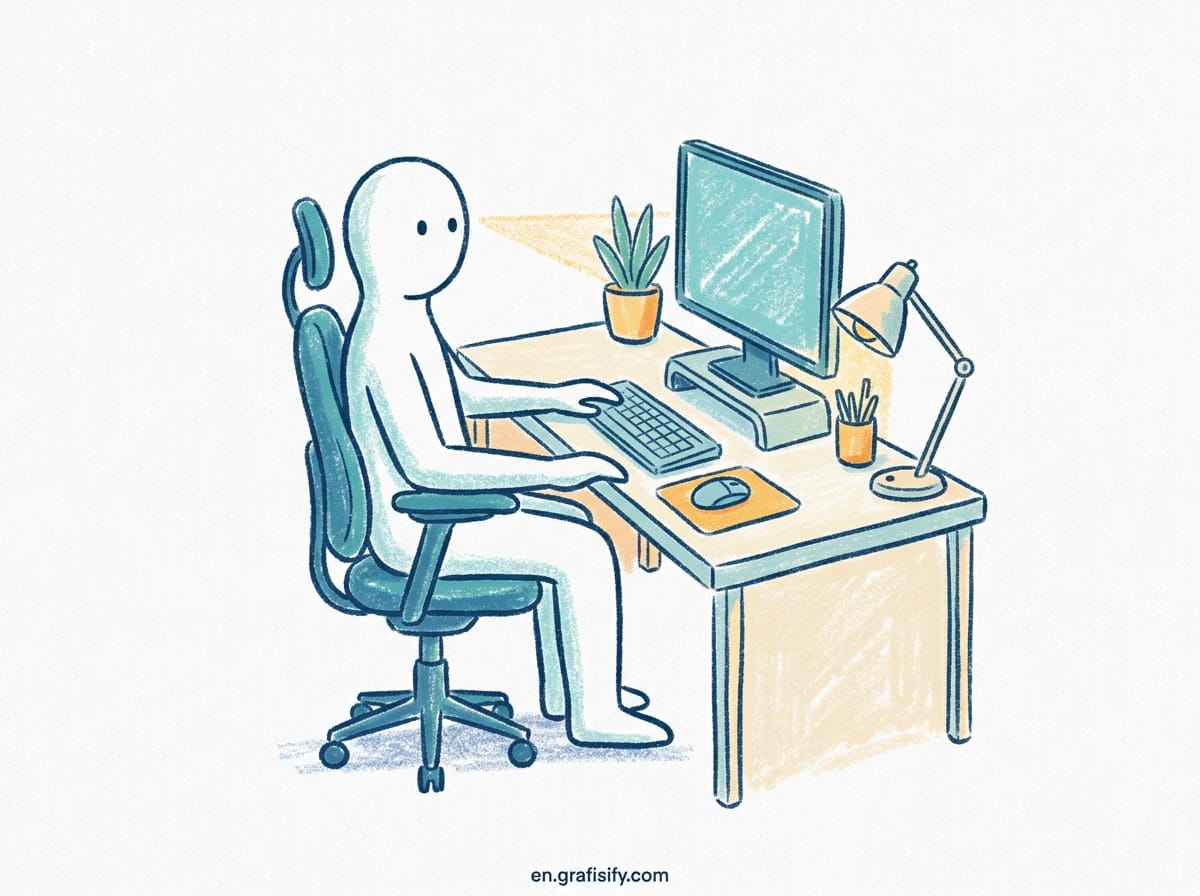
Set the keyboard so your elbows sit at about 90 degrees and your forearms run parallel to the floor. Your wrists should stay straight, not bent up or down. If your desk is too high, a palm rest or a keyboard tray brings the board down to where your hands naturally fall. If your desk is too low, raise your chair.
Pair the keyboard with the rest of the setup. Put your monitor at arm’s length with the top of the screen at or just below eye level so you do not slouch to see it. Keep your mouse at the same height as the keyboard, not dangling off a different surface. Forgetting the monitor means your neck still pays the price even with a perfect keyboard.
Finally, respect the breaking habit. Stand up, stretch, and give your hands a 60-second rest every 25 minutes or so. The hardware reduces strain. The break is what actually breaks the cycle that leads to injury. No keyboard replaces that.
Key Takeaways
- Ergonomic keyboards reduce strain by keeping wrists neutral, but they do not replace regular breaks, which a 2024 meta-analysis linked to a 63% cut in RSI incidence.
- Split layout and tenting matter more for comfort than switch type. Change your hand position before you obsess over switches.
- For typing, tactile switches give useful feedback without the noise of clicky ones. Low-profile switches suit flat setups and hard bottom-outers.
- Hot-swap switches, keycap profile, remapping, and noise matter more than brand. Buy for your habits, not the logo.
- Placement beats purchase. Keep elbows at 90 degrees, wrists straight, and the monitor at eye level, or the hardware cannot do its job.
Frequently Asked Questions
Is an ergonomic mechanical keyboard worth it? If you type several hours a day and have any wrist or hand discomfort, the split layout and better hand posture justify the cost. If you type rarely, a standard keyboard is fine.
What is the difference between split and non-split? A split keyboard separates the keys into two halves so your hands sit at shoulder width instead of angling inward. That inward angle on standard boards is the main driver of strain.
Are mechanical keyboards louder? It depends on the switch. Clicky switches are loud. Linear and tactile switches are quieter, and adding foam or O-rings quiets them further.
Do I need a split keyboard to be ergonomic? No. Waved and tented non-split boards help too. But a true split gives the most natural hand position, especially if you already have strain.

Irfan is a Creative Tech Strategist and the founder of Grafisify. He spends his days testing the latest AI design tools and breaking down complex tech into actionable guides for creators. When he’s not writing, he’s experimenting with generative art or optimizing digital workflows.
You might also like





 Artificial Intelligent
 Design & Creative
 Freelance
 Gadgets & Gear
 Insights
 Laptop
 Reviews
 Smartphone
 Tech Guides
 Vibe Coding