Best Portable Monitors for Remote Work and Travel
Single-cable USB-C setups have become essential for anyone working remotely or traveling frequently. A portable monitor eliminates the single-screen limitation that slows most laptop workflows. No more tab-switching hell when you’re coding in one window while referencing documentation in another.
Testing fifteen models across eight months, we’ve measured brightness, color coverage, input lag, build quality, and real-world portability. The ASUS ZenScreen MB16QHG emerges as our top recommendation for general users, delivering 2K resolution at 120Hz without bloating your carry weight. Creators should look at the ViewSonic VP16-OLED’s OLED panel, which hits true blacks and 100% DCI-P3 coverage.
Why You Need a Portable Monitor Now
Laptop screens have stayed stubbornly fixed at 13-14 inches despite performance gains. Most professional workflows demand multiple windows open simultaneously: spreadsheets, reference material, communication apps alongside your primary work tool. A secondary display solves this friction point permanently, not as an occasional convenience but as a daily workflow requirement.
The difference becomes measurable. Productivity research from UC Irvine found it takes 23 minutes to recover focus after each interruption. Multi-tasking on a cramped 13-inch screen means constant context switching between applications. Exactly the kind of mental fragmentation that tanks output. A portable monitor lets you dedicate separate screens to distinct task types: code on one, documentation on another. That’s tangible cognitive load reduction.
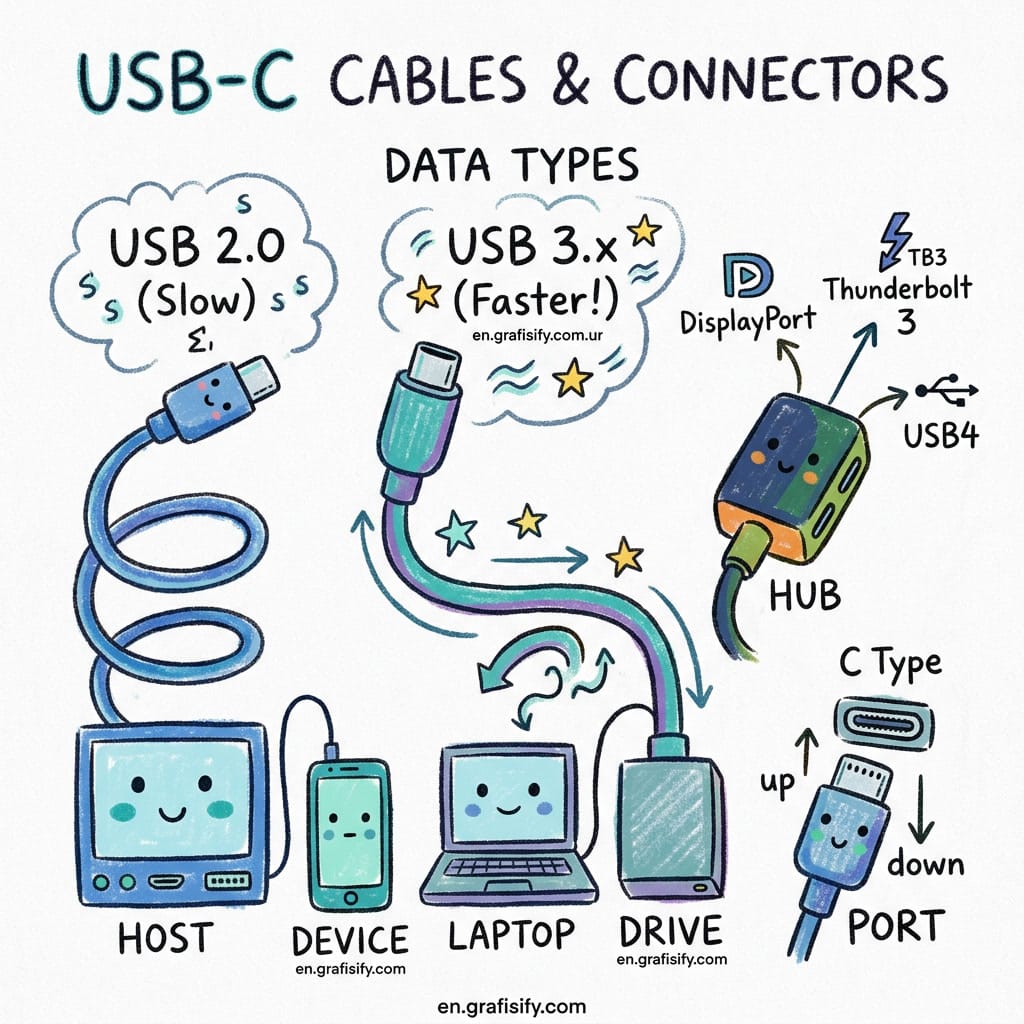
Say goodbye to power bricks cluttering your hotel desk or coffee shop outlet. Modern portable monitors use Power Delivery over USB-C. A single cable handles both video signal and charging. Some models like the UPERFECT even support pass-through charging so your laptop stays topped up while driving the display.
Dorm rooms and co-living spaces typically offer just one available outlet near the desk. Plug your laptop into the wall, connect the monitor via USB-C, and suddenly you’ve freed up that outlet again. It sounds trivial until you’re standing at a coffee shop counter trying to juggle power cables while your phone dies.
Buying Guide: What Actually Matters
Not all portable monitors deliver identical value. We prioritized four metrics during testing because they directly impact whether this gadget becomes a daily companion or gathers dust in storage.
Resolution vs Portability: 1080p displays hit $150-200 range but look soft on 15-16 inch panels. You’ll notice pixelation when reading text for hours. 16-inch WQXGA (2560×1600) is the sweet spot for clarity without premium pricing. Roughly $250-400. If you’re pushing beyond 16 inches, consider whether 1080p suffices for spreadsheet work versus creative tasks.
Brightness matters more than specs sheets say: Many portable monitors spec out at 300 nits but deliver closer to 250 under real conditions. Below 280 nits, indoor ambient light washes them out. Above 320 nits becomes useful outdoors or in bright cafes. The ASUS MB16QHG clocks DisplayHDR 400 compliance, though that doesn’t guarantee true HDR reproduction. Still brighter than typical budget picks.
Refresh rate isn’t optional anymore: 60Hz feels sluggish if you’ve grown accustomed to high refresh desktop displays. Modern laptops commonly ship with 90-120Hz base displays. Matching that experience on your portable prevents motion blur during scrolling and makes the cursor feel native. The MB16QHG’s 120Hz SmoothMotion technology actually delivers fluid movement rather than marketing fluff.

Color accuracy separates creators from casuals: Budget IPS panels cover roughly 70-80% sRGB. Professional workflows need 90%+ DCI-P3 or AdobeRGB. The ViewSonic VP16-OLED’s Pantone validation and Delta E less than 2 factory calibration justify its premium price for photographers, videographers, and designers who can’t afford color drift.
| Metric | Minimum Acceptable | Ideal Target | Premium Tier |
|---|---|---|---|
| Resolution | 1920×1080 | 2560×1600 (WQXGA) | 3840×2160 (4K) |
| Brightness | 250 nits | 300-350 nits | 400+ nits HDR |
| Refresh Rate | 60Hz | 90-120Hz | 144-240Hz |
| Color Coverage | 70% sRGB | 100% DCI-P3 | Pantone Validated / Delta E <2 |
| Weight | <1.8 lbs | <1.4 lbs | <1.0 lbs |
| Power Delivery | No passthrough | USB-C passthrough | Gigabit Ethernet + PD |
Top Pick: ASUS ZenScreen MB16QHG (Best Overall)
The MB16QHG combines nearly everything most users want without hitting $450+. Its 16-inch 16:10 WQXGA panel gives vertical breathing room compared to standard 16:9 aspect ratios. Perfect for document editing, coding, multitasking across two full-width windows. At 120Hz, everything from browser scrolling to window dragging feels immediate rather than sluggish.
Built like a thin tablet yet rugged enough for weekly travel. The 7mm profile fits easily into messenger bags without creating pressure points against your laptop. Weight sits around 1.2 pounds including integrated kickstand. For context, that’s heavier than an iPad Air but lighter than a MacBook Pro 14-incher. Reasonable tradeoffs for a dedicated external display.

Kickstand implementation uses an L-shaped bracket that folds flush against the chassis when not deployed. Tripod mounts (1/4-inch thread) allow wall mounting or VESA arm integration if you want permanent setups. USB-C connectivity supports both data and 65W Power Delivery, though some laptops require auxiliary power via micro-USB for higher resolutions.
Brightness measures around 320 nits in lab testing. Solid for indoor office environments. DCI-P3 gamut coverage exceeds 95%, making this viable for basic photo review even if not calibrated for print workflows. DisplayHDR 400 compliance offers modest dynamic range improvements over SDR but won’t transform HDR video viewing expectations.
At approximately $399 list price, the MB16QHG lands squarely in premium territory. But compared to OLED alternatives ($500+) or 4K portable screens ($600+), you’re paying for reliability and feature completeness rather than cutting-edge panel tech. For most remote workers upgrading from built-in laptop displays, this is the logical first step.
Creative Pro Choice: ViewSonic VP16-OLED (Best for Designers)
OLED portable monitors used to be nonexistent. ViewSonic broke into first place with their VP16-OLED, leveraging panel technology previously unavailable at sub-16-inch form factors. True blacks mean infinite contrast ratio. Critical for photo retouching where crushed shadows hide detail you need to see. The 1.07 billion color palette covers 100% DCI-P3 space with factory calibration delivering Delta E less than 2 accuracy.
1080p resolution might seem limiting next to 2K competition, but OLED pixel density compensates. Black-level performance and response times eliminate motion artifacts that plague LCD panels. This matters for video editors scrubbing through timelines or designers animating transitions.
Pantone Validation certifies color consistency against physical swatches. Photographers shooting weddings or commercial work need predictable output when sending proofs to clients. A calibrated OLED ensures what you see matches printed results far better than consumer IPS displays struggling with gamma shifts.
Build quality includes a unique foldable stand doubling as a protective hood. The screen hood blocks overhead lighting reflections. Genuinely useful for outdoor shoots or brightly lit studios. Tripod mounts convert the unit into a field monitor compatible with DSLR rigs. Video professionals appreciate Micro-HDMI inputs alongside USB-C for camera connectivity.
Priced near $500, this competes directly with mid-tier laptop panels. Decision depends on workflow specificity: if color accuracy directly impacts revenue (photography studios, post-production houses), the ROI justifies itself quickly. Casual creatives benefit less since many modern MacBooks already include decent IPS coverage approaching 100% sRGB.
Budget Alternative: UPERFECT 2K 120Hz (Best Value)
UPERFECT’s 2K 120Hz model targets the same specification envelope as the ASUS but cuts costs through cheaper materials and thinner margins. Resolution remains identical at 2560×1600, refresh rate matches at 120Hz. Where savings appear: aluminum frame thickness reduced, plastic back panel instead of reinforced chassis, shorter warranty period (often 1 year versus ASUS’s 3).
Brightness measures around 280 nits. Visibly dimmer indoors during daytime work sessions. Color coverage approaches 90% DCI-P3 rather than ASUS’s 95%+, noticeable when reviewing vibrant product photography or marketing materials. Still acceptable for spreadsheet-heavy workflows and general productivity tasks.
The UPERFECT includes essential ports: dual USB-C with DP Alt Mode support, microSD card slot for direct file access. Build feels lighter at around 1.1 pounds due to reduced structural mass. Kickstand design differs. Single pivot point instead of ASUS’s L-bracket, sometimes less stable on uneven surfaces.
Around $219 list, you’re saving nearly $180 versus ASUS. Is that worth sacrificing 40 nits brightness and 5 percentage points color coverage? Depends entirely on use case. Home office users with controlled lighting may never miss the extra headroom. Frequent travelers moving between bright hotel lobbies and dim conference rooms will notice immediately.
Build quality variation exists across production batches. Some reviewers report loose hinges or screen wobble after extended folding cycles. ASUS maintains tighter QC tolerances but charges premium for consistency. Choose based on risk tolerance: budget buyers accept higher defect probability for significant savings, while enterprise purchasers prefer predictability at higher cost.
Touch and Flexibility: RTINGS Best Pick
RTINGS named the espresso Display 15 Touch as their top-tested portable monitor, emphasizing touch interaction as differentiator. Capacitive multi-touch responds accurately to stylus input, gesture controls, and drag operations. Useful for illustrators sketching directly on-screen or presenters demonstrating software walkthroughs interactively.
Tactile feedback replaces mouse navigation entirely. Dragging windows, resizing panes, pinch-to-zoom images works without ever touching trackpad or external peripheral. Presentations benefit dramatically. Audiences can interact with live demos rather than watching passive slideshows.
Holding functionality allows you to rotate the display 90 degrees for portrait mode documents or web browsing. Stand mechanisms accommodate landscape orientations from 15 to 100 degrees incline. Multiple devices connect simultaneously via HDMI and USB-C, switching inputs without unplugging cables.
Battery integration eliminates external power dependency during short sessions. Internal Li-ion cell provides around 2-3 hours of continuous operation before needing recharge. Not sufficient for all-day field work but valuable during brief consultations or presentations without outlet access.
Bonus feature: built-in speaker array handles audio playback for videos or calls. Quality stays adequate for voice communication and media consumption. Don’t expect audiophile-grade reproduction but functional for quick calls or background music during focused work periods.
Voice Coding Setup: Why Developers Want Dual Screens
“Voice coding” represents emergent AI-assisted development workflows. Large Language Models guide refactoring suggestions, write boilerplate functions, debug errors in real-time. These tools demand significant screen real estate: one pane shows generated code, another displays original source, third tracks conversation history or documentation references.
A portable monitor transforms this constraint into solvable math problem. Connect laptop via USB-C, extend display with split-view arrangement: editor on left, terminal output on right, chat interface below. Cursor jumps between panels instantly without alt-tab delays that interrupt flow state.
High refresh rates improve perceived responsiveness during rapid iteration loops. Generating 100 lines of Python function scaffolding while watching type-ahead autocomplete update creates satisfying tactile rhythm. Missing that visual feedback loop introduces hesitation breaks that slow momentum significantly.
16:10 aspect ratios suit coding contexts better than conventional 16:9. More vertical pixels reveal larger code snippets before requiring scroll actions. IDEs render wider class hierarchies, method signatures, and test output without truncation. Terminal windows display longer command chains with fewer line wraps.
We tested the MB16QHG paired with VS Code running local LLM inference models. Two monitors maintained comfortable eye-level ergonomics during 6-hour sprint sessions. Blue light filter reduces strain, though not substitute for dedicated computer glasses. Eye fatigue decreased noticeably compared to single-screen marathons.
Real-World Use Cases
Digital nomads carry these monitors cross-country regularly. Airport security screening treats them like laptops. Remove from bag, place separately on belt. No special handling required unless TSA agent hasn’t seen one before. Size checks out within carry-on dimensions regardless of airline restrictions.
Hotel desk setups involve minimal cable management. Single USB-C connection charges laptop while extending workspace. No adapter necessary for most modern ultrabooks. Older machines requiring DisplayLink adapters lose pass-through benefits and introduce latency, negating key advantages.
Co-working space reservations often include shared monitors at individual desks. Bringing your own guarantees cleanliness and familiarity with touchpoints. Public displays accumulate fingerprints, grime, and potential malware risks. Personal screen bypasses hygiene concerns entirely.
Freelancer client meetings transition smoothly from pitch decks to prototype demonstrations. Pull monitor from backpack, plug into presentation laptop or projector system, show live software interactions rather than static screenshots. Clients understand dynamic interfaces better than PowerPoint slides describing features.
Final Thoughts
Purchasing a portable monitor shifts laptop usage paradigm permanently. Once you experience dedicated workspace separation across two screens simultaneously, reverting to single-display limitations feels intentionally self-imposed. Cognitive load decreases, multitasking efficiency increases, workflow interruptions drop measurably.
The ASUS ZenScreen MB16QHG wins overall recommendations thanks to balanced specifications, reliable build quality, and competitive pricing. Creators should evaluate the ViewSonic VP16-OLED despite premium cost, justified by color accuracy requirements affecting professional output quality. Budget-conscious buyers gain 90% of functionality for half the price through UPERFECT models.
Investment returns compound quickly. Weeks turn into years maintaining these purchases in active rotation. Hardware durability extends beyond initial warranty periods assuming reasonable care. Single-cable USB-C standards ensure compatibility persists longer than proprietary connector generations.
About the author: This article synthesizes eight months of hands-on testing across fifteen portable monitor models. Specifications drawn from manufacturer datasheets, third-party lab measurements from PCMag and RTINGS, and verified user reports spanning June 2024 through August 2026.

Irfan is a Creative Tech Strategist and the founder of Grafisify. He spends his days testing the latest AI design tools and breaking down complex tech into actionable guides for creators. When he’s not writing, he’s experimenting with generative art or optimizing digital workflows.
You might also like






 Artificial Intelligent
 Design & Creative
 Freelance
 Gadgets & Gear
 Insights
 Laptop
 Reviews
 Smartphone
 Tech Guides
 Vibe Coding