Hisense A10 E Ink Phone, Buyer Guide (Detachable LCD Screen, Use Cases, Comparison)
Quick Verdict: The Hisense A10 E Ink phone is the most interesting e ink device of 2026, thanks to its detachable LCD screen, a feature nobody else has tried. It is not a mainstream phone replacement, but for digital minimalists, avid readers, and people with eye strain, it might be the best option available right now.
You have probably seen the Hisense A10 by now. An e ink phone with a screen that pops off. It sounds like a gimmick. A party trick that a product team dreamed up in a brainstorming session. But after reading through the early reviews and specs, something becomes clear: the detachable screen solves a real tension that every other e ink phone struggles with.
What happens when you want both an e ink reader and a real phone in one device? The Hisense A10 E Ink Phone tries to answer that question directly. The tension is this. An e ink screen is great for reading. It is gentle on the eyes, uses almost no power, and works beautifully outdoors. But it is terrible for watching videos, browsing Instagram, or navigating maps. Every e ink phone before the Hisense A10 forced you to pick one experience. You got the eye-friendly screen, but you gave up color and refresh rate.
The Hisense A10 tries to give you both. And that makes it worth a closer look. For anyone shopping for this phone, the detachable screen is the single most important feature to understand.

What Is the Hisense A10 E Ink Phone?
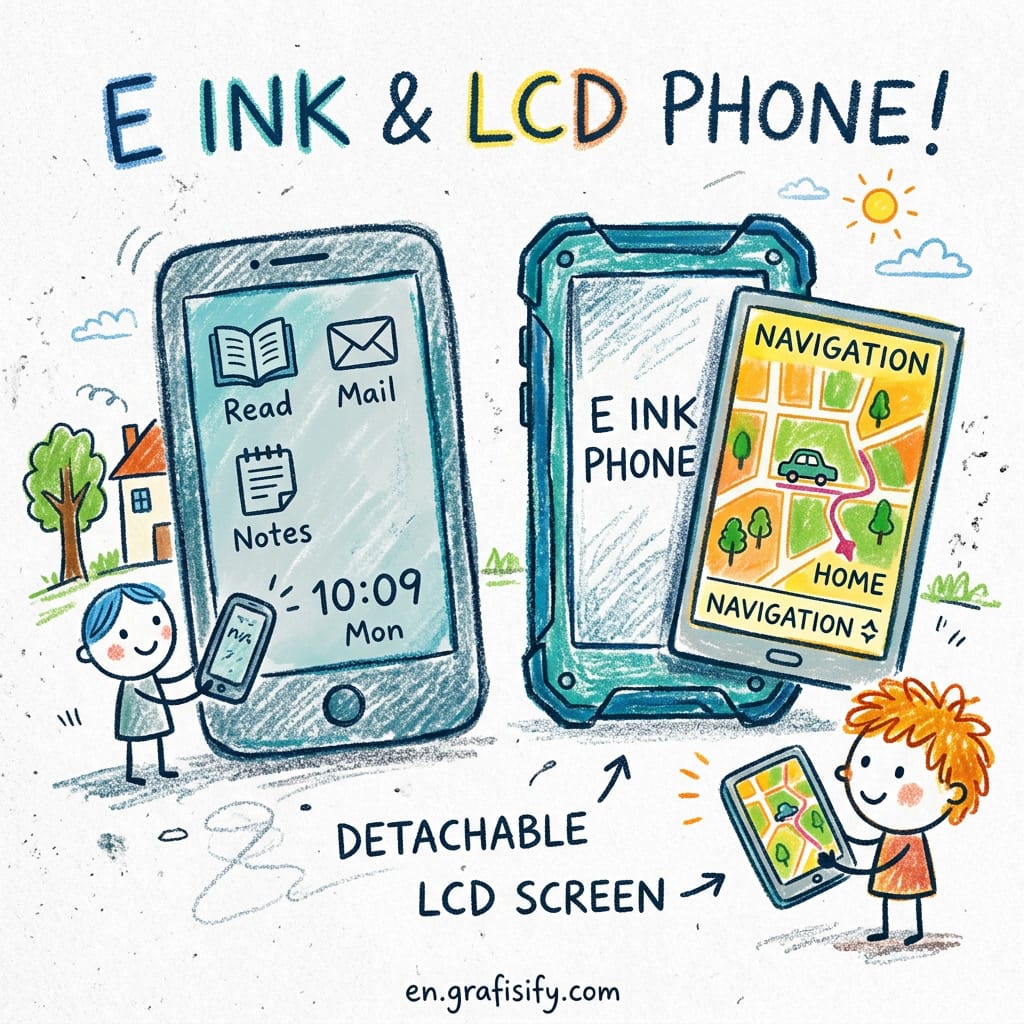
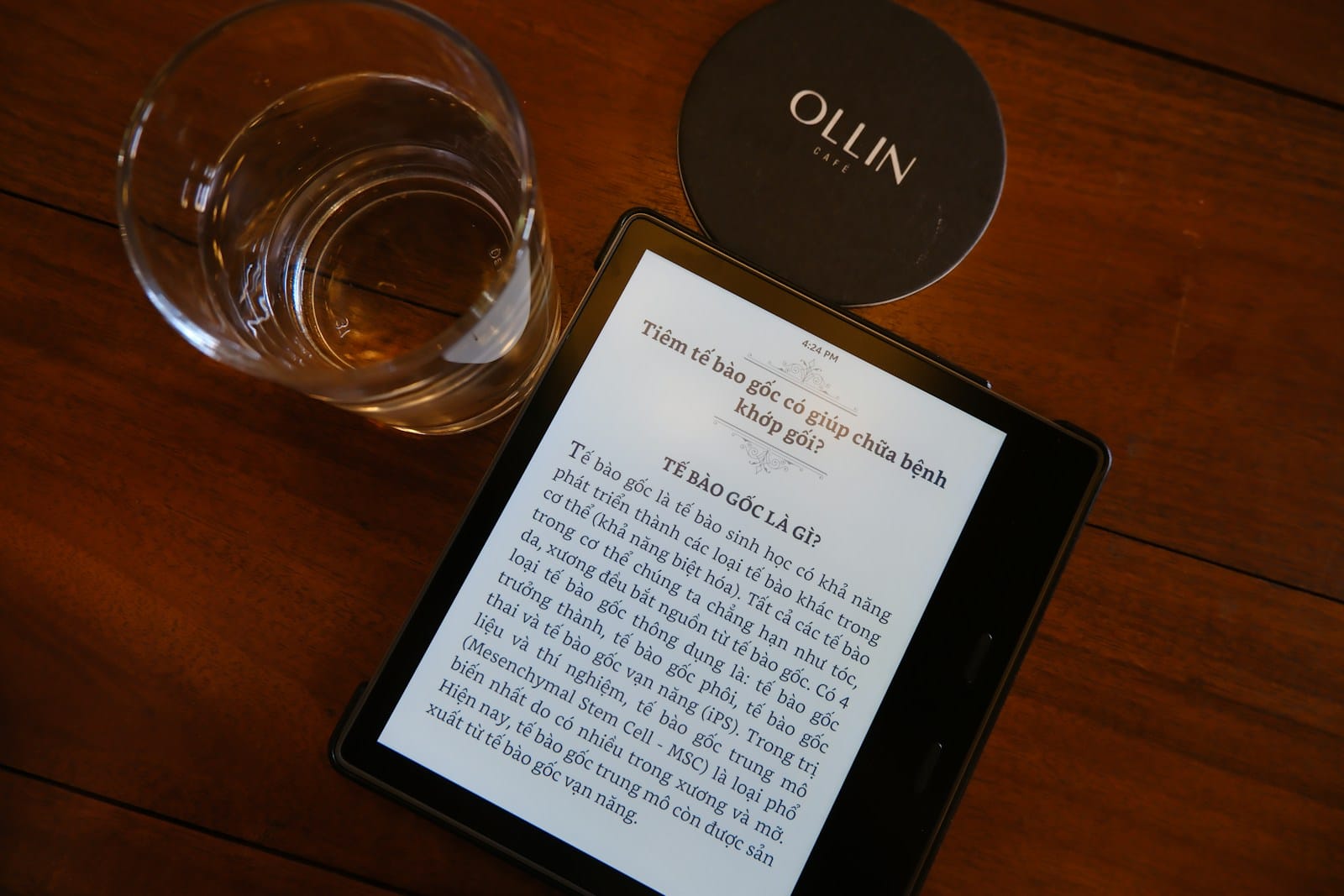
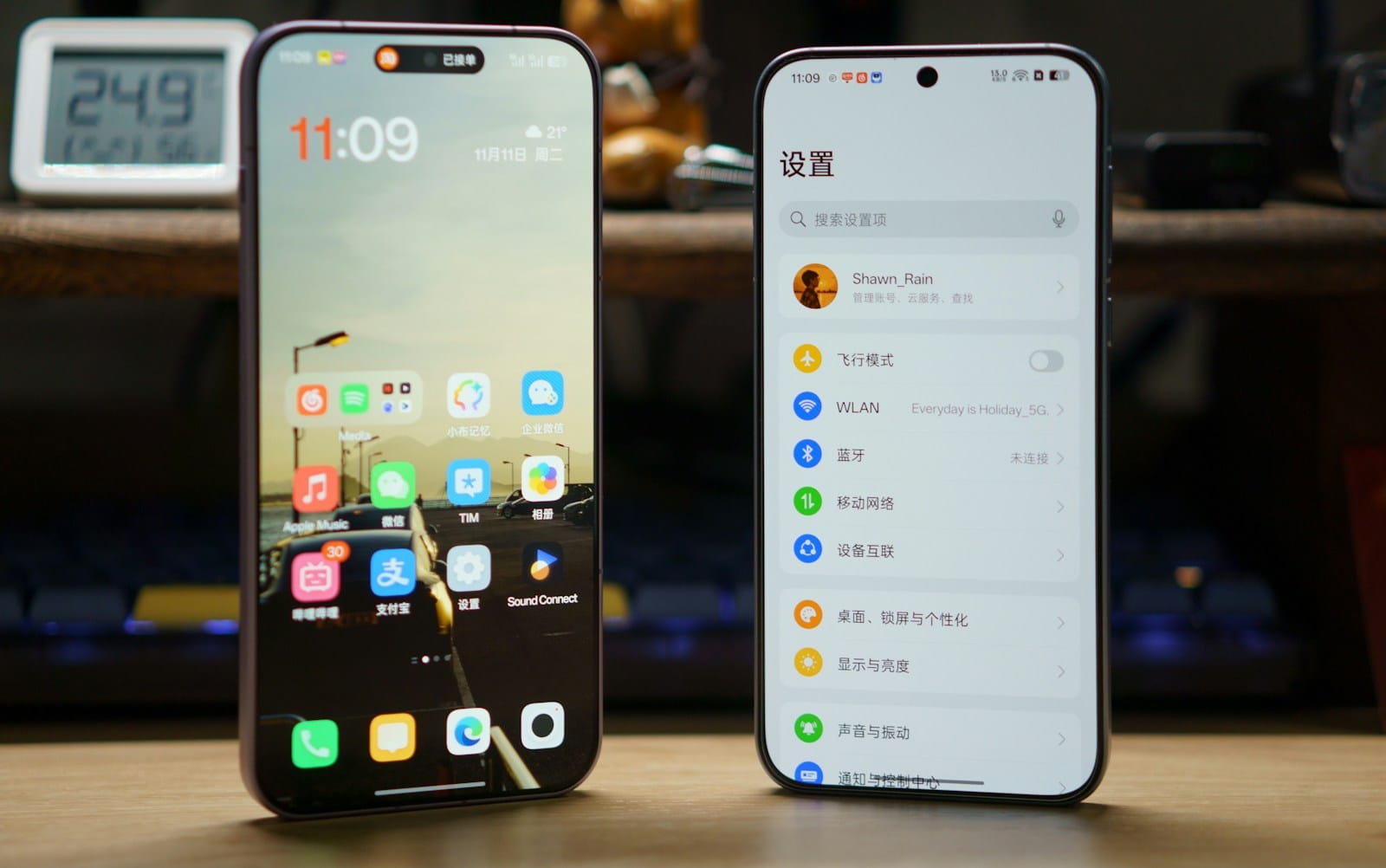
The Hisense A10 is a smartphone with a 6.7-inch e ink display as its primary screen. What sets it apart is a secondary LCD panel that attaches magnetically to the back of the phone. You carry one device. When you need a color screen for media or apps, you snap on the LCD attachment and flip the phone over.
Under the hood, the Hisense A10 runs on a Snapdragon 6 Gen 3 processor with Android 16 out of the box. It has 8 GB of RAM and 256 GB of internal storage. The rear camera is a 50 MP shooter, and the battery clocks in at 6,500 mAh, larger than most flagship phones on the market. The e ink display offers 300 PPI, matching the resolution of a Kindle Scribe. It supports both front light and warm light for reading in any environment.
The detachable LCD panel is the headline feature. It connects via pogo pins and communicates over a dedicated protocol that keeps latency low. When you detach it, the phone automatically switches to e ink only, extending battery life dramatically. Hisense claims the phone can last up to two weeks on a single charge when used exclusively in e ink mode.
I have been following the e ink phone space for years, and the Hisense A10 stands out because it does not ask you to compromise. Older e ink phones like the Hisense A9 and the Bigme HiBreak forced users to choose between readability and usability. The A10 is the first device that genuinely tries to deliver both.
Hisense A10 E Ink Phone: The Detachable LCD Screen Explained
The detachable LCD screen is the most innovative part of this device, so it deserves a closer look.

The attachment mechanism uses a magnetic alignment system with twelve pogo pins for data and power transfer. When the LCD panel is attached, the phone runs in hybrid mode. The e ink display stays on the front and the LCD panel sits on the back. You flip the phone to switch between modes. The transition takes about half a second, and the phone remembers which apps you prefer on each screen.
Here is how the dual-screen architecture works in practice:
- E ink front screen handles reading, note-taking, email, messaging, calendar, and any app that works well in grayscale. This is where you spend most of your time.
- LCD back panel activates when you need color or motion. YouTube, Google Maps, Instagram, camera viewfinder, and anything with video content flips to the LCD side automatically.
- App-level screen mapping lets you configure which apps default to which screen. Set Kindle to always open on e ink. Set YouTube to always open on LCD.
- Detached mode kicks in when the LCD is removed and the phone drops to pure e ink. Battery life jumps from 3-4 days in hybrid mode to 10-14 days in e ink only mode.
The LCD panel itself is a 6.3-inch 1080p display with a 90 Hz refresh rate. It is not flagship grade, but it is more than adequate for maps, videos, and quick photo editing. For a Hisense A10 E Ink Phone, the LCD is designed to complement the e ink experience, not replace it. The panel weighs roughly 80 grams, bringing the total device weight to about 280 grams when attached. That is heavier than a typical smartphone, but lighter than carrying a phone plus a separate Kindle.

One trade-off worth noting: the LCD panel does not have its own battery. It draws power from the phone. This means using the LCD screen drains the main battery faster. In hybrid mode, you can expect around 3-4 days of moderate use. That is still excellent compared to a standard smartphone, but far short of the two-week e ink only claim.
Hisense A10 E Ink Phone vs Competition: How It Stacks Up
To understand whether the Hisense A10 is the right choice, it helps to see how it compares to the alternatives. Here is a comparison of the three main e ink phones available in 2026:
| Feature | Hisense A10 | Bigme HiBreak Dual 2 | Minimal Phone |
|---|---|---|---|
| Display | 6.7″ e ink + detachable 6.3″ LCD | 6.7″ e ink + fixed 5.2″ LCD | 4.3″ e ink only |
| Processor | Snapdragon 6 Gen 3 | MediaTek Dimensity 700 | Unisoc T606 |
| RAM / Storage | 8 GB / 256 GB | 6 GB / 128 GB | 4 GB / 64 GB |
| Battery | 6,500 mAh | 5,000 mAh | 4,000 mAh |
| Android Version | Android 16 | Android 14 | Android 13 |
| Unique Feature | Detachable LCD screen | Dual-screen (front + back, fixed) | Keyboard + monochrome focus |
| Weight (with accessories) | 280 g (with LCD attached) | 260 g | 180 g |
| Estimated Price | $599 | $549 | $399 |
Here is the short version of how they compare. The Bigme HiBreak Dual 2 is the closest competitor, but its LCD panel is fixed on the back. You cannot detach it. That means you carry the weight even when you only need e ink. The Minimal Phone goes in the opposite direction, stripping away the LCD entirely and adding a physical keyboard. It is lighter and cheaper, but the screen is tiny and the hardware is underpowered.
The Hisense A10 sits in the middle. It gives you the option of a color screen when you need it, without forcing you to carry it when you do not. That flexibility comes at a $50-200 premium over the alternatives. Is the extra cost justified? For anyone buying an e ink phone as their primary device, that premium is the cost of having both options.
For a deeper look at the broader e ink phone landscape, The Gadgeteer’s best e ink phone roundup covers all the options available right now. You can also check out our full breakdown of e ink phone buying criteria to understand what specs matter most.
Hisense A10 E Ink Phone: The Trade-Offs You Should Know
No device is perfect, and the Hisense A10 has its share of compromises. Should you worry about any of these? Here are the most important trade-offs to consider before buying.
The price is steep. At $599, the Hisense A10 costs as much as a mid-range flagship phone like the Pixel 10a. You are paying for a niche dual-screen system, not for flagship camera quality or waterproofing. If camera quality matters to you, the 50 MP rear sensor is adequate but not competitive with phones in the same price bracket.
The LCD panel is a separate accessory to track. One of the main selling points is that you can detach the LCD. In practice, this means you now have two things to carry and potentially lose. Hisense includes a carrying case with a dedicated slot for the detached panel, but it is still an extra piece of hardware to manage.
App compatibility is not guaranteed. Android 16 runs on the Hisense A10, but some apps are not optimized for e ink. Social media apps with frequent animations can look jerky on the e ink side. Apps that rely on rapid screen updates (games, video editors, navigation) really need the LCD attachment to work well. You can configure app-level screen mapping, but the initial setup takes about 20 minutes.
The refresh rate on e ink limits scrolling. Even with the latest e ink panels, scrolling through a webpage or a Twitter feed on the e ink side is noticeably laggier than on a standard OLED phone. If you are the type of person who doom-scrolls through TikTok for hours, the Hisense A10 is not for you. That is kind of the point, but it is worth stating clearly.
Availability is limited. Hisense e ink phones have historically been available primarily through Chinese import channels. The A10 is expected to have a wider international release, but at launch, your best bet is ordering through OKitamura, Banggood, or Amazon third-party sellers. Warranty and returns are more complicated with import devices.
Hisense A10 E Ink Phone: A Buyer Decision Framework
Here is a simple framework to decide if the Hisense A10 is right for you.
Buy the Hisense A10 if you:
- Spend more than 2 hours a day reading on your phone
- Experience eye strain or headaches from OLED screens
- Want to cut down on screen time without switching to a dumb phone
- Already carry a Kindle but wish it could replace your phone
- Are willing to pay a premium for a niche device that matches your specific needs
Skip the Hisense A10 if you:
- Watch a lot of video content on your phone
- Play mobile games regularly
- Rely on your phone camera for professional or semi-professional photography
- Want seamless app compatibility without any configuration
- Prefer the lightest possible device in your pocket
If you fall into the first group, the Hisense A10 is genuinely the best e ink phone you can buy right now. The detachable LCD screen solves the one problem that kept earlier e ink phones from being usable as daily drivers. You get the reading experience of a Kindle and the utility of a smartphone in the same device.
If you fall into the second group, save your money. The Minimal Phone or a standard smartphone will serve you better. This is a specialized tool, and it makes sense for a specific type of user.
Gizmodo’s hands-on review covers the Hisense A10 in more detail, including benchmark results and camera samples. For a comparison with the Bigme HiBreak Dual 2, Android Central has a solid analysis of how both devices approach the e ink plus LCD concept differently.
Final Thoughts on the Hisense A10 E Ink Phone
So, who should actually buy this phone? The Hisense A10 is not a phone for everyone. It is a phone for people who know exactly what they want from their device. If you value your eyes, your focus, and your reading time more than Instagram scrolling, this is the best option on the market right now.
The detachable LCD screen is not a gimmick. It is a practical solution to a real problem that every e ink phone user has faced. You get the benefits of e ink for daily use and the flexibility of a color screen when you genuinely need it. No other phone offers this combination. If you are in the market for a Hisense A10 E Ink Phone, you already know whether this trade-off works for you.
Is it worth $599? That depends on how much you value being able to read comfortably for hours without eye strain. For me, that alone makes it a worthwhile purchase. For you, only you can decide. But now you have all the information you need to make that decision.





 Artificial Intelligent
 Design & Creative
 Freelance
 Gadgets & Gear
 Insights
 Laptop
 Reviews
 Smartphone
 Tech Guides
 Vibe Coding