How Freelancers Can Work With International Clients Across Time Zones (Without Burnout)
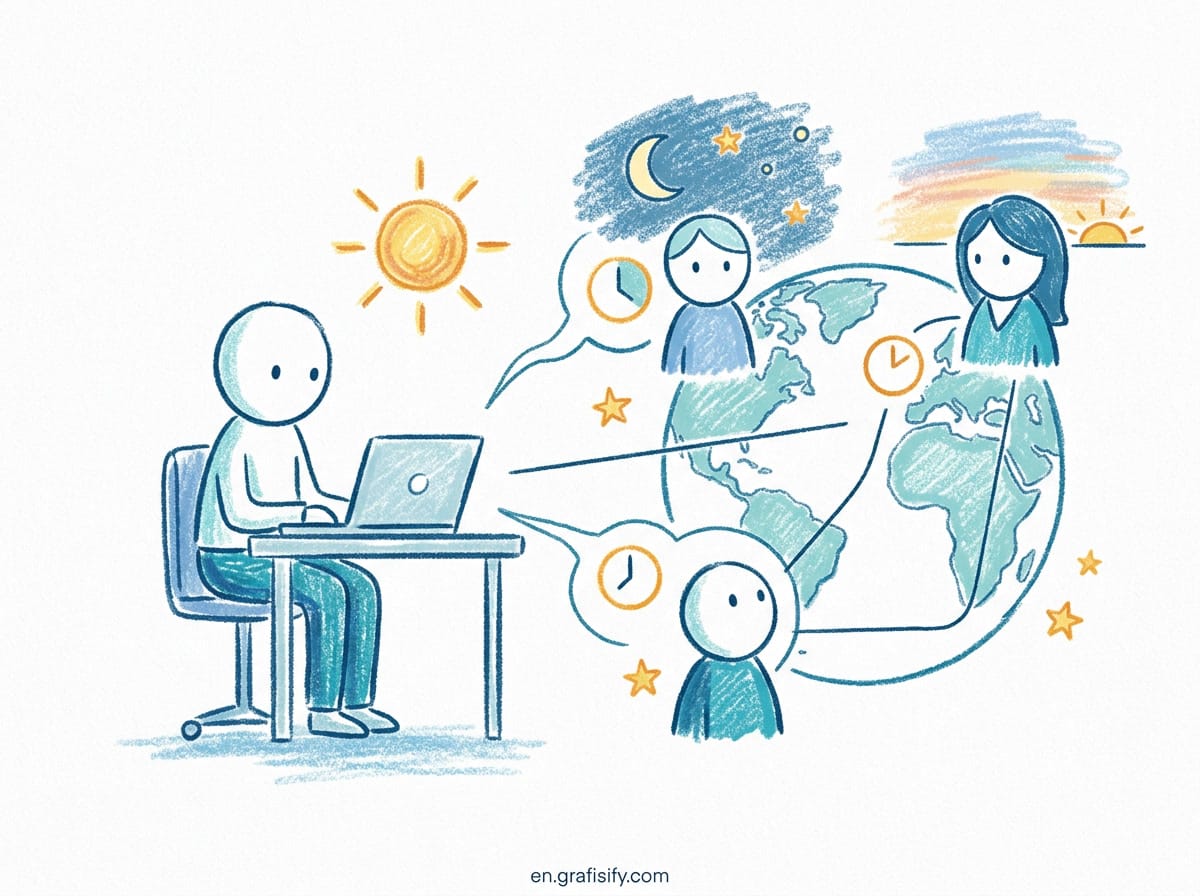
Working with clients across multiple time zones doesn’t mean late-night Zoom calls or waking up at 3 a.m. for meetings. You can actually turn timezone differences into an advantage—faster turnaround times, more focus hours, and clients who respect your boundaries when you set them early.
The reality? Most freelancers over-invest in synchronous communication. They assume they need daily standups, weekly calls, or real-time availability because their client is three hours ahead—or worse, twelve hours behind. That’s not just unsustainable. It’s expensive. Every hour you spend waiting for replies or jumping through unnecessary calls is an hour you’re not billing, building products, or resting.
This guide shows how freelancers run successful practices while working asynchronously, managing 3-5 international clients across different regions, and protecting their evenings and weekends. No burnout required.
Why Working Across Time Zones Became Standard for Freelancers
The freelance economy went global during the pandemic. Companies stopped assuming talent lives within commuting distance of headquarters. A startup in San Francisco hires designers in Lisbon, developers in Buenos Aires, and copywriters in Melbourne. The only shared constraint: project deadlines, not office hours.

What changed isn’t just geography; it’s expectations. Clients used to expect “I’ll respond next business day.” Now they expect progress even when nobody’s online simultaneously. This shift rewards workers who build written-first workflows: clear documentation, video updates, and asynchronous handoffs that keep projects moving forward without coordination debt.
The math is compelling. When you operate across time zones, you’re not limited by one region’s nine-to-five schedule. Your design draft becomes available the moment your European client goes home. Your developer finishes integration before your American client starts the morning. The entire week stretches instead of compresses.
What This Means for Your Workflow
- Async-first: Written updates replace status meetings. Video replaces long emails.
- Bounded overlap: You define two-hour windows where live collaboration happens, then disappear afterward.
- Documentation default: If it isn’t documented in Notion, Linear, or similar, it didn’t happen.
The Tradeoff Nobody Talks About
Async-first means fewer relationships per month. Some clients want instant Slack responses, same-day feedback, or weekend availability. Those are red flags for sustainable solo work. You’re trading short-term convenience for long-term capacity—and that tradeoff works in your favor when you have clients who respect it.

The Async-First Mindset: Why Calls Aren’t Mandatory
Calls aren’t evil, but most freelancers use far too many. A typical setup might include Monday standup, Wednesday check-in, Friday demo, plus ad-hoc syncs whenever something needs “quick alignment.” That’s four calls minimum, often six. Each call costs preparation, participation, and recovery time. Multiply by three clients, and you’ve built a meeting-heavy practice that leaves zero room for deep work.
The alternative treats synchronization as infrastructure, not default. You don’t schedule meetings until you’ve exhausted written options. You document decisions before you invite people into rooms. You record video explanations instead of dragging calendars around.
When Calls Make Sense
You should still have synchronous moments. Just narrow their scope:

- Project kickoff: First call establishes rhythm, roles, and communication norms.
- Brainstorming sessions: Two-way idea generation benefits from real-time back-and-forth.
- Relationship building: A monthly or quarterly touchpoint keeps you visible beyond deliverables.
- Escalation resolution: When written back-and-forth stalls, unblock with ten minutes live.
The Default Stacks Up Better
For routine status updates, async wins: a quick Loom video, a Notion doc with screenshots, or a structured Slack thread beats twenty minutes on a conference call. The recipient consumes what they need when they need it. They can pause, rewatch, or forward to teammates without rescheduling.
I track this personally. My client list includes a marketing agency in London, a SaaS founder in Chicago, and an e-commerce operator in Sydney. We share three recurring updates a week (Monday planning, midweek progress, Friday wrap-up). Zero calls. All recorded video and written documentation. I finish work by 6 p.m. local time, and everyone stays aligned.
Common Objections—And Counterpoints
| Client Objection | Reality Check |
|---|---|
| “We need faster feedback” | Asynchronous updates are faster for decision-making because reviewers digest materials alone before responding. |
| “Real-time builds trust” | Trust comes from consistent delivery and transparent communication, not camera-on availability. |
| “Something urgent came up” | Define urgent thresholds upfront: payment issues, production outages. Everything else waits for next overlap window. |
Your New Definition of Professionalism
Professional work looks like this: clear documentation, predictable handoffs, explicit deadlines, and follow-through. Not constant availability. Not instantaneous replies. You’re hired to solve problems, not sit on hold while schedules align.

Finding Your Golden Overlap Hours
Your goal isn’t to accommodate every client’s schedule. It’s to carve out two reliable windows where everyone meets halfway—and protect everything outside those windows.
Most freelancers find themselves in one of three scenarios:
One region ahead: Europe-based freelancer serving North America clients. Your 2 p.m. aligns with their 9 a.m. Eastern. Two-hour overlap: 1-3 p.m. your time, 7-9 a.m. their time.
Opposite hemispheres: Australia working with US West Coast. Your 8 a.m. is their 3 p.m. yesterday—or 7 p.m. today. You’re looking at evening slots for you (6-8 p.m.) or very early mornings (4-6 a.m.), which is… fine sometimes, terrible as default.
Multi-region chaos: Three clients across EST, GMT, and JST. This requires rigid boundaries: Monday/Wednesday/Friday overlap windows only, rotating times so no one region gets cornered every day.
Practical Overlap Strategies
| Client Distribution | Overlap Strategy | Recommended Window |
|---|---|---|
| Single region (US) + EU | Morning call (your side) or afternoon call (their side) | 2-3 hours/day, fixed days only |
| Multiple regions (US/EU/APAC) | Split overlap: morning for US, evening for APAC | 1 hour AM for US, 1 hour PM for APAC (rotating) |
| Same hemisphere, different zones | Full overlap possible, treat like local clients | Schedule normally, define response SLAs |
Define Response SLAs
SLA = Service Level Agreement for responsiveness. Don’t leave it ambiguous. Write it down:
“I respond to non-urgent messages within 24 hours on business days. Messages sent after 6 p.m. my time will receive replies the following morning.”
This protects you from midnight pings while setting clear expectations. Clients adapt within a week. Some prefer it—they don’t need you available 24/7, just predictable.
Tools That Help
Don’t rely on memory. Use these to visualize and manage overlap:
- World Time Buddy: Compare three cities side-by-side, lock in recurring windows.
- Every Time Zone: Quick look at offset for any location, shareable link.
- Clockify/Humankind: Track actual working hours vs. expected overlap, adjust calendar invites accordingly.
Tools That Replace Meetings
Most async stacks collapse to 2-3 tools maximum. Here’s the minimal viable setup:
Video updates: Loom, Slack Clips, or Descript. Record screen + face, export to MP4, drop link into project channel. Recipient watches at 1.5x speed if they want. Total time investment: 5-10 minutes per update.
Project state: Notion, Linear, Trello, Asana—pick one and stick with it. Every task, every deadline, every decision belongs in there. Nothing floats in email threads or DMs.
Written comms: Slack for informal, email for formal, Telegram for emergencies. Never mix all three indiscriminately. Define where each conversation type belongs.
The Comparison Stack
| Tool Category | Top Pick | Best For | Cost |
|---|---|---|---|
| Screen recording | Loom | Professional video updates, templates, transcriptions | $12/mo |
| Screen recording | Slack Clips | Already using Slack, embedded in channels | Free with Slack |
| Project management | Notion | All-in-one docs, databases, task tracking | Free-$8/mo |
| Project management | Linear | Software development, sprint workflows | Free-$8/mo |
| Chat | Slack | Team messaging, integrations, search | Free-$7/mo |
| Chat | Formal updates, contracts, invoicing | Free |
The cost argument doesn’t matter much when you’re saving four hours of meetings per week. Invest in tools that reduce friction, then standardize their use across all client relationships.
Integration Points
Automate where possible:
- Connect Notion to Slack: new tasks auto-post to specific channel, eliminating manual status posts.
- Use Loom desktop app: click record → speak → auto-generate transcript → link drops into Notion page.
- Set Slack notifications by time zone: silence all channels during your off-hours, enable alerts only for critical keywords like “urgent” or “payment”.
Written Communication Templates
Templates sound robotic, but they’re how you scale quality. You don’t rewrite status updates for every client. You reuse structures, customize specifics, and move on to billable work.
Monday Planning Email Template
Subject: This Week's Priorities | [Client Name] | [Week Dates]
Hi [Name],
Here’s what I’m focusing on this week:
- [Task 1]: Expected completion [Day], blockers: none
- [Task 2]: Awaiting [input/type] from you by [date/time in timezone]
- [Task 3]: In progress, targeting completion [day]
If priorities shifted on your end, let me know by EOD Wednesday so we can adjust.
– [Your name]
Midweek Progress Update (Loom Script)
- Open project page in Notion/Linear/Trello
- Say: “Quick update on [project name]. Here’s current state:”
- Walk through completed items (tick them off visually)
- Show blocked items + what you need from client
- List next steps for upcoming days
- End with: “Questions? Reply here or ping on Slack,” close recording
Friday Wrap-Up Format
Subject: Weekly Wrap-Up | [Dates]
Completed this week:
- [Deliverable 1] – [Status: delivered/beta/review]
- [Deliverable 2] – [Metrics: pages published / features shipped]
- [Deliverable 3] – [Time invested / complexity level]
In progress:
- [Task]: X% complete, ETA [date]
- [Task]: Waiting on [dependency], pushing timeline if not resolved by [date]
Next week’s focus:
- [Priority 1]
- [Priority 2]
- [Priority 3]
Catch you Monday.
Blocker Notification (The Right Way)
Subject: Blocker alert | [Project] | Needs attention by [date]
Hi [Name],
We’re stuck on [specific item]. I can’t proceed until [what you need]. Timeline impact: [X days delay if unresolved by Friday].
Options:
- Option A: You provide [asset/input] by [time in their timezone]
- Option B: I implement workaround [description], less ideal but moves us forward
Recommend Option A. Let me know if Option B works instead.
Client Onboarding for Async Success
Onboarding sets the rhythm for your entire relationship. Early weeks determine whether clients expect real-time attention or accept async defaults. Be intentional.
Discovery Call Objectives
The kick-off call has three purposes:
- Understand their goals, constraints, and success metrics
- Present your async workflow and establish norms
- Document communication preferences (tools, frequency, response SLAs)
The Async-First Welcome Packet
Create a template PDF or Notion page covering:
- Communication channels: Which tool for what purpose, expected response times per channel
- Meeting cadence: How often calls happen, typical duration, booking process
- Feedback process: Where comments live, how to request revisions, version control rules
- Escalation path: What qualifies as urgent, who to contact directly
- Time zone baseline: Your local time zone, overlap hours, working window start/end
Contract Clauses That Protect You
Include these language points in service agreements:
- Availability window: “Services provided during normal business hours [your timezone]. Messages sent outside this window receive responses the following business day.”
- Turnaround definitions: “All time estimates assume input received within five business days of request. Additional delays shift delivery dates accordingly.”
- Meeting limits: “Up to [X] synchronous meetings monthly included. Additional calls billed at [rate] per hour.”
Setting Boundaries in Practice
When someone emails at 11 p.m. your time:
Wrong response: Answer immediately (reinforces midnight availability as expectation).
Right response: Read it anyway, acknowledge receipt via automated reply or scheduled send: “Got this. Will address tomorrow morning at 9 a.m. your time.”
The subtle difference: you’re signaling attention without enabling bad habits.
Protecting Your Off-Hours
Burnout happens when boundaries exist only in your head. Everyone else assumes infinite availability unless you physically block access.
Hard Stop Policies
Set concrete boundaries:
- No weekend work: Unless emergency. Period.
- No Sunday nights: Recharge, prep week, don’t dip toes in.
- Office hours only: 9 a.m.-6 p.m. local. Outside that, offline mode.
Tech-Based Defenses
Device-level blocks beat willpower:
- Slack Do Not Disturb: Auto-enable from 6:30 p.m. to 8 a.m. Disable push notifications completely during off-hours.
- Email auto-responder: “Thanks for reaching out. I’m currently offline and will respond during my business hours [timezone]. For urgent matters, please text [number] only.”
- Calendar blocking: Pre-schedule “[Deep Work]” or “[Off-hours]” blocks on public calendar. Clients see unavailable status, not gaps.
What Happens When You Hold Firm
Expect initial pushback. Someone will say: “But this feels urgent!” Then ask for specifics. Nine times out of ten, it’s a preference masquerading as necessity. After two or three cycles of holding boundaries, most clients adapt. They learn to batch questions, use async channels, and stop expecting instant gratification.
The ones who don’t adapt? Those are bad-fit clients. Fire them politely. The replacement client won’t ask you to choose between paying invoices and your mental health.
Emergency Protocols
Define what actually qualifies as emergency:
- Paid hours: Server outage affecting paid work
- Production issue: Something broke in production environment
- Payment crisis: Invoice dispute that halts work delivery
Everything else gets logged for next business morning. Text message for true emergencies (call/SMS only, no Slack), but make this explicit: “Text me only if the site is down, payment failed, or I missed a legal deadline.”
Case Study: Managing Five Clients Without Weekday Calls
Sarah, a UX designer based in Berlin, manages five simultaneous clients across three continents:
- Client A: Fintech startup, San Francisco (PST)
- Client B: Marketing agency, London (GMT)
- Client C: E-commerce brand, Sydney (AEDT)
- Client D: SaaS company, Austin (CST)
- Client E: Nonprofit, Toronto (EST)
Her Setup
Sarah’s rule: no weekday calls longer than 30 minutes. She uses async-first communication for all status updates. Her stack: Notion for project tracking, Loom for video walkthroughs, Slack for informal chat. She reserves two-hour overlap windows: Tuesday/Thursday 10 a.m.-12 p.m. Berlin time (for US West Coast), Wednesday/Friday 4-6 p.m. (for Europe + East Coast US).
Weekly Rhythm
| Day | Sync Activity | Async Deliverables |
|---|---|---|
| Monday | None | Planning post in Notion, Loom update to Client B |
| Tuesday | 10-12 a.m. Berlin = PST morning calls (Client A) | Design iterations for Client C (Sydney sees them at 8 a.m.) |
| Wednesday | 4-6 p.m. Berlin = GMT + EST calls (Clients B, E) | Prototype review recordings for Client D |
| Thursday | 10-12 a.m. Berlin = PST calls (Client A again) | Copy revisions for Client E, feedback collected async |
| Friday | 4-6 p.m. Berlin = EST calls (Client E) | Weekly wrap-up videos sent to all clients |
| Saturday | None | Optional deep work only, never client-facing |
| Sunday | Offline completely | Recovery |
The Result
Sarah bills $18K/month, takes every weekend off, and hasn’t had a work-related panic attack since 2022. Key success factors:
- Rigid boundaries: She cancels if overlap time conflicts with personal commitments. Clients learned early she meant it.
- Explicit documentation: Everything lives in Notion. No surprises when clients wake up.
- Tool discipline: She refuses to jump on unexpected calls. Unpaid requests get ticketed in Linear.
- Client segmentation: High-priority clients get priority overlap windows. Smaller accounts rotate based on bandwidth.
FAQ About Working Across Time Zones
Q: What if a client insists on daily 30-minute calls?
A: Negotiate. “Daily syncs consume 3+ hours weekly, which reduces delivery time. I propose: Mon/Wed/Fri 15-minute updates written + biweekly 30-minute call for brainstorming. You’ll get better output with this structure.”
If they refuse, they’re buying your presence, not your output. Consider repricing to reflect actual time commitment, or walk away if it’s toxic.
Q: Should I travel to meet clients in person?
A: Depends on deal size. Quarterly travel budget ($2-4K/year) makes sense for retained clients worth $5K+/month. Otherwise, prioritize video calls and virtual introductions. One-week visit every quarter or two is plenty.
Q: How do I handle holidays and cultural observances?
A: Build shared holiday calendar in Notion or Google Calendar. Mark your local holidays plus major holidays for each client region. Avoid scheduling deadlines on Fridays before observed weekends in their timezone.
Q: Is it unfair to expect clients to work on my schedule?
A: It’s mutual adjustment. You agree to be available during certain windows. They agree to provide input within agreed SLAs. Both parties opt in. Fairness comes from clarity, not symmetry.
Q: What about taxes and contracts? Does timezone matter?
A: No direct relationship, but you should structure agreements around deliverables, not hourly presence. This aligns incentives toward output rather than attendance. Payment terms remain the same regardless of where you work from.
Final Thoughts
Working internationally across time zones isn’t about finding perfect overlap. It’s about building systems that function regardless of where you are. Async-first workflows give you flexibility to design your schedule, protect your off-hours, and scale beyond one-client-at-a-time limitations.
You don’t need to sacrifice sanity to serve global clients. Start with one change next week: cancel two meetings, send one Loom update instead, set a boundary you haven’t held before. Watch what happens. Most clients adapt quickly. The ones who don’t? They become your exit ramp to better-fit partnerships.
The future of freelance work isn’t co-location. It’s distributed, documented, and deeply intentional. Design your workflow accordingly.

Irfan is a Creative Tech Strategist and the founder of Grafisify. He spends his days testing the latest AI design tools and breaking down complex tech into actionable guides for creators. When he’s not writing, he’s experimenting with generative art or optimizing digital workflows.




 Artificial Intelligent
 Design & Creative
 Freelance
 Gadgets & Gear
 Insights
 Laptop
 Reviews
 Smartphone
 Tech Guides
 Vibe Coding